Blogs

.jpg)
How to back up Amazon S3 data with AWS?
Backing up Amazon S3 data is no longer a manual or fragmented task for small and medium-sized businesses (SMBs). With AWS Backup, they can have access to a centralized, fully managed service that automates the creation, storage, and restoration of Amazon S3 backups across the environment.
Businesses can define a single backup policy and apply it across all Amazon S3 buckets. AWS Backup then automatically handles backup creation and securely stores the data in encrypted backup vaults. Whether the need is for continuous backups to enable point-in-time recovery or periodic backups for long-term retention, the setup is both flexible and scalable.
This guide outlines how SMBs can configure and manage Amazon S3 backups using AWS Backup. It also covers how to schedule backups, apply retention rules, and restore data efficiently.
Key takeaways:
- Centralized and automated: AWS Backup centralizes S3 backup management with automated policies, reducing manual effort and ensuring consistent protection.
- Flexible recovery: Supports point-in-time restores and cross-bucket recovery, ideal for operational resilience and regulatory needs.
- Built-in security and compliance: Encrypted vaults, IAM controls, and audit tracking help SMBs meet HIPAA, PCI, and other standards.
- Optimized for cost and scale: Lifecycle policies and cold storage options align backup strategies with retention goals and budget constraints.
- Cloudtech makes it turnkey: As an AWS partner, Cloudtech helps SMBs deploy secure, scalable S3 backups quickly, with governance, automation, and recovery built in.
Getting started with AWS S3 backup
AWS Backup provides native integration with Amazon S3, allowing SMBs to manage backup and restore operations across their cloud workloads centrally. This integration extends beyond S3 to include other AWS services like Amazon EC2, Amazon RDS, Amazon DynamoDB, and Amazon EFS. This allows consistent, policy-driven protection from a single control plane.
Using AWS Backup, teams can define backup plans that include Amazon S3 buckets, automate backup scheduling, enforce retention policies, and ensure encryption at rest. All backups are stored in AWS Backup Vaults. They are dedicated, encrypted storage locations that isolate backup data from primary environments.
Key capabilities of AWS Backup for S3:
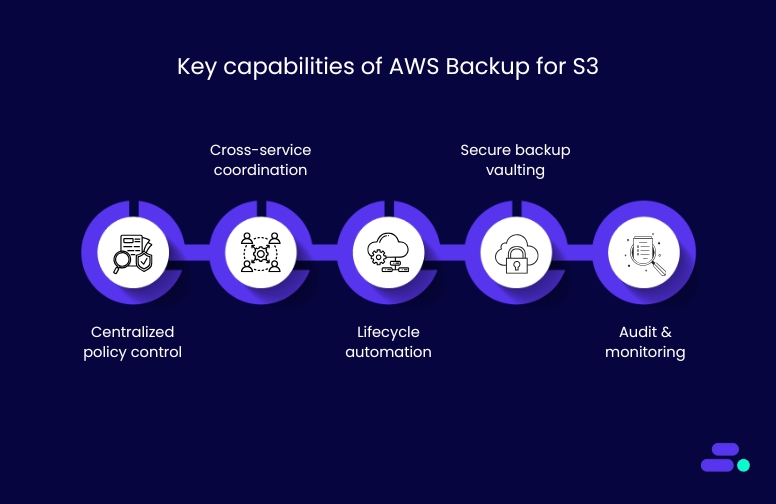
- Centralized policy control: Define backup rules once and apply them across multiple services and Amazon S3 buckets.
- Cross-service coordination: Align Amazon S3 backup schedules with other workloads like Amazon EC2 or databases to streamline protection.
- Lifecycle automation: Automate backup creation, retention, and deletion to meet compliance requirements without manual intervention.
- Secure backup vaulting: Use AWS Key Management Service (KMS) and IAM policies to restrict access and protect backup data.
- Audit and monitoring: Track backup compliance and operational events using AWS Backup Audit Manager.
This centralized architecture simplifies operations for SMBs that may not have dedicated infrastructure teams. It ensures data is consistently protected, retained, and auditable across the AWS environment.

How to plan and configure AWS S3 backup?
AWS Backup offers a centralized, policy-based approach to managing S3 backups. For SMBs, this means eliminating ad-hoc scripts and enabling consistent protection across environments.
Backup plans are created using AWS Backup’s console or API, defining:
- Backup frequency: hourly, daily, or weekly schedules
- Lifecycle rules: define when to transition to cold storage or delete
- Resource targeting: apply plans to tagged Amazon S3 buckets across accounts
- Backup vault selection: route backups to encrypted, access-controlled vaults
Each plan is reusable and version-controlled, allowing consistent enforcement of retention and compliance policies.
Continuous vs. Periodic Backups for Amazon S3:
Important notes during setup:
- Amazon S3 Versioning must be enabled on all buckets assigned to backup plans. Without it, AWS Backup cannot perform recovery operations.
- Unassigned buckets are excluded from protection. Each bucket must be explicitly added to a policy or assigned via AWS Resource Tags.
- Backup plans are independent of lifecycle policies in Amazon S3. Backup retention settings apply only to backup copies, not live bucket data.
Pro tip: While AWS services provide the building blocks, an AWS partner like Cloudtech can help businesses implement backup strategies that fit business and compliance requirements.
Automation and orchestration for Amazon S3 data backups
Managing backups at scale is critical for SMBs aiming to maintain data resilience, meet compliance needs, and reduce operational overhead. AWS Backup offers a structured, centralized way to automate backup processes for Amazon S3 data through policy-driven orchestration, aligned with AWS Organizations and tagging standards.
Automating backup scheduling and retention:
Manual scheduling across individual buckets is prone to misconfigurations. A consistent backup cadence across environments ensures regulatory alignment and simplifies data lifecycle management.
Here’s how to set it up:
- In the AWS Backup console, create a backup plan that includes backup rules defining frequency, backup window, lifecycle transitions, and retention.
- Assign Amazon S3 buckets to the plan manually or dynamically via resource tags.
Recovery points are automatically generated, retained, and expired based on the defined policies. This automation ensures that all eligible Amazon S3 data is protected on a predictable schedule without human intervention.
Centralized configuration across accounts:
SMBs often use multiple AWS accounts for development, production, or business units. Without centralized control, backup management becomes fragmented.
To implement centralized configuration across accounts, these steps can be followed:
- Set up AWS Organizations and designate a management account to handle backup policy enforcement.
- Enable cross-account backup management through delegated administrator roles in AWS Backup.
- Apply organization-wide backup policies from the management account to all member accounts or a selected subset. This avoids inconsistent retention policies across business units.
- Use AWS Backup Audit Manager for consolidated visibility across accounts, tracking whether defined policies are being enforced consistently.
This structure enables IT teams to implement guardrails without micromanaging each account, improving governance and oversight.
Policy enforcement using tagging:
Along with centralized management through AWS organizations, tags can be used to automate backup inclusion dynamically. As new resources are created, correctly tagged Amazon S3 buckets are auto-assigned to backup plans.
Some key strategies can help SMBs improve the effectiveness of tags:
- Standardize tagging across the organization using AWS tag policies (e.g., Backup=true, DataType=Critical, Environment=Prod).
- When creating or updating a backup plan, specify tag-based resource selection criteria.
As a result, AWS Backup continuously scans for Amazon S3 buckets that match the specified tags and automatically includes them in the plan. This ensures no bucket is unintentionally left out of compliance.
Tags also allow for fine-grained policy targeting, such as applying different backup rules for dev vs. production environments or financial vs. marketing data.

For small and mid-sized businesses, setting up automation and orchestration early eliminates operational drift, simplifies audits, and reduces dependency on manual oversight.
Restoring Amazon S3 data: options, architecture, and planning
For SMBs, data recovery is not just about restoring files. It’s about minimizing downtime, preserving trust, and meeting regulatory requirements. AWS Backup offers flexible restore capabilities for Amazon S3 data, allowing teams to respond quickly to incidents like accidental deletions, corruption, or misconfigurations.
For example, suppose a healthcare provider’s admin team accidentally deletes patient billing records stored in an Amazon S3 bucket. In that case, AWS Backup allows recovery to a previous point-in-time, such as the snapshot from the previous day. The data can be restored into a separate, access-controlled staging bucket where compliance teams can review and validate the records before moving them back into the production environment.
Restore options for Amazon S3:
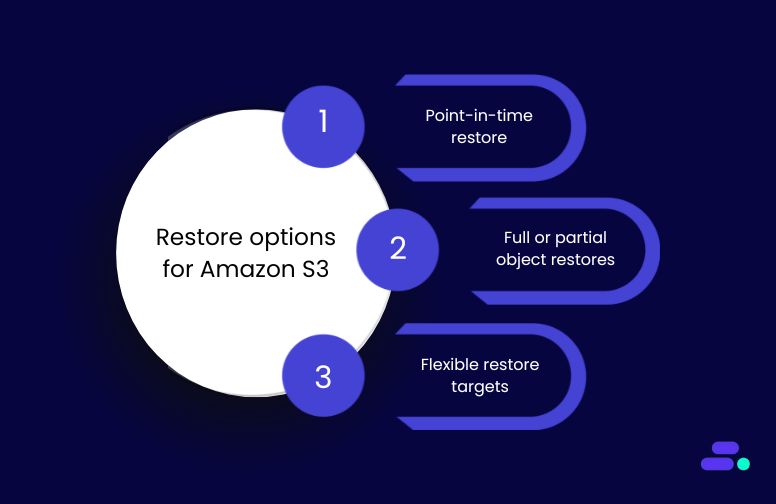
- Point-in-time restore (using continuous backups): Enables recovery to any second within the past 35 days. Useful for rollbacks after accidental overwrites or ransomware events.
- Full or partial object restores: Restore entire buckets or select specific objects. This helps recover a single corrupted report or database export without needing to recover the entire dataset.
- Flexible restore targets: Choose to restore to the original S3 bucket or a new one. Restoring to a new bucket is ideal for testing or when isolating recovered data for audit purposes.
Cross-account and cross-region restores:
Many SMBs operate in environments with separate AWS accounts for development, staging, and production. Others may require disaster recovery in a different AWS Region to meet compliance or resiliency goals.
- Cross-account restores: Restore data from a staging account to a production account after verification has been completed. Requires IAM role trust relationships and policy permissions.
- Cross-region restores: A healthcare company with compliance needs in the EU can restore US-hosted S3 data into the Frankfurt Region using backup copies. This supports data residency and disaster recovery objectives.
Note: To perform cross-region restores, ensure the backup vault supports multi-region use and that the destination Region is selected when configuring backup plans.
Architectural considerations:
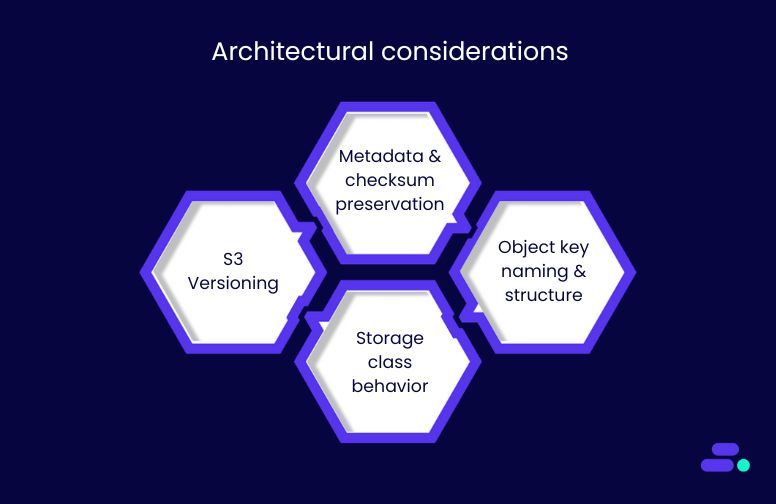
Successful restores require a well-configured environment. Key factors include:
- Amazon S3 Versioning: Must be enabled to support continuous backups and point-in-time recovery. Without it, AWS Backup cannot track or restore object-level changes.
- Metadata and checksum preservation: Some metadata (e.g., custom headers) and checksums may not persist through restore operations. SMBs should validate data integrity post-restore.
- Object key naming and structure: Buckets with millions of similarly prefixed object keys (e.g., /user/data/…) can experience slower restore times due to prefix-based performance limits.
- Storage class behavior: Standard and intelligent tiering grants immediate access post-restore, whereas Amazon S3 Glacier Deep Archive restores can take minutes to hours and may incur retrieval charges.
Pro tip: If a hospital archives monthly patient admission records in Amazon S3 Glacier Deep Archive, restoring that data for an audit or regulatory review can take up to 12 hours using standard retrieval methods. To avoid delays, healthcare providers should plan for compliance deadlines or consider faster options, such as expedited retrieval, when immediate access is required.
Visibility and monitoring:
All restore activity is tracked automatically:
- AWS CloudTrail logs every restore operation, including user, time, and resource details.
- AWS Backup Audit Manager can be configured to alert teams if restores are initiated outside approved windows or roles.
- Amazon CloudWatch can monitor restore performance, duration, and errors.
This visibility supports compliance audits, incident response investigations, and internal governance.
Security and compliance controls for Amazon S3 data backup
Amazon S3 backups managed through AWS Backup benefit from an enterprise-grade security architecture, without requiring SMBs to build these controls from scratch. Backups are encrypted by default, stored in isolated backup vaults, and governed by AWS Identity and Access Management (IAM) policies.
To enable secure backup and restore operations for Amazon S3, the following configurations are essential:
- Apply least-privilege IAM policies to restrict who can initiate, manage, or delete backups.
- Audit all role assumptions and changes using AWS CloudTrail for traceability.
- Service roles must include AWSBackupServiceRolePolicyForS3Backup and AWSBackupServiceRolePolicyForS3Restore.
If these permissions are missing, administrators must attach them to the relevant roles in the AWS Identity and Access Management (IAM) console. Without proper permissions, AWS Backup cannot access or manage S3 backup operations.
For example, a healthcare SMB can limit restore permissions to specific compliance officers while restricting developers from accessing backup vaults.
Compliance alignment:
AWS Backup integrates with multiple AWS services to support regulatory compliance:
- AWS Backup Audit Manager tracks backup activity and compares it against defined policies (e.g., retention duration, frequency).
- Tag policies, enforced via AWS Organizations, ensure every bucket requiring backup is appropriately labeled and included in backup plans.
- AWS CloudTrail records all actions related to backup creation, modification, or restore.
This is especially critical for regulated sectors, such as healthcare, where HIPAA compliance requires demonstrable evidence of data retention and access controls.
Long-term backup planning and cost control for Amazon S3 data backup
For SMBs operating in cost-sensitive and regulated industries like healthcare, optimizing Amazon S3 backup configurations goes beyond basic data protection. AWS Backup enables teams to align storage, retention, and recovery strategies with long-term operational and financial goals.
Cost control strategies:
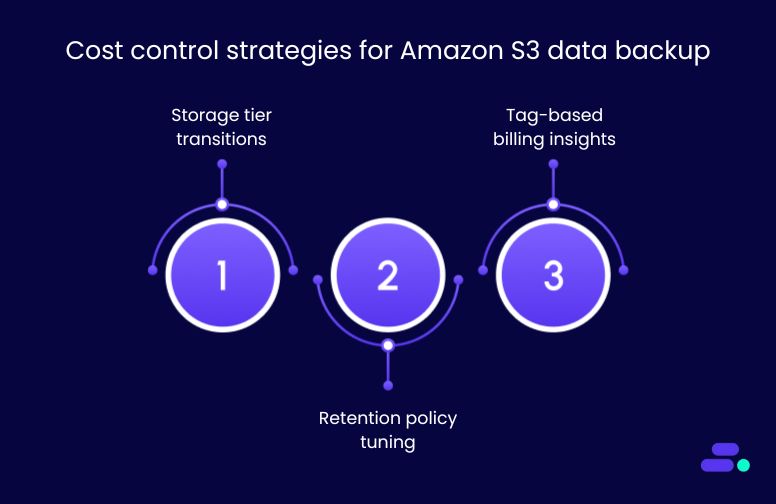
A well-defined backup lifecycle reduces unnecessary spend and simplifies audit-readiness:
- Storage tier transitions: Configure AWS Backup lifecycle policies to automatically shift older backups to lower-cost storage classes such as Amazon S3 Deep Archive. For example, archived patient imaging data not accessed in 12 months or more can be moved to Amazon S3 Deep Archive to reduce storage costs.
- Retention policy tuning: Fine-tune recovery point retention to align with regulatory requirements. Avoid over-retention of daily snapshots that inflate costs without increasing recovery value.
- Tag-based billing insights: Apply tags (e.g., Department=Finance, Retention=30d) across backup plans to track and attribute storage usage. This helps identify high-cost data categories and prioritize optimization.
Long-term strategy alignment:
Backup configurations should map to business continuity targets and evolving IT strategy:
- Match to RPO/RTO requirements: Critical systems (e.g., electronic health records, financial data) may require daily or real-time recovery points, while less critical workloads (e.g., development logs) may tolerate longer recovery windows.
- Integrate with DR planning: Amazon S3 data backups should be part of a broader disaster recovery plan that includes cross-region replication and test restores during scheduled DR simulations.
- Monitor and audit at scale: Utilize Amazon CloudWatch or AWS Backup Audit Manager to track backup status, identify anomalies, and verify policy enforcement over time.
AWS Advanced Partners, such as Cloudtech, can help SMBs implement right-sized, cost-effective backup strategies from day one. For SMBs with lean teams, this eliminates guesswork, ensuring both financial efficiency and operational reliability in the long term.
How does Cloudtech support secure, scalable Amazon S3 data backup for SMBs?
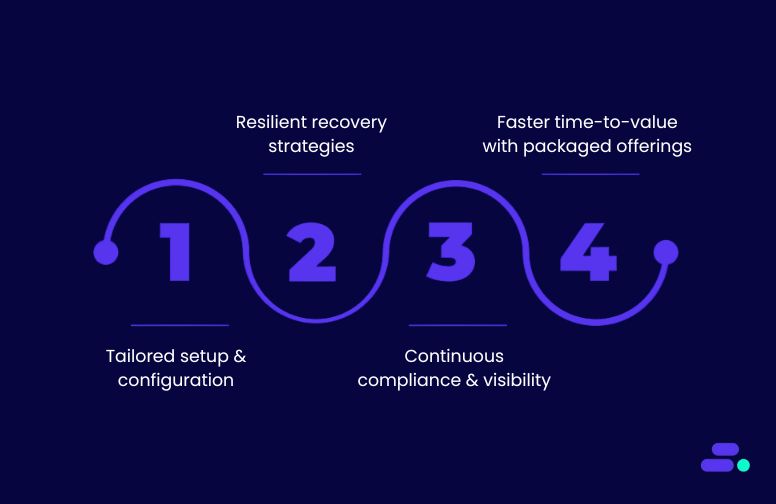
As an AWS Advanced Tier Partner, Cloudtech helps SMBs implement secure, compliant, and automated Amazon S3 backups using AWS Backup. The approach is outcome-driven, audit-ready, and tailored to SMB constraints.
- Tailored setup and configuration: Cloudtech begins by validating prerequisites, including S3 Versioning, IAM roles, and encryption keys. It then configures automated backup plans with clear schedules, retention rules, and vault settings.
- Resilient recovery strategies: For SMBs in regulated sectors like healthcare, Cloudtech sets up point-in-time recovery and cross-account restores. Backup workflows are tested to support fast recovery from ransomware, data corruption, or accidental deletion.
- Continuous compliance and visibility: Utilizing tools such as AWS Backup Audit Manager, Amazon CloudWatch, and AWS CloudTrail, Cloudtech provides SMBs with real-time visibility into backup operations and policy enforcement. This ensures readiness for HIPAA, PCI, and other audits without manual tracking.
- Faster time-to-value with packaged offerings: Cloudtech offers structured backup enablement packages with defined timelines and assumptions. These accelerate implementation while maintaining governance, cost efficiency, and scale-readiness.
The effectiveness of these offerings has helped many SMBs set up their Amazon S3 data. In one instance, a mid-sized healthcare diagnostics company needed to meet HIPAA data retention standards while preparing for a regional expansion. Cloudtech implemented AWS Backup for Amazon S3 with point-in-time recovery, periodic archiving to Amazon S3 Glacier Deep Archive, and detailed policy enforcement across accounts.
The result: The organization now runs automated backups with complete audit visibility, cross-region protection, and recovery workflows tested quarterly, all without expanding their internal IT headcount.
Wrapping Up
For small and mid-sized businesses, protecting Amazon S3 data isn’t just about compliance. It’s about maintaining operational continuity, ensuring security, and fostering long-term resilience. AWS Backup provides centralized control, automation, and policy enforcement for what was previously a manual and fragmented process.
With the proper implementation, SMBs can ensure point-in-time recovery, streamline audit readiness, and scale backups without increasing overhead. Cloudtech streamlines this process by helping businesses configure, test, and optimize Amazon S3 data backups using proven AWS tools, making it faster and easier.
Whether you're just starting out or looking to upgrade your legacy backup workflows, Cloudtech provides a secure, compliant, and future-ready foundation for your cloud data. Get started now!
FAQs
1. Why should SMBs use AWS Backup instead of manual S3 backup methods?
Manual backups often lack consistency, automation, and compliance alignment. AWS Backup offers centralized policy management, encryption, lifecycle control, and point-in-time recovery, all critical for reducing risk and meeting regulatory standards.
2. What setup steps are required before enabling S3 backups?
Amazon S3 Versioning must be enabled. You’ll also need the appropriate IAM roles with AWS-managed policies (AWSBackupServiceRolePolicyForS3Backup and ...ForS3Restore). Cloudtech helps validate and automate this setup to avoid misconfiguration.
3. Can backups be scheduled across accounts and regions?
Yes. AWS Backup supports cross-account and cross-region backup and restore, but they require specific role permissions. Cloudtech helps SMBs configure secure, compliant multi-account strategies using AWS Organizations.
4. How can Cloudtech help with audit and compliance?
Cloudtech configures tools like AWS Backup Audit Manager, Amazon CloudWatch, and AWS CloudTrail to track backup activity, flag deviations, and maintain audit logs. This reduces manual overhead and simplifies regulatory reporting (e.g., HIPAA, PCI).
5. What happens if backup storage costs increase over time?
Cloudtech sets up lifecycle transitions to move backups to lower-cost tiers like Amazon Glacier Deep Archive. They also implement tagging and reporting to monitor storage spend and right-size backup strategies as your business grows.
.png)
Amazon Q Developer vs. GitHub Copilot: evaluating AI coding tools
Modern developers handle more than just code. They manage debugging, documentation, cloud integration, and infrastructure. To streamline this, teams use AI assistants like GitHub Copilot and Amazon Q Developer.
Copilot excels at fast code generation across languages. Amazon Q Developer, however, is built for AWS-native teams. It simplifies tasks like writing CloudFormation templates, debugging Lambda, and generating IAM policies. Many SMBs prefer Amazon Q for its tight AWS integration, making it ideal for lean teams focused on cloud-native development and productivity.
This comparison examines how each platform aligns with real-world engineering needs, from system architecture to team workflows and long-term scalability. It helps decision-makers evaluate the right fit for their context.
Key Takeaways
- Tool fit shapes engineering outcomes: Amazon Q Developer is optimized for AWS-native teams with infrastructure needs. GitHub Copilot supports faster onboarding across hybrid and multi-cloud environments.
- Depth vs. versatility: Amazon Q Developer delivers AWS-specific guidance ideal for infrastructure-heavy work. GitHub Copilot provides fast, general-purpose support across language stacks and IDEs.
- Speed & performance: GitHub Copilot offers faster completions, but Amazon Q Developer delivers richer, context-aware responses, crucial for precision, compliance, and production-grade AWS use cases.
- Adoption requires more than licensing: Value depends on rollout maturity. GitHub Copilot is easier to deploy at scale. Amazon Q Developer demands deeper DevOps alignment but offers stronger returns in governed environments.
- Cloudtech accelerates implementation: Through AWS-certified pilots and strategic planning, Cloudtech helps teams adopt AI coding tools like Amazon Q Developer with measurable outcomes across real workloads.
What is Amazon Q Developer?
Amazon Q Developer is AWS’s AI assistant built for engineering teams working across the full software lifecycle. It goes beyond basic code suggestions, supporting debugging, infrastructure management, and performance tuning inside AWS environments.
The platform connects directly to AWS services and understands cloud-native environments. It helps teams write Infrastructure as Code, optimize configurations, and resolve errors using real-time telemetry from tools like Amazon CloudWatch and AWS X-Ray.
Features of Amazon Q Developer
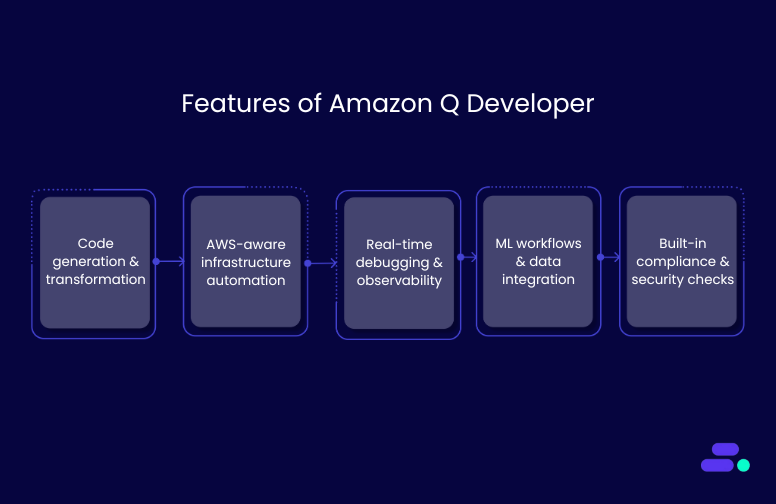
- Code generation and transformation: Writes and refactors code across 15+ languages, supports multi-file logic, and upgrades legacy stacks (e.g., Java 8 to 17) with transformation agents—all within your IDE.
- AWS-aware infrastructure automation: Generates IaC with AWS CloudFormation, AWS CDK, and Terraform, creates production-ready templates (AWS Lambda, Amazon S3, Amazon ECS), and aligns infrastructure with AWS best practices and telemetry insights.
- Real-time debugging and observability: Detects anomalies via Amazon CloudWatch, pinpoints latency through AWS X-Ray, and enables live environment checks (e.g., Amazon EC2, AWS IAM) using natural-language chat prompts.
- ML workflows and data integration: Connects with Amazon Bedrock for model deployment and prompt engineering, and writes complex Redshift SQL from natural language with full schema awareness.
- Built-in compliance and security checks: Flags risky permissions, encryption gaps, and misconfigurations, enforcing the AWS Well-Architected Framework across code, infrastructure, and runtime environments.
What is GitHub Copilot?
GitHub Copilot is an AI-powered code assistant developed by GitHub in collaboration with OpenAI. Integrated into IDEs like Visual Studio Code, JetBrains, and Neovim, it helps developers generate functions, complete logic, and surface context-aware suggestions using either real-time code input or natural-language prompts.
Trained on billions of lines of public code from GitHub repositories. Its language coverage, adaptability across codebases, and IDE integration make it effective for general-purpose development, collaborative teams, and polyglot environments.
Features of GitHub Copilot
- Context-aware code generation: Supports 30+ languages with real-time completions that adapt to variable names, imports, repo structure, and commit history, generating entire functions and classes using partial code or natural-language prompts.
- Conversational coding with Copilot Chat: Enables debugging, unit test generation, and code enhancement via natural-language prompts inside VS Code, JetBrains, and Visual Studio. Maintains threaded conversations with prompt history and live documentation suggestions.
- Deep IDE and workflow integration: Fully supports major IDEs and GitHub-native workflows. Automates pull requests, suggests CI/CD snippets for GitHub Actions, and integrates with existing pipelines.
- Built-in security and compliance: Flags vulnerabilities and filters out large verbatim public code matches and enables logging, usage governance, and policy settings.
- Enterprise-ready flexibility: Works across all major cloud environments without lock-in. Its platform-agnostic approach makes it ideal for hybrid teams.
How Amazon Q and GitHub Copilot fit into enterprise workflows
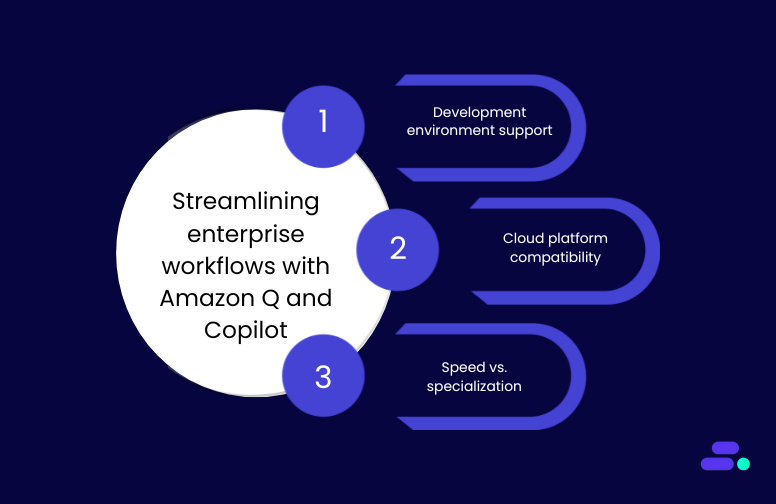
AI-powered coding tools are only practical when they integrate cleanly into a team’s existing workflows. Development teams rely on familiar IDEs, CI/CD pipelines, and cloud platforms, tools they’ve invested in and standardized across projects. If an AI assistant disrupts this ecosystem, it risks adding friction instead of removing it.
Comparing how Amazon Q Developer and GitHub Copilot align with various development workflows, DevOps pipelines, and infrastructure strategies is crucial for informed decision-making.
1. Development environment support
Both tools integrate with widely used integrated development environments (IDEs), but their design philosophies diverge. Amazon Q Developer prioritizes deep AWS alignment, while GitHub Copilot emphasizes broad IDE and ecosystem coverage.
Amazon Q Developer
- Local and hybrid support: It also integrates with Visual Studio Code, JetBrains IDEs, and command-line interfaces, allowing developers to work across desktop or terminal-based environments with official extensions.
- Service-aware coding assistance: Shares real-time context with AWS services, enabling:
- Inline resource recommendations during development
- Live infrastructure visibility (e.g., logs, permissions, limits)
- Faster diagnosis of cloud-specific misconfigurations

GitHub Copilot
- Broad IDE compatibility: Supports Visual Studio Code, Visual Studio, JetBrains IDEs, and Neovim, enabling developers to work in their preferred environments, regardless of their cloud alignment.
- GitHub-native intelligence: Pulls deep context from GitHub repositories, analyzing:
- Commit history
- Branch structures
- Project-specific patterns to provide highly contextual code suggestions.
2. Cloud platform compatibility
Cloud alignment determines how effectively an AI coding assistant can surface infrastructure recommendations, enforce compliance, and minimize configuration errors. Amazon Q Developer is tightly coupled with AWS services, offering tailored insights that extend beyond generic code suggestions.
In contrast, GitHub Copilot takes a platform-agnostic approach, making it more adaptable for teams working across multiple cloud providers.
Amazon Q Developer
- Supported services: Natively integrates with Amazon Elastic Compute Cloud (EC2), AWS Lambda, Amazon Relational Database Service (RDS), Amazon Simple Storage Service (S3), and AWS Identity and Access Management (IAM).
- Architecture intelligence: Offers real-time feedback based on AWS’s Well-Architected Framework, guiding teams on performance, reliability, security, and cost-efficiency.
- Inline recommendations: Surfaces actionable alerts for:
- Idle or overprovisioned resources
- Misconfigured IAM policies
- Service limits that may affect performance or scalability
- DevOps alignment enables teams to resolve configuration issues within their development environments without needing to leave the code editor.
GitHub Copilot
- Cross-platform compatibility: Works across AWS, Microsoft Azure, Google Cloud Platform (GCP), and hybrid environments without bias toward a specific provider.
- Infrastructure neutrality: Generates portable code that doesn’t depend on platform-specific services, ideal for teams using multi-cloud strategies or planning for long-term flexibility.
- Reduced vendor lock-in: Helps organizations maintain consistent coding practices across varied backends without the need for architecture-specific rewrites.
3. Speed vs. specialization
Performance in AI coding tools goes beyond raw speed. It’s about how well a tool understands the development environment, adheres to coding standards, and supports consistent delivery without technical debt.
Amazon Q Developer, while slower on infrastructure-specific queries, offers deeper context. For tasks like AWS provisioning, debugging, or system configuration, Q performs real-time service checks, introducing slight delays, but yielding richer and more architecture-aware results. Its specialization benefits teams working in regulated or infrastructure-heavy environments that need precision over speed.
GitHub Copilot delivers completions within 150–250 ms and maintains low-latency responses across all supported IDEs. Even in large projects or natural-language prompts via Copilot Chat, it performs without noticeable delay. Its versatility makes it well-suited for routine implementation, testing, and front-end work across diverse stacks.
Once performance trade-offs are clear, the next consideration is cost and platform fit, especially for teams scaling across environments.

Pricing and accessibility of Amazon Q Developer and GitHub Copilot
Both Amazon Q Developer and GitHub Copilot offer tiered access models, but the value proposition varies depending on an organisation's structure and development priorities.
For teams evaluating long-term fit, a side-by-side pricing comparison helps clarify which platform aligns with their budget constraints and scaling requirements. Here’s how Amazon Q Developer and GitHub Copilot compare where it matters most.
Real-world use cases with Amazon Q Developer and GitHub Copilot
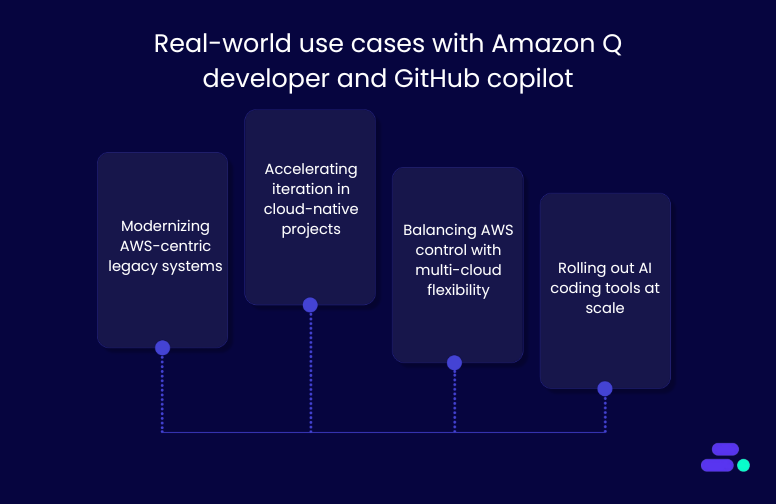
Real-world engineering teams evaluate how those tools perform under actual constraints: legacy modernization, cloud alignment, release velocity, and developer upskilling. It's essential to highlight how Amazon Q Developer and GitHub Copilot operate under distinct conditions, drawing on enterprise case studies and recognized technical strengths to demonstrate their practical value in production environments.
1. Modernizing AWS-centric legacy systems
Amazon Q Developer is built for enterprises modernizing legacy systems within AWS. Its transformation agents refactor outdated Java code, reduce technical debt, and align updates with AWS best practices using Infrastructure as Code.
Novacomp, a Costa Rica–based IT services provider, adopted Q Developer to update its legacy Java applications. The result: a 60% reduction in technical debt and a stronger security posture. Deep integration with AWS service configurations helped accelerate the modernization process.
GitHub Copilot, by contrast, takes a language-agnostic approach. It identifies outdated code patterns and suggests modern alternatives using public repository data. While it doesn’t perform AWS-specific rewrites, it supports fast, iterative cleanup in polyglot environments.
2. Accelerating iteration in cloud-native projects
Amazon Q Developer is engineered for deep AWS-native development, surfacing architecture-aligned suggestions directly within the development environment. Availity, a US-based healthcare technology firm, integrated Amazon QuickSight into its secure AWS workflow. The result: 33% of production code was generated with developers accepting 31% of suggestions, conducting over 12,600 autonomous security scans, and reducing release review meetings from 3 hours to a few minutes.
GitHub Copilot, on the other hand, accelerates iteration across full-stack and general-purpose development environments. It offers multi-line code completions, context-aware suggestions, and conversational debugging through its chat interface, enabling developers to work more efficiently on routine implementation and troubleshooting tasks.
3. Balancing AWS control with multi-cloud flexibility
Amazon Q Developer offers deep, native control over AWS infrastructure. It integrates with services like IAM, S3, RDS, and Lambda to detect misconfigurations, enforce compliance, and optimize runtime performance. For teams handling sensitive data or regulated workloads, Amazon Q ensures secure, consistent builds without relying on external policy enforcement.
GitHub Copilot, in contrast, follows a cloud-neutral model. It is ideal for hybrid teams spanning AWS, Azure, GCP, or on-prem environments. This flexibility reduces onboarding friction, avoids vendor lock-in, and maintains consistent development velocity, especially for global teams working across multiple backends without infrastructure-specific tooling.
4. Rolling out AI Coding tools at scale
GitHub Copilot is easier to deploy across distributed teams thanks to its lightweight setup, IDE compatibility (VS Code, JetBrains, Neovim), and minimal infrastructure dependencies. It enables fast onboarding for mixed-skill teams, making it ideal for growing companies without deep DevOps support.
Amazon Q Developer, built for mature AWS environments, requires IAM setup and DevOps fluency. In return, it offers granular control over permissions, auditability, and CI/CD integration, scaling securely for regulated, enterprise-grade workloads.

Conclusion
Amazon Q Developer and GitHub Copilot offer fundamentally different strengths: one is designed for deep AWS-native integration, while the other is built for flexibility across languages, tools, and cloud platforms. The right fit depends on development priorities, infrastructure choices, and long-term engineering strategy.
But selecting the tool is only part of the equation. The real value comes from structured implementation, clean data foundations, and scalable workflows.
Cloudtech, an AWS Advanced Tier Services Partner, enables organizations to scale AI-assisted development with confidence, making tools like Amazon Q part of everyday workflows. We support everything from pilot deployments to long-term integration, ensuring that AI tools deliver real impact. Talk to Cloudtech about what’s next.
FAQ’s
1. Which is better, Copilot or Amazon Q?
The better option depends on team priorities. Amazon Q Developer suits AWS-heavy projects needing infrastructure integration. GitHub Copilot excels in general-purpose coding with broader language and IDE support. Each offers distinct advantages based on environment and workflow.
2. What is Amazon's equivalent of GitHub Copilot?
Amazon Q Developer is Amazon’s closest equivalent to GitHub Copilot. It provides AI-driven coding support with deep AWS service integration, focusing on infrastructure, security, and performance, tailored for teams building and maintaining workloads within the AWS ecosystem.
3. What are the cons of Amazon Q?
Amazon Q Developer requires AWS familiarity and setup effort, making it less accessible for beginners or non-AWS teams. Its deep specialization may limit flexibility outside AWS environments or in polyglot stacks without cloud-specific configurations.
4. Does Amazon allow Copilot?
Yes, GitHub Copilot can be used on AWS-hosted systems. However, it doesn’t integrate natively with AWS services. For teams seeking tighter AWS alignment, Amazon Q Developer is a more suitable AI assistant.
5. What is Amazon Q used for?
Amazon Q Developer is used to support the software development lifecycle within AWS. It automates code generation, debugging, infrastructure optimization, and compliance tasks, enabling faster and more secure deployments across cloud-native environments.
How does AWS cloud migration help SMBs outpace competitors?
Small and medium-sized businesses (SMBs) that moved to the cloud have reduced their total cost of ownership (TCO) by up to 40%. Before migrating, they struggled with high infrastructure costs, unreliable systems, limited IT resources, and difficulty scaling or switching vendors.
By moving to AWS, businesses not only cut costs but also gain the ability to launch faster, scale on demand, and build customer-centric features. This has been more efficient than the legacy-bound peers for SMBs. Services like Amazon EC2, Amazon RDS, AWS Fargate, Amazon CloudWatch, and AWS Backup enabled them to drive agility and resilience.
Today, some of the most competitive businesses are working with AWS partners to migrate their core workloads. This article covers the benefits of AWS cloud migration and how AWS partners can help SMBs maximize their return on investment and position themselves for long-term success.
Key takeaways:
- Migration is a modernization opportunity: Moving to AWS helps SMBs replace outdated infrastructure with scalable, secure, and cost-effective cloud environments that support long-term growth.
- Strategic execution maximizes benefits: Certified partners align each migration phase with business goals, ensuring the right AWS services are used, risks are minimized, and long-term value is realized.
- Data-driven planning ensures smarter outcomes: Tools like AWS Migration Evaluator reveal infrastructure gaps, compliance risks, and cost inefficiencies, enabling the development of an informed migration strategy.
- Security and scalability are built from the start: Architectures include multi-AZ deployments, automated backups, IAM controls, and real-time monitoring to ensure business continuity.
- Cloudtech simplifies the path to innovation: Along with cloud migration and modernization, Cloudtech helps SMBs adopt AI, improve governance, and continuously optimize for performance and cost.
Why should SMBs choose AWS cloud migration?
Among the available options, AWS Cloud migration is a top choice for SMBs. It offers the depth, flexibility, and reliability needed to modernize with confidence. AWS provides over 200 services across compute, storage, analytics, AI/ML, and IoT. This makes it the most comprehensive cloud platform on the market.
Its global infrastructure includes the highest number of availability zones and regions. This ensures low-latency performance and high availability for users worldwide. AWS also has a large partner network, including Advanced Tier partners like Cloudtech, who guide SMBs through tailored migration plans.
With flexible pricing, built-in cost optimization tools, and strong third-party integrations, AWS is more adaptable than many rigid, bundled alternatives.
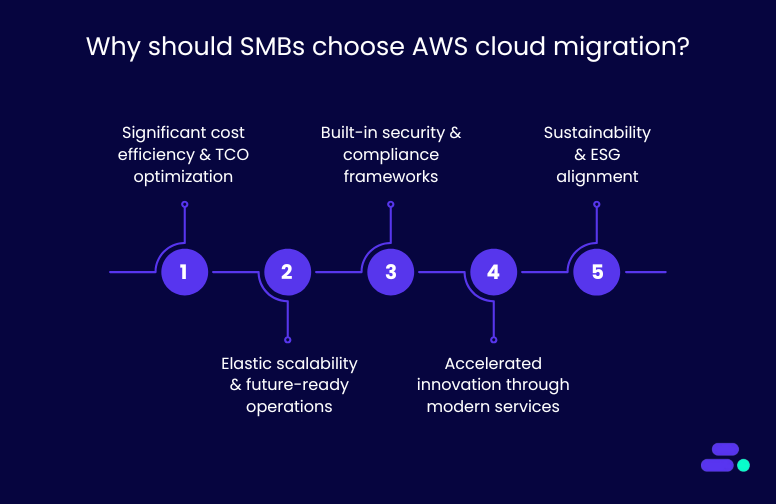
Here are some of the key reasons why businesses need AWS Cloud migration:
1. Significant cost efficiency and TCO optimization
Migrating to the AWS Cloud helps SMBs cut capital expenses tied to owning and maintaining on-premise hardware. It reduces costs related to servers, storage, power, cooling, security, and ongoing maintenance. Instead, businesses pay only for the resources they actually use.
AWS offers granular pricing options like reserved instances, savings plans, and auto-scaling. These help SMBs manage costs more effectively. Cloud migration also frees up IT teams from routine maintenance, so they can focus on innovation, product development, and improving customer experiences.
Take the example of a global IT staffing firm struggling with high Elastic licensing fees, frequent downtime, and a self-managed Elastic (ELK) stack that demanded eight engineers. With the help of Cloudtech, an advanced tier AWS partner, it migrated the log analytics to a managed architecture using Amazon OpenSearch Service, AWS Fagate, Amazon EKS, and Amazon ECR. This eliminated their maintenance overhead and improved reliability.
The result: 40% lower costs, 80% less downtime, and real-time insights that now power faster, data-driven business decisions.
2. Elastic scalability and future-ready operations
AWS allows SMBs to scale resources instantly based on demand, whether it’s a traffic spike, seasonal peak, or business growth. This flexibility keeps operations efficient and avoids unnecessary overhead.
Built-in tools like infrastructure-as-code, automated monitoring, and centralized dashboards give teams better control and visibility. They can track performance, spot issues early, and adjust resources in real time.
Migration also sets the stage for long-term modernization. SMBs can adopt containerization, DevOps, and AI-driven automation to stay competitive.
3. Built-in security and compliance frameworks
AWS invests billions in securing its infrastructure, offering SMBs access to enterprise-grade security capabilities, including:
- Encryption at rest and in transit
- Multi-Factor Authentication (MFA)
- Identity and Access Management (IAM)
- Automated threat detection via Amazon GuardDuty
Beyond these, AWS supports over 90 security and compliance standards globally (e.g., GDPR, ISO 27001, HIPAA), allowing SMBs in regulated industries to meet requirements without building capabilities from scratch.
AWS Security Hub centralizes findings across Amazon GuardDuty, IAM, and AWS Config, making it easier for lean SMB teams to maintain a secure posture without managing dozens of tools. Alerts are prioritized by severity, and GuardDuty detects threats like suspicious IP access, brute-force attempts, or exposed ports
Importantly, AWS operates on a shared responsibility model. While AWS secures the infrastructure, businesses maintain control over how they configure and protect their applications and data.
4. Accelerated innovation through modern services
AWS enables faster go-to-market and experimentation with modern services such as:
- Amazon Aurora for fully managed, scalable databases
- Amazon SageMaker for ML-based insights
- AWS Lambda for serverless computing
- Amazon QuickSight and Q Business for embedded analytics
For example, with Amazon Aurora, updates, failovers, and backups are handled automatically — no DBA needed. With Amazon SageMaker, you don’t need a dedicated ML team. Pre-built models and low-code tools let your developers build and deploy predictions using real business data.
These services empower SMBs to innovate with minimal upfront investment, enabling agile development cycles, real-time analytics, and intelligent automation.
5. Sustainability and ESG alignment
AWS’s energy-efficient, globally optimized data centers help SMBs cut operational costs and reduce their carbon footprint. With advanced cooling, efficient server use, and smart workload distribution, AWS consumes significantly less energy than traditional on-premise setups.
AWS achieves higher efficiency through advanced power utilization, custom hardware design, and global workload orchestration. For example, by shifting analytics workloads to regions powered by renewable energy, SMBs can directly reduce their compute-related emissions without changing their application code.
For SMBs aiming to meet ESG goals, migrating to AWS offers a clear path to sustainability without added complexity. AWS is on track to use 100% renewable energy by 2025, with many regions already powered by clean energy.
What You Get With AWS Cloud Migration
- Built-in automation (patching, failovers, scaling)
- Real-time visibility with Amazon CloudWatch and AWS Cost Explorer
- Security without headcount (MFA, AWS GuardDuty, AWS Security Hub)
- Smarter cost control (Savings Plans + tagging setup)
- Modern services, minus steep learning curves (Amazon SageMaker, Amazon Aurora)
- Cleaner ESG profile without re-architecting apps
However, implementing AWS Cloud migration is no easy task. It requires careful planning and strategic guidance for achieving the best results.
Strategies to maximize the benefits of AWS Cloud migration
Many SMBs still operate on aging on-prem servers, custom-built tools, and fragmented data systems. These environments are costly to maintain, difficult to scale, and limit innovation. Cloud migration offers a chance to rethink how IT drives growth and efficiency.
However, attempting this transition without expert support can lead to misconfigurations, downtime, or runaway costs. AWS partners bring deep technical expertise, proven frameworks, and real-world experience to guide SMBs through every step. They help ensure migrations are not only secure and smooth but also aligned with long-term business strategy.
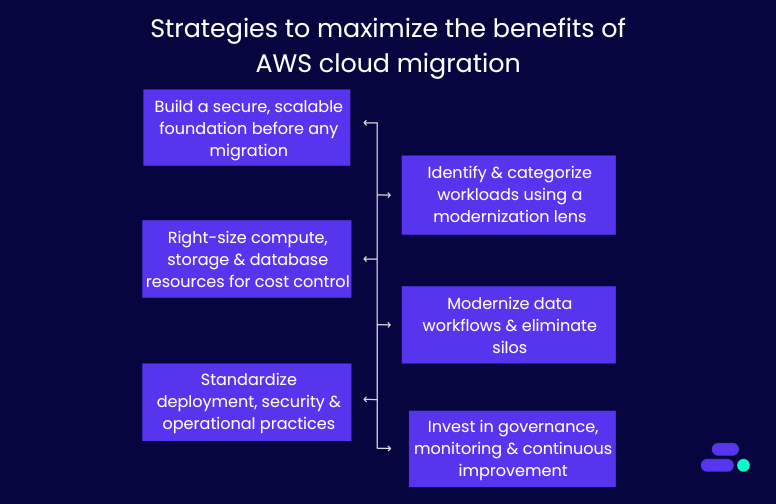
Let’s break down five core strategies AWS partners follow to help SMBs migrate to the cloud and prepare them to lead in their markets, not just survive:
1. Build a secure, scalable foundation before any migration
Unstructured cloud adoption often leads to fragmented environments, inconsistent access controls, and long-term governance issues. That’s why experienced AWS partners begin by setting up a foundational landing zone using AWS Control Tower and multi-account architecture.
Key technical components include:
- Account segmentation: Workloads are isolated into separate accounts (e.g., dev, staging, production) using AWS Organizations, improving security and cost tracking.
- Network design: Virtual private clouds (VPCs) are built across multiple availability zones for fault tolerance and high availability.
- Security baselines: Partners enforce least-privilege IAM policies, default encryption (via AWS KMS), and logging using AWS CloudTrail.
- Automated guardrails: Tools like AWS Config and service control policies (SCPs) ensure compliance and prevent misconfigurations.
This upfront setup prevents issues down the line and ensures your cloud environment scales without exposing security or operational risks.
2. Identify and categorize workloads using a modernization lens
Not every workload should be treated the same. SMBs often have legacy ERP systems, aging virtual machines, or custom scripts that are no longer efficient or scalable. AWS partners use various evaluation tools to profile and categorize each workload.
The strategy is to assess current infrastructure across dimensions, including resource usage (CPU, memory, disk I/O), software stack (OS, dependencies, licenses), system interdependencies, and compliance needs (HIPAA, PCI, GDPR). It also accounts for existing costs, including hardware, facilities, and support.
This analysis shapes a tailored cloud migration strategy using the 7 Rs framework:
- Rehost (lift-and-shift): Move applications as-is from on-premises to AWS without major changes. For example, a healthcare provider moves its legacy appointment scheduling software from local servers to Amazon EC2. No code changes are made, but the system now benefits from cloud uptime and centralized management.
- Replatform (lift-tinker-and-shift): Make minimal changes to optimize the app for cloud, often switching databases or OS-level services. For example, an SMB in financial services moves from an on-prem Oracle database to Amazon RDS for PostgreSQL, reducing licensing costs while maintaining similar functionality and improving automated backups and patching.
- Refactor (re-architect): Redesign the application to take full advantage of cloud-native features like microservices, containers, or serverless. For example, a patient intake form system is rebuilt using AWS Lambda, Amazon API Gateway, and Amazon DynamoDB, enabling the healthcare company to scale intake automatically without paying for idle resources.
- Repurchase: Switch from a legacy, self-managed system to a SaaS or AWS Marketplace alternative. For example, a retail business retires its in-house CRM and adopts Salesforce or Zendesk hosted on AWS to modernize customer support and reduce infrastructure maintenance.
- Retire: Shut down systems or services that are no longer useful. For example, during migration discovery, an SMB identifies two reporting tools that are no longer used. These are retired, reducing licensing fees and operational overhead.
- Retain: Keep certain applications or workloads on-prem temporarily or permanently, especially if they're not cloud-ready. For example, a healthcare firm retains its legacy PACS system (used for radiology imaging), due to latency and compliance requirements, while migrating surrounding services like scheduling, billing, and analytics to AWS.
- Relocate: Move large-scale workloads (e.g., VMware or Hyper-V environments) directly into AWS without refactoring. For example, an SMB with hundreds of virtual machines running internal applications uses VMware Cloud on AWS to relocate its existing virtualization stack into the cloud for faster migration and operational consistency.
Read More: AWS cloud migration strategies explained: A practical guide.
These 7 strategies are typically used together during the cloud modernization engagement. Each workload is evaluated and categorized to ensure a strategic, cost-effective, and business-aligned migration.
3. Right-size compute, storage, and database resources for cost control
SMBs often overspend on cloud when workloads are lifted without optimization. So, AWS partners right-size every component to match real-world usage and align with budget constraints.
Key tactics include:
- Amazon EC2 instance sizing based on actual utilization trends over time, not static estimations.
- Storage tiering using Amazon S3 Intelligent-Tiering, EBS volume optimization, and lifecycle policies for cold data.
- Relational database migration to Amazon RDS or Amazon Aurora, with automated backups, replication, and patching.
- Auto Scaling Groups (ASGs) to handle variable traffic without overprovisioning.
- Pricing models like Savings Plans and Spot Instances can reduce ongoing compute costs.
This ensures the environment is financially sustainable as workloads increase over time.
4. Modernize data workflows and eliminate silos
Many SMBs store customer, sales, and operations data across disconnected platforms, limiting visibility and adding manual overhead. Cloud migration offers a chance to rebuild data infrastructure for real-time insights and scale.
AWS partners introduce:
- Centralized data lakes on Amazon S3, partitioned and cataloged using AWS Glue Data Catalog.
- ETL pipelines using AWS Glue, AWS Lambda, and AWS Step Functions to automate data ingestion and transformation.
- Analytics layers via Amazon Athena, AWS Redshift, or Amazon QuickSight, replacing static reports with interactive dashboards.
- Data governance using Lake Formation and IAM roles to control who can access sensitive data.
This structure supports everything from executive reporting to compliance audits, AI workloads, and process automation.
5. Standardize deployment, security, and operational practices
Legacy environments often depend on manual scripts and ad hoc changes, increasing the risk of errors and downtime. Migration is the ideal time to implement standardization using DevOps and infrastructure-as-code (IaC).
Partners help implement:
- IaC templates with AWS CloudFormation to make infrastructure reproducible and auditable.
- CI/CD pipelines with AWS CodePipeline or AWS CodeBuild for automated deployments.
- Secrets management using AWS Secrets Manager to avoid storing sensitive data in code.
- Automated rollbacks, blue/green deployments, and health checks to reduce deployment risks.
This shift reduces downtime, accelerates time-to-market, and improves software reliability.
6. Invest in governance, monitoring, and continuous improvement
Once migrated, workloads require active governance and observability to avoid sprawl, overuse, or compliance issues. AWS Partners stay engaged post-migration to optimize the environment over time.
This includes:
- Cost governance using AWS Budgets, AWS Cost Explorer, and tagging policies for project- or team-level reporting.
- Observability through Amazon CloudWatch dashboards, AWS CloudTrail logs, and custom alarms for anomalies or failures.
- Security hygiene using AWS Security Hub, AWS GuardDuty, and vulnerability scanning tools.
- Change management with access controls, patching automation, and audit trails.
- Training sessions to upskill your internal team on managing AWS environments confidently.
In addition, AWS Partners help build roadmaps for future innovation, whether that’s rolling out Amazon SageMaker for ML, Amazon Q Business for conversational analytics, or expanding into new regions.
Each of these strategies utilized by AWS partners ensures that SMBs don’t just replicate legacy inefficiencies in the cloud.
Therefore, with the right AWS partner, businesses can build a secure, scalable, and future-ready foundation that evolves with their goals.
How can Cloudtech support SMBs with AWS Cloud migration?
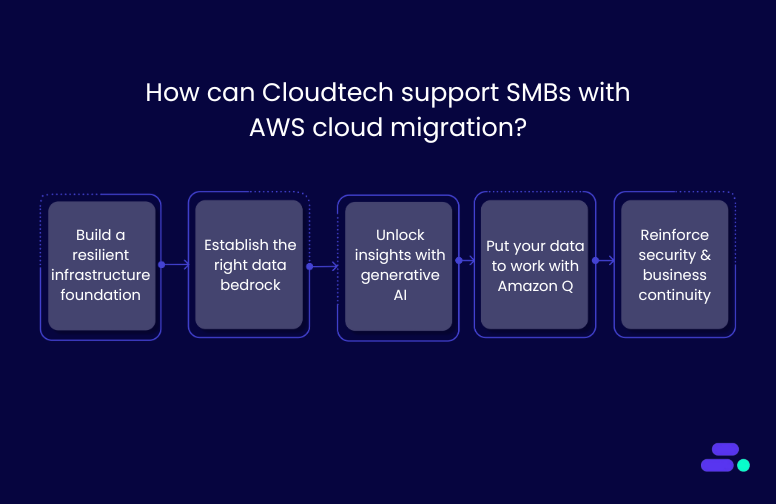
Cloudtech is an AWS Advanced Tier Partner that has helped multiple SMBs migrate from legacy systems to secure, scalable AWS environments with minimal disruption and maximum ROI. Their approach is tailored, efficient, and aligned with real business needs.
For businesses ready for AWS Cloud migration, Cloudtech can:
- Build a resilient infrastructure foundation: Cloudtech sets up the AWS environment with scalable compute and storage, account governance via AWS Control Tower, and baseline security controls. Through expert-led configuration and knowledge transfer, it creates a strong, adaptable foundation that grows with the business.
- Establish the right data bedrock: From database migrations to ETL pipelines and AWS Data Lake architecture, Cloudtech ensures data is ready for analytics and AI. This solid foundation improves accessibility, eliminates silos, and accelerates decision-making across teams.
- Unlock insights with AI: Cloudtech uses Amazon Textract to extract structured data from physical or handwritten documents. This extracted content can then be processed using tools like Amazon Comprehend to identify key insights, classify information, or detect entities. This eliminates manual entry and unlocks real business intelligence from previously unstructured documents.
- Put your data to work with Amazon Q: Cloudtech enables SMBs to use Amazon Q Business and Amazon Q in QuickSight to automate tasks, summarize data, and generate content. The result: faster decision-making, increased productivity, and better business outcomes through AI-powered intelligence.
- Reinforce security and business continuity: Cloudtech integrates cloud-native security best practices, proactive chaos engineering, automated backups, and disaster recovery strategies to enhance security and ensure business continuity. These tools help reduce downtime, safeguard data, and keep operations running, even in unpredictable scenarios.
Cloudtech doesn’t just migrate workloads. It equips SMBs with a secure, data-ready, and AI-optimized AWS environment—built for growth, efficiency, and long-term impact.
Conclusion
Migrating to AWS is more than a technology shift. It’s a strategic move toward building a scalable, secure, and future-ready business. With the right partner, SMBs can transform aging infrastructure into a flexible cloud environment that reduces costs, improves resilience, and unlocks innovation.
For SMBs ready to modernize with confidence, Cloudtech delivers tailored AWS migration services grounded in best practices and real-world impact. Whether you're moving a few workloads or re-architecting your entire IT landscape, Cloudtech helps you go further, faster. Get started now!
FAQs
1. What are the typical starting points for SMBs considering AWS migration?
Most SMBs begin with workloads that are costly to maintain or hard to scale on-premises, such as databases, file servers, or ERP systems. Cloudtech helps prioritize which workloads to migrate first based on business impact, cost savings, and technical feasibility.
2. How long does a cloud migration project take with Cloudtech?
Timelines vary by scope, but most SMB migrations can be completed in phases over 6 to 12 weeks. Cloudtech’s phased approach ensures minimal disruption by aligning migration waves with business operations and readiness.
3. What AWS tools are used to support a smooth migration?
Cloudtech uses AWS Migration Evaluator, AWS Application Migration Service (MGN), Database Migration Service (DMS), and the AWS Well-Architected Framework to ensure secure and efficient migration with minimal downtime.
4. Can Cloudtech help with compliance during and after migration?
Cloudtech builds AWS environments that follow security and compliance best practices aligned with standards like HIPAA, SOC 2, and PCI-DSS. While it does not perform formal audits or certification processes, Cloudtech ensures the infrastructure and automation it implements are audit-ready.
5. What happens after the migration is complete?
Cloudtech provides ongoing support, training, and optimization. This includes infrastructure monitoring, cost management, DevOps enablement, and roadmaps for adopting AI, serverless, and containerized applications in the future.

Building efficient ETL processes for data lakes on AWS
As data volumes continue to grow exponentially, small and medium-sized businesses (SMBs) face multiple challenges in managing, processing, and analyzing their data efficiently.
A well-structured data lake on AWS enables businesses to consolidate structured, semi-structured, and unstructured data in one location, making it easier to extract insights and inform decisions.
According to IDC, the global datasphere is projected to reach 163 zettabytes by the end of 2025, highlighting the urgent need for scalable, cloud-first data strategies.
This blog explores how SMBs can build effective ETL (Extract, Transform, Load) processes using AWS services and modernize their data infrastructure for improved performance and insight.
Key takeaways
- Importance of ETL pipelines for SMBs: ETL pipelines are crucial for SMBs to integrate and transform data within an AWS data lake.
- AWS services powering ETL workflows: Amazon Glue, Amazon S3, Amazon Athena, and Amazon Kinesis enable scalable, secure, and cost-efficient ETL workflows.
- Best practices for security and performance: Strong security measures, access control, and performance optimization are crucial to meet compliance requirements.
- Real-world ETL applications: Examples demonstrate how AWS-powered ETL supports diverse industries and handles varying data volumes effectively.
- Cloudtech’s role in ETL pipeline development: Cloudtech helps SMBs build tailored, reliable ETL pipelines that simplify cloud modernization and unlock valuable data insights.
What is ETL?
ETL stands for extract, transform, and load. It is a process used to combine data from multiple sources into a centralized storage environment, such as an AWS data lake.
Through a set of defined business rules, ETL helps clean, organize, and format raw data to make it usable for storage, analytics, and machine learning applications.
This process enables SMBs to achieve specific business intelligence objectives, including generating reports, creating dashboards, forecasting trends, and enhancing operational efficiency.
Why is ETL important for businesses?
Businesses and mostly SMBs typically manage structured and unstructured data from a variety of sources, including:
- Customer data from payment gateways and CRM platforms
- Inventory and operations data from vendor systems
- Sensor data from IoT devices
- Marketing data from social media and surveys
- Employee data from internal HR systems
Without a consistent process in place, this data remains siloed and difficult to use. ETL helps convert these individual datasets into a structured format that supports meaningful analysis and interpretation.
By utilizing AWS services, businesses can develop scalable ETL pipelines that enhance the accessibility and actionability of their data.
The evolution of ETL from legacy systems to cloud solutions
ETL (Extract, Transform, Load) has come a long way from its origins in structured, relational databases. Initially designed to convert transactional data into relational formats for analysis, early ETL processes were rigid and resource-intensive.
1. Traditional ETL
In traditional systems, data resided in transactional databases optimized for recording activities, rather than for analysis and reporting.
ETL tools helped transform and normalize this data into interconnected tables, enabling fundamental trend analysis through SQL queries. However, these systems struggled with data duplication, limited scalability, and inflexible formats.
2. Modern ETL
Today’s ETL is built for the cloud. Modern tools support real-time ingestion, unstructured data formats, and scalable architectures like data warehouses and data lakes.
- Data warehouses store structured data in optimized formats for fast querying and reporting.
- Data lakes accept structured, semi-structured, and unstructured data, supporting a wide range of analytics, including machine learning and real-time insights.
This evolution enables businesses to process more diverse data at higher speeds and scales, all while utilizing cost-efficient cloud-native tools like those offered by AWS.
How does ETL work?
At a high level, ETL moves raw data from various sources into a structured format for analysis. It helps businesses centralize, clean, and prepare data for better decision-making.
Here’s how ETL typically flows in a modern AWS environment:
- Extract: Pulls data from multiple sources, including databases, CRMs, IoT devices, APIs, and other data sources, into a centralized environment, such as Amazon S3.
- Transform: Converts, enriches, or restructures the extracted data. This could include cleaning up missing fields, formatting timestamps, or joining data sets using AWS Glue or Apache Spark.
- Load: Places the transformed data into a destination such as Amazon Redshift, a data warehouse, or back into S3 for analytics using services like Amazon Athena.
Together, these stages power modern data lakes on AWS, letting businesses analyze data in real-time, automate reporting, or feed machine learning workflows.
What are the design principles for ETL in AWS data lakes?

Designing ETL processes for AWS data lakes involves optimizing for scalability, fault tolerance, and real-time analytics. Key principles include utilizing AWS Glue for serverless orchestration, Amazon S3 for high-volume, durable storage, and ensuring efficient data transformation through Amazon Athena and AWS Lambda. An impactful design also focuses on cost control, security, and maintaining data lineage with automated workflows and minimal manual intervention.
- Event sourcing and processing within AWS services
Use event-driven architectures with AWS tools such as Amazon Kinesis or AWS Lambda. These services enable real-time data capture and processing, which keeps data current and workflows scalable without manual intervention.
- Storing data in open file formats for compatibility
Adopt open file formats like Apache Parquet or ORC. These formats improve interoperability across AWS analytics and machine learning services while optimizing storage costs and query performance.
- Ensuring performance optimization in ETL processes
Utilize AWS services such as AWS Glue and Amazon EMR for efficient data transformation. Techniques like data partitioning and compression help reduce processing time and minimize cloud costs.
- Incorporating data governance and access control
Maintain data security and compliance by using AWS IAM (Identity and Access Management), AWS Lake Formation, and encryption. These tools provide granular access control and protect sensitive information throughout the ETL pipeline.
By following these design principles, businesses can develop ETL processes that not only meet their current analytics needs but also scale as their data volume increases.
AWS services supporting ETL processes
AWS provides a suite of services that simplify ETL workflows and help SMBs build scalable, cost-effective data lakes. Here are the key AWS services supporting ETL processes:
1. Utilizing AWS Glue data catalog and crawlers
AWS Glue data catalog organizes metadata and makes data searchable across multiple sources. Glue crawlers automatically scan data in Amazon S3, updating the catalog to keep it current without manual effort.
2. Building ETL jobs with AWS Glue
AWS Glue provides a serverless environment for creating, scheduling, and monitoring ETL jobs. It supports data transformation using Apache Spark, enabling SMBs to clean and prepare data for analytics without managing infrastructure.
3. Integrating with Amazon Athena for query processing
Amazon Athena allows businesses to run standard SQL queries directly on data stored in Amazon S3. It works seamlessly with the Glue data catalog, enabling quick, ad hoc analysis without the need for complex data movement.
4. Using Amazon S3 for data storage
Amazon Simple Storage Service (S3) serves as the central repository for raw and processed data in a data lake. It offers durable, scalable, and cost-efficient storage, supporting multiple data formats and integration with other AWS analytics services.
Together, these AWS services form a comprehensive ETL ecosystem that enables SMBs to manage and analyze their data effectively.
Steps to construct ETL pipelines in AWS
The how-to approach to ETL pipeline construction using AWS services, with Cloudtech guiding businesses at every stage of the modernization journey.
1. Mapping structured and unstructured data sources
Begin by identifying all data sources, including structured sources like CRM and ERP systems, as well as unstructured sources such as social media, IoT devices, and customer feedback. This step ensures full data visibility and sets the foundation for effective integration.
2. Creating ingestion pipelines into object storage
Use services like AWS Glue or Amazon Kinesis to ingest real-time or batch data into Amazon S3. It serves as the central storage layer in a data lake, offering the flexibility to store data in raw, transformed, or enriched formats.
3. Developing ETL pipelines for data transformation
Once ingested, use AWS Glue to build and manage ETL workflows. This step involves cleaning, enriching, and structuring data to make it ready for analytics. AWS Glue supports Spark-based transformations, enabling efficient processing without manual provisioning.
4. Implementing ELT pipelines for analytics
In some use cases, it is more effective to load raw data into Amazon Redshift or query directly from S3 using Amazon Athena.
This approach, known as ELT (extract, load, transform), allows SMBs to analyze large volumes of data quickly without heavy transformation steps upfront.
Best practices for security and access control

Security and governance are essential parts of any ETL workflow, especially for SMBs that manage sensitive or regulated data. The following best practices help SMBs stay secure, compliant, and audit-ready from day one.
1. Ensuring data security and compliance
Use AWS Key Management Service (KMS) to encrypt data at rest and in transit, and apply policies that restrict access to encryption keys. Consider enabling Amazon Macie to automatically discover and classify sensitive data, such as personally identifiable information (PII).
For regulated industries like healthcare, ensure all data handling processes align with standards such as HIPAA, HITRUST, or GDPR. AWS Config can help enforce compliance by tracking changes to configurations and alerting when policies are violated.
2. Managing user access with AWS Identity and Access Management (IAM)
Create IAM policies based on the principle of least privilege, giving users only the permissions required to perform their tasks. Use IAM roles to grant temporary access for third-party tools or workflows without compromising long-term credentials.
For added security, enable multi-factor authentication (MFA) and use AWS Organizations to apply access boundaries across business units or teams.
3. Implementing effective monitoring and logging practices
Use AWS CloudTrail to log all API activity, and integrate Amazon CloudWatch for real-time metrics and automated alerts. Pair this with AWS GuardDuty to detect unexpected behavior or potential security threats, such as data exfiltration attempts or unusual API calls.
Logging and monitoring are particularly important for businesses working with sensitive healthcare data, where early detection of irregularities can prevent compliance issues or data breaches.
4. Auditing data access and changes regularly
Set up regular audits of who accessed what data and when. AWS Lake Formation offers fine-grained access control, enabling centralized permission tracking across services.
SMBs can use these insights to identify access anomalies, revoke outdated permissions, and prepare for internal or external audits.
5. Isolating environments using VPCs and security groups
Isolate ETL components across development, staging, and production environments using Amazon Virtual Private Cloud (VPC).
Apply security groups and network ACLs to control traffic between resources. This reduces the risk of accidental data exposure and ensures production data remains protected during testing or development.
By following these practices, SMBs can build trust into their data pipelines and reduce the likelihood of security incidents.
Also Read: 10 Best practices for building a scalable and secure AWS data lake for SMBs
Understanding theory is great, but seeing ETL in action through real-world examples helps solidify these concepts.
Real-world examples of ETL implementations
Looking at how leading companies use ETL pipelines on AWS offers practical insights for small and medium-sized businesses (SMBs) building their own data lakes. The tools and architecture may scale across business sizes, but the core principles remain consistent.
Sisense: Flexible, multi-source data integration
Business intelligence company Sisense built a data lake on AWS to handle multiple data sources and analytics tools.
Using Amazon S3, AWS Glue, and Amazon Redshift, they established ETL workflows that streamlined reporting and dashboard performance, demonstrating how AWS services can support diverse, evolving data needs.
IronSource: real-time, event-driven processing
To manage rapid growth, IronSource implemented a streaming ETL model using Amazon Kinesis and AWS Lambda.
This setup enabled them to handle real-time mobile interaction data efficiently. For SMBs dealing with high-frequency or time-sensitive data, this model offers a clear path to scalability.
SimilarWeb: scalable big data processing
SimilarWeb uses Amazon EMR and Amazon S3 to process vast amounts of digital traffic data daily. Their Spark-powered ETL workflows are optimized for high-volume transformation tasks, a strategy that suits SMBs looking to modernize legacy data systems while preparing for advanced analytics.
AWS partners, such as Cloudtech, work with multiple such SMB clients to implement similar AWS-based ETL architectures, helping them build scalable and cost-effective data lakes tailored to their growth and analytics goals.
Choosing tools and technologies for ETL processes
For SMBs building or modernizing a data lake on AWS, selecting the right tools is key to building efficient and scalable ETL workflows. The choice depends on business size, data complexity, and the need for real-time or batch processing.
1. Evaluating AWS Glue for data cataloging and ETL
AWS Glue provides a serverless environment for data cataloging, cleaning, and transformation. It integrates well with Amazon S3 and Redshift, supports Spark-based ETL jobs, and includes features like Glue Studio for visual pipeline creation.
For SMBs looking to avoid infrastructure management while keeping costs predictable, AWS Glue is a reliable and scalable option.
2. Considering Amazon Kinesis for real-time data processing
Amazon Kinesis is ideal for SMBs that rely on time-sensitive data from IoT devices, applications, or user interactions. It supports real-time ingestion and processing with low latency, enabling quicker decision-making and automation.
When paired with AWS Lambda or Glue streaming jobs, it supports dynamic ETL workflows without overcomplicating the architecture.
3. Assessing Upsolver for automated data workflows
Upsolver is an AWS-native tool that simplifies ETL and ELT pipelines by automating tasks like job orchestration, schema management, and error handling.
While third-party, it operates within the AWS ecosystem and is often considered by SMBs that want faster deployment times without building custom pipelines. Cloudtech helps evaluate when tools like Upsolver fit into the broader modernization roadmap.
Choosing the right mix of AWS services ensures that ETL workflows are not only efficient but also future-ready. AWS partners like Cloudtech support SMBs in assessing tools based on their use cases, guiding them toward solutions that align with their cost, scale, and performance needs.
How Cloudtech supports SMBs with ETL on AWS
Cloudtech is an advanced cloud modernization and AWS Tier Partner focused on helping SMBs build efficient ETL pipelines and data lakes on AWS. Cloudtech helps with:
- Data modernization: Upgrading data infrastructures for improved performance and analytics, helping businesses unlock more value from their information assets through Amazon Redshift implementation.
- Application modernization: Revamping legacy applications to become cloud-native and scalable, ensuring seamless integration with modern data warehouse architectures.
- Infrastructure and resiliency: Building secure, resilient cloud infrastructures that support business continuity and reduce vulnerability to disruptions through proper Amazon Redshift deployment and optimization.
- Generative artificial intelligence: Implementing AI-driven solutions that leverage Amazon Redshift's analytical capabilities to automate and optimize business processes.
Cloudtech simplifies the path to modern ETL, enabling SMBs to gain real-time insights, meet compliance standards, and grow confidently on AWS.
Conclusion
Cloudtech helps SMBs simplify complex data workflows, making cloud-based ETL accessible, reliable, and scalable.
Building efficient ETL pipelines is crucial for SMBs to utilize a data lake on AWS fully. By adopting AWS-native tools such as AWS Glue, Amazon S3, and Amazon Athena, businesses can simplify data processing while ensuring scalability, security, and cost control. Following best practices in data ingestion, transformation, and governance helps unlock actionable insights and supports better business decisions.
Cloudtech specializes in guiding SMBs through this cloud modernization journey. With expertise in AWS and a focus on SMB requirements, Cloudtech delivers customized ETL solutions that enhance data reliability and operational efficiency.
Partners like Cloudtech help to design and implement scalable, secure ETL pipelines on AWS tailored to your business goals. Reach out today to learn how Cloudtech can help improve your data strategy.
FAQs
1. What is an ETL pipeline?
ETL stands for extract, transform, and load. It is a process that collects data from multiple sources, cleans and organizes it, then loads it into a data repository such as a data lake or data warehouse for analysis.
2. Why are ETL pipelines important for SMBs?
ETL pipelines help SMBs consolidate diverse data sources into one platform, enabling better business insights, streamlined operations, and faster decision-making without managing complex infrastructure.
3. Which AWS services are commonly used for ETL?
Key AWS services include AWS Glue for data cataloging and transformation, Amazon S3 for data storage, Amazon Athena for querying data directly from S3, and Amazon Kinesis for real-time data ingestion.
4. How does Cloudtech help with ETL implementation?
Cloudtech supports SMBs in designing, building, and optimizing ETL pipelines using AWS-native tools. They provide tailored solutions with a focus on security, compliance, and performance, especially for healthcare and regulated industries.
5. Can ETL pipelines handle real-time data processing?
Yes, AWS services like Amazon Kinesis and AWS Glue Streaming support real-time data ingestion and transformation, enabling SMBs to act on data as it is generated.Conclusion

AWS ECS vs AWS EKS: choosing the best for your business
Amazon Elastic Container Service (Amazon ECS) and Amazon Elastic Kubernetes Service (Amazon EKS) simplify how businesses run and scale containerized applications, eliminating the complexity of managing complex infrastructure. Unlike open-source options that demand significant in-house expertise, these managed AWS services automate deployment and security, making them a strong fit for teams focused on speed and growth.
The impact is evident. The global container orchestration market reached $332.7 million in 2018 and is projected to surpass $1382.1 million by 2026, driven largely by businesses adopting cloud-native architectures.
While both services help you deploy, manage, and scale containers, they differ significantly in how they operate, who they’re ideal for, and the level of control they offer.
This guide provides a detailed comparison of Amazon ECS vs EKS, highlighting the technical and operational differences that matter most to businesses ready to modernize their application delivery.
Key Takeaways
- Amazon ECS and Amazon EKS both deliver managed container orchestration, but Amazon ECS focuses on simplicity and deep AWS integration, while Amazon EKS offers portability and advanced Kubernetes features.
- Amazon ECS is a strong fit for businesses seeking rapid deployment, cost control, and minimal operational overhead, while Amazon EKS suits teams with Kubernetes expertise, complex workloads, or hybrid and multi-cloud needs.
- Pricing structures differ: Amazon ECS has no control plane fees, while Amazon EKS charges a management fee per cluster in addition to resource costs.
- Partnering with Cloudtech gives businesses expert support in evaluating, adopting, and optimizing Amazon ECS or Amazon EKS, ensuring the right service is chosen for long-term growth and reliability.
What is Amazon ECS?
Amazon ECS is a fully managed container orchestration service that helps organizations easily deploy, manage, and scale containerized applications. It integrates AWS configuration and operational best practices directly into the platform, eliminating the complexity of managing control planes or infrastructure components.
The service operates through three distinct layers that provide comprehensive container management capabilities:
- Capacity layer: The infrastructure foundation where containers execute, supporting Amazon EC2 instances, AWS Fargate serverless compute, and on-premises deployments through Amazon ECS Anywhere.
- Controller layer: The orchestration engine that deploys and manages applications running within containers, handling scheduling, availability, and resource allocation.
- Provisioning layer: The interface tools that enable interaction with the scheduler for deploying and managing applications and containers.
Key features of Amazon ECS
Amazon Elastic Container Service (ECS) is purpose-built to simplify container orchestration, without overwhelming businesses with infrastructure management.
Whether you're running microservices or batch jobs, Amazon ECS offers impactful features and tightly integrated components that make containerized applications easier to deploy, secure, and scale.
- Serverless integration with AWS Fargate: AWS Fargate is directly integrated into Amazon ECS, removing the need for server management, capacity planning, and manual container workload isolation.
Businesses define their application requirements and select AWS Fargate as the launch type, allowing AWS Fargate to automatically manage scaling and infrastructure. - Autonomous control plane operations: Amazon ECS operates as a fully managed service, with AWS configuration and operational best practices built in.
There is no need for users to manage control planes, nodes, or add-ons, which significantly reduces operational overhead and ensures enterprise-grade reliability. - Security and isolation by design: The service integrates natively with AWS security, identity, and management tools. This enables granular permissions for each container and provides strong isolation for application development. Organizations can deploy containers that meet the security and compliance standards expected from AWS infrastructure.
Key components of Amazon ECS
Amazon ECS relies on a few core components to run containers efficiently. From defining how containers run to keeping your applications available at all times, each plays an important role.
- Task definitions: JSON-formatted blueprints that specify how containers should execute, including resource requirements, networking configurations, and security settings.
- Clusters: The infrastructure foundation where applications operate, providing the computational resources necessary for container execution.
- Tasks: Individual instances of task definitions representing running applications or batch jobs.
- Services: Long-running applications that maintain desired capacity and ensure continuous availability.
Together, these features and components enable businesses to focus on building and deploying applications without being hindered by infrastructure complexity.
Amazon ECS deployment models

Amazon ECS provides businesses with the flexibility to run containers in a manner that aligns with their specific needs and resources. Here are the main deployment models that cover a range of preferences, from fully managed to self-managed environments.
- AWS Fargate Launch Type: A serverless, pay-as-you-go compute engine that enables application focus without server management. AWS Fargate automatically manages capacity needs, operating system updates, compliance requirements, and resiliency.
- Amazon EC2 Launch Type: Organizations choose instance types, manage capacity, and maintain control over the underlying infrastructure. This model suits large workloads requiring price optimization and granular infrastructure control.
- Amazon ECS Anywhere: Provides support for registering external instances, such as on-premises servers or virtual machines, to Amazon ECS clusters. This option enables consistent container management across cloud and on-premises environments.
Each deployment model supports a range of business needs, making it easier to match the service to specific use cases.
How businesses can use Amazon ECS
Amazon ECS supports a wide range of business needs, from updating legacy systems to handling advanced analytics and data processing. These use cases highlight how the service can help businesses address real-world challenges and scale with confidence.
- Application modernization: The service empowers developers to build and deploy applications with improved security features in a fast, standardized, compliant, and cost-efficient manner. Businesses can use this capability to modernize legacy applications without extensive infrastructure investments.
- Automatic web application scaling: Amazon ECS automatically scales and runs web applications across multiple Availability Zones, delivering the performance, scale, reliability, and availability of AWS infrastructure. This capability is particularly beneficial for businesses that experience variable traffic patterns.
- Batch processing support: Organizations can plan, schedule, and run batch computing workloads across AWS services, including Amazon EC2, AWS Fargate, and Amazon EC2 Spot Instances. This flexibility enables cost-effective processing of periodic workloads common in business operations.
- Machine learning model training: Amazon ECS supports training natural language processing and other artificial intelligence and machine learning models without managing infrastructure by using AWS Fargate. Businesses can use this capability to implement data-driven solutions without significant infrastructure investments.
While Amazon ECS offers a seamless way to manage containerized workloads with deep AWS integration, some businesses prefer the flexibility and portability of Kubernetes, especially when operating in hybrid or multi-cloud environments. That’s where Amazon EKS comes in.
What is Amazon EKS?
Amazon Elastic Kubernetes Service (EKS) is a managed Kubernetes service that simplifies running Kubernetes on AWS and on-premises environments. This eliminates the need for organizations to install and operate their own Kubernetes control plane.
Kubernetes serves as an open-source system for automating the deployment, scaling, and management of containerized applications, while Amazon EKS provides the managed infrastructure to support these operations.
The service automatically manages the availability and scalability of Kubernetes control plane nodes, which are responsible for scheduling containers, managing application availability, storing cluster data, and executing other critical tasks. Amazon EKS is certified Kubernetes-conformant, ensuring existing applications running on upstream Kubernetes remain compatible with Amazon EKS.
Key features of Amazon EKS
Amazon EKS combines features that enable businesses to run Kubernetes clusters with reduced manual effort and enhanced security. Here are the key capabilities that make the service practical and reliable for a range of workloads.
- Amazon EKS Auto Mode: This feature fully automates the management of the Kubernetes cluster infrastructure, including compute, storage, and networking. Auto Mode provisions infrastructure, scales resources, optimizes costs, applies patches, manages add-ons, and integrates with AWS security services with minimal user intervention.
- High availability and scalability: The managed control plane is automatically distributed across three Availability Zones for fault tolerance and automatic scaling, ensuring uptime and reliability.
- Security and compliance integration: Amazon EKS integrates with AWS Identity and Access Management, encryption, and network policies to provide fine-grained access control, compliance, and security for workloads.
- Smooth AWS service integration: Native integration with services such as Elastic Load Balancing, Amazon CloudWatch, Amazon Virtual Private Cloud, and Amazon Route 53 for networking, monitoring, and traffic management.
Key Components of Amazon EKS
To support these features, Amazon EKS includes several key components that act as its operational backbone:
- Managed control plane: The managed control plane is the core Kubernetes control plane managed by AWS. It includes the Kubernetes Application Programming Interface server, etcd database, scheduler, and controller manager, and is responsible for cluster orchestration, health monitoring, and high availability across multiple AWS Availability Zones.
- Managed node groups: Managed node groups are Amazon EC2 instances or groups of instances that run Kubernetes worker nodes. AWS manages its lifecycle, updates, and scaling, allowing organizations to focus on workloads rather than infrastructure.
- Amazon EKS add-ons: These are curated sets of Kubernetes operational software (such as CoreDNS and kube-proxy) provided and managed by AWS to extend cluster functionality and ensure smooth integration with AWS services.
- Service integrations (AWS Controllers for Kubernetes): These controllers allow Kubernetes clusters to directly manage AWS resources (such as databases, storage, and networking) from within Kubernetes, enabling cloud-native application patterns.
Together, these capabilities and components make Amazon EKS a practical choice for businesses seeking flexibility, security, and operational simplicity, whether running in the cloud or on-premises.
What deployment options are available for Amazon EKS?
Amazon EKS provides several options for businesses to run their Kubernetes workloads, each with its own unique balance of control and convenience. Here are the primary deployment options that enable organizations to align their resources and goals.
- Amazon EC2 Node Groups: Organizations choose instance types, pricing models (on-demand, spot, reserved), and node counts, providing high control with higher management responsibility.
- AWS Fargate Integration: AWS Fargate eliminates node management but costs scale linearly with pod usage, making it suitable for applications with predictable resource requirements.
- AWS Outposts: Enterprise hybrid model with custom pricing, typically not cost-efficient for small teams but ideal for organizations requiring on-premises Kubernetes capabilities.
- Amazon EKS Anywhere: No AWS charges, but organizations manage everything and lose cloud-native elasticity unless combined with autoscalers.
These deployment choices open up a range of practical use cases for businesses across different industries and technical requirements.
How can businesses use Amazon EKS?

Amazon EKS supports a variety of business needs, from building reliable applications to supporting data science teams. These use cases demonstrate how the service enables organizations to manage complex workloads and remain flexible as requirements evolve.
- High-availability applications deployment: Using Elastic Load Balancing ensures applications remain highly available across multiple Availability Zones. This capability supports mission-critical applications requiring continuous operation.
- Microservices architecture development: Organizations can utilize Kubernetes service discovery features with AWS Cloud Map or Amazon Virtual Private Cloud Lattice to build resilient systems. This approach enables scalable, maintainable application architectures.
- Machine learning workload execution: Amazon EKS supports popular machine learning frameworks such as TensorFlow, MXNet, and PyTorch. With Graphics Processing Unit support, organizations can handle complex machine learning tasks effectively.
- Hybrid and multi-cloud deployments: The service enables consistent operation on-premises and in the cloud using Amazon EKS clusters, features, and tools to run self-managed nodes on AWS Outposts or Amazon EKS Hybrid Nodes.
Comparing these Amazon services helps businesses identify where each service excels and what sets them apart. Choosing between the two depends on your team's expertise, application needs, and the level of control you want over your orchestration layer.
Key differences between Amazon ECS and Amazon EKS
Amazon ECS is a fully managed, AWS-native service that’s simpler to set up and use. On the other hand, Amazon EKS is built on Kubernetes, offering more flexibility and portability for teams already invested in the Kubernetes ecosystem.
When comparing Amazon ECS and Amazon EKS, several key differences emerge in how they handle orchestration, integration, and day-to-day management.
The core differences between Amazon ECS and Amazon EKS enable businesses to make informed decisions based on their technical capabilities, resource needs, and long-term objectives. However, to choose the right fit, it's just as important to consider practical use cases.
When to choose AWS ECS or AWS EKS?
Selecting the right container service depends on your team’s expertise, workload complexity, and operational priorities. Below are common business scenarios to help you determine whether Amazon ECS or Amazon EKS is the better fit for your application needs.
Choose Amazon ECS when:
Some situations require a service that keeps things straightforward and allows teams to move quickly. These points highlight when Amazon ECS is the right match for business needs.
- Operational simplicity is the priority: Amazon ECS excels when organizations prioritize powerful simplicity and prefer an AWS-opinionated solution. The service is ideal for teams new to containers or those seeking rapid deployment without complex configuration requirements.
- Deep AWS integration is required: Organizations fully committed to the AWS ecosystem benefit from smooth integration with AWS services, including AWS Identity and Access Management, Amazon CloudWatch, and Amazon Virtual Private Cloud. This integration accelerates development and reduces operational complexity.
- Cost optimization is essential: Amazon ECS can be more cost-effective, especially for smaller workloads, as it eliminates control plane charges. Businesses benefit from pay-as-you-go pricing across multiple AWS compute options.
- Quick time-to-market is critical: Amazon ECS reduces the time required to build, deploy, or migrate containerized applications successfully. The service enables organizations to focus on application development rather than infrastructure management.
Choose Amazon EKS when:
Some businesses require more flexibility, advanced features, or the ability to run workloads across multiple environments. These points show when Amazon EKS is the better choice.
- Kubernetes expertise is available: Organizations with existing Kubernetes knowledge can use the extensive Kubernetes ecosystem and community. Amazon EKS enables the utilization of existing plugins and tooling from the Kubernetes community.
- Portability requirements are crucial: Amazon EKS offers vendor portability, preventing vendor lock-in and enabling workload operation across multiple cloud providers. Applications remain fully compatible with any standard Kubernetes environment.
- Complex workloads require advanced features: Applications requiring advanced Kubernetes features like custom resource definitions, operators, or advanced networking configurations benefit from Amazon EKS. The service supports complex microservices architectures and machine learning workloads.
- Hybrid deployments are necessary: Organizations needing consistent container operation across on-premises and cloud environments can utilize Amazon EKS. The service supports AWS Outposts and Amazon EKS Hybrid Nodes for comprehensive hybrid strategies.
Choosing between Amazon ECS and Amazon EKS can be challenging, particularly when considering the balance of cost, complexity, and future scalability. That’s where partners like Cloudtech step in.
How Cloudtech supports businesses comparing Amazon ECS vs EKS
Cloudtech is an advanced AWS partner that helps businesses evaluate their current infrastructure, technical expertise, and long-term goals to make the right choice between Amazon ECS and Amazon EKS, and support them every step of the way.
With a team of AWS-certified experts, Cloudtech offers end-to-end cloud transformation services, from crafting customized AWS adoption strategies to modernizing applications with Amazon ECS and Amazon EKS.
By partnering with Cloudtech, businesses can confidently compare Amazon ECS vs. EKS, select the right service for their needs, and receive expert assistance every step of the way, from planning to ongoing optimization.
Conclusion
Selecting between Amazon ECS and Amazon EKS comes down to the specific needs, technical skills, and growth plans of each business. Both services offer managed container orchestration, but the right fit depends on factors such as operational preferences, integration requirements, and team familiarity with container technologies.
For SMBs, this choice has a direct impact on deployment speed, ongoing management, and the ability to scale applications with confidence.
For businesses seeking to maximize their investment in AWS, collaborating with an experienced consulting partner like Cloudtech can clarify the Amazon ECS vs. EKS decision and streamline the path to modern application delivery. Get started with us!
FAQs
- Can AWS ECS and EKS run workloads on the same cluster?
No, ECS and EKS are separate orchestration platforms and do not share clusters. Each manages its own resources, so workloads must be deployed to either an ECS or EKS cluster, not both.
- How do ECS and EKS handle IAM permissions differently?
ECS uses AWS IAM roles for tasks and services, making it straightforward to assign permissions directly to containers. EKS, built on Kubernetes, integrates with IAM using Kubernetes service accounts and the AWS IAM Authenticator, which can require extra configuration for fine-grained access.
- Is there a difference in how ECS and EKS support hybrid or on-premises workloads?
ECS Anywhere and EKS Anywhere both extend AWS container management to on-premises environments, but EKS Anywhere offers a Kubernetes-native experience, while ECS Anywhere is focused on ECS APIs and workflows.
- Which service offers simpler integration with AWS Fargate for serverless containers?
Both ECS and EKS support AWS Fargate, but ECS typically offers a more direct and streamlined setup for running serverless containers, with fewer configuration steps compared to EKS.
- How do ECS and EKS differ in their support for multi-region deployments?
ECS provides multi-region support through its own APIs and service discovery, while EKS relies on Kubernetes-native tools and add-ons for cross-region communication, which may require extra setup and management.
An easy guide to AWS Lambda limits and quotas in 2025
Businesses are increasingly adopting AWS Lambda to automate processes, reduce operational overhead, and respond to changing customer demands. As businesses build and scale their applications, they are likely to encounter specific AWS Lambda limits related to compute, storage, concurrency, and networking.
Each of these limits plays a role in shaping function design, performance, and cost. For businesses, including small and medium-sized businesses (SMBs), understanding where these boundaries lie is important for maintaining application reliability. Knowing how to operate within them helps control expenses effectively.
This guide will cover the most relevant AWS Lambda limits for businesses and provide practical strategies for monitoring and managing them effectively.
Key Takeaways:
- AWS Lambda limits on memory, execution time, concurrency, and storage shape function performance, reliability, and cost for SMB workloads.
- SMBs can monitor Lambda usage effectively using CloudWatch, Service Quotas, and AWS X-Ray to prevent throttling and control costs efficiently.
- Reserved and provisioned concurrency ensures critical functions scale predictably, avoid throttling, and deliver consistent performance for SMB apps.
- AWS Lambda layers, container images, and /tmp storage management let SMBs optimize deployment size, temporary data, and function efficiency effectively.
- Cloudtech helps SMBs modernize data with AWS Lambda while respecting limits, enabling scalable, compliant, and AI-ready serverless architectures.
What are AWS Lambda limits, and what is their relevance for SMBs?
AWS Lambda operates within a set of predefined limits, also known as quotas, to ensure the service remains reliable, secure, and cost-efficient for all users. These limits help maintain fair resource allocation and prevent individual workloads from unintentionally affecting system performance.
They fall into two main categories:
- Hard limits are fixed and cannot be changed.
- Soft limits (quotas), which can be increased through AWS Support requests.
The key AWS Lambda limits include:
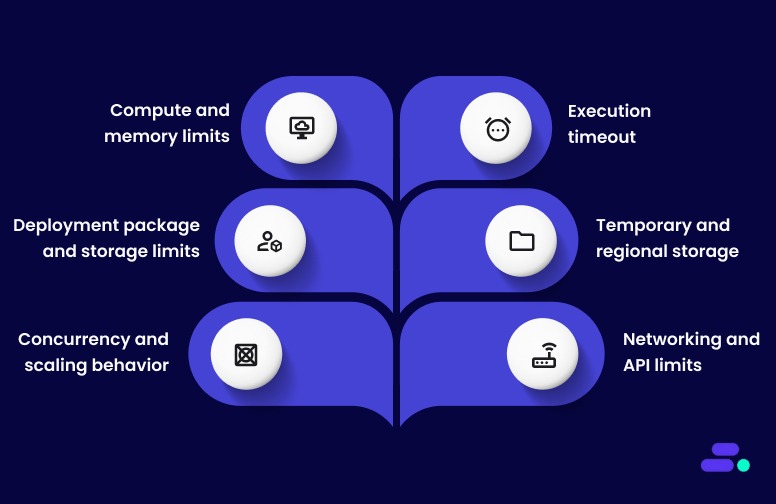
1. Compute and memory limits: AWS Lambda functions can allocate between 128 MB and 10,240 MB of memory, with CPU power scaling proportionally to the selected memory. This means increasing memory can improve CPU performance and reduce execution time, which is an important optimization lever for SMBs running compute-intensive or time-sensitive tasks.
2. Execution timeout: Each Lambda function has a maximum execution time of 15 minutes (900 seconds) per invocation. Workloads requiring longer processing should use AWS Step Functions to coordinate multiple shorter Lambda runs, a best practice for maintaining modular and fault-tolerant architectures.
3. Deployment package and storage limits:
- 50 MB (zipped) for direct uploads via the AWS Console or API.
- 250 MB (unzipped), including all dependencies, layers, and custom runtimes.
- 10 GB maximum uncompressed size for container images hosted in Amazon ECR.
SMBs can use layers or container packaging to manage dependencies efficiently and streamline deployment.
4. Temporary and regional storage: Each Lambda execution environment provides 512 MB of temporary storage in the /tmp directory by default, configurable up to 10 GB. This local storage is ideal for intermediate data processing or caching, while long-term storage should use Amazon S3 or Amazon EFS.
Across all Lambda functions in a region, AWS provides 75 GB of total code storage, which can be increased upon request.
5. Concurrency and scaling behavior: By default, each AWS account has 1,000 concurrent executions per region, shared across all functions. This limit can be increased to accommodate higher traffic.
Lambda also scales at a rate of 1,000 instances every 10 seconds per function, allowing smooth scaling during traffic spikes. SMBs can use:
- Reserved concurrency to guarantee capacity for critical workloads.
- Provisioned concurrency for consistent, low-latency performance in customer-facing applications.
6. Networking and API limits: For functions running inside a VPC, Lambda creates Elastic Network Interfaces (ENIs), subject to a default quota of 500 per VPC.
Control plane API requests are limited (e.g., 100 GetFunction requests per second), ensuring predictable management-plane performance.
Why do these limits matter for SMBs?
For small and medium-sized businesses, understanding AWS Lambda limits is essential for cost control, scalability, and reliability.
Here’s why managing AWS Lambda limits is essential:
- Cost efficiency: Memory and concurrency tuning can directly affect execution time and AWS billing.
- Performance consistency: Proper concurrency configuration avoids throttling and ensures critical workloads remain responsive.
- Resilience and scalability: Designing within Lambda’s scaling behavior helps SMBs handle unpredictable workloads without overprovisioning infrastructure.
- Security and governance: Network limits and code storage quotas help enforce best practices for secure, maintainable deployments.
By aligning function design and scaling strategies with AWS Lambda’s defined limits, SMBs can achieve a balance of agility, control, and operational efficiency, which are key to maximizing the value of serverless computing on AWS.

How can SMBs monitor AWS Lambda limitations?
Monitoring AWS Lambda limits is critical for maintaining visibility into function behavior, preventing performance degradation, and ensuring cost efficiency. SMBs that actively track usage patterns can identify potential bottlenecks early and scale more effectively as workloads grow.
Here’s how to monitor AWS Lambda limites:
1. Use the AWS Service Quotas dashboard: The AWS Service Quotas dashboard provides a centralized view of current limits and usage across all AWS services. Businesses can:
- View default quotas and any custom increases requested.
- Identify when usage approaches key thresholds.
- Plan ahead for traffic growth or seasonal peaks before reaching hard limits.
Tip: Schedule regular reviews of AWS Lambda quotas, especially concurrency and storage usage, to avoid unexpected throttling.
2. Monitor AWS Lambda metrics with Amazon CloudWatch
Amazon CloudWatch automatically captures operational metrics for all Lambda functions, allowing teams to track performance, detect anomalies, and respond proactively. Key metrics to monitor include:
- ConcurrentExecutions: Shows the number of functions running simultaneously.
- Throttles: Alerts businesses when functions are blocked due to concurrency limits.
- Errors and DLQ Errors: Identify and troubleshoot failed executions.
- Duration: Measures how long functions run, useful for optimizing cost and performance.
Best practice: Combine CloudWatch alarms with Amazon SNS notifications to get real-time alerts when thresholds are crossed.
3. Analyze performance with AWS X-Ray: For deeper visibility, AWS X-Ray helps trace function execution paths, visualize dependencies, and pinpoint latency sources. It helps businesses:
- Identify inefficient code paths or slow API calls.
- Monitor cold start occurrences and their impact on latency.
- Optimize function performance to stay within timeout limits.
In short, effective monitoring transforms AWS Lambda from a reactive compute service into a predictable, performance-driven platform for modern business applications.
Also Read: AWS cost optimization strategies and best practices

How can SMBs manage AWS Lambda limitations?
Once AWS Lambda limits are understood and monitored, the next step is to manage them strategically to ensure smooth scaling, predictable costs, and consistent performance. For SMBs, this means taking a proactive approach to concurrency control, deployment optimization, and workflow design.
The key areas of AWS Lambda limit management include controlling concurrency, optimizing package and storage usage, managing temporary data, and designing workflows that stay within execution time boundaries:
1. Manage concurrency for performance and reliability
Concurrency defines how many function instances can run at once. Managing it effectively ensures consistent performance and prevents throttling across workloads.
Reserved concurrency: Guarantees execution capacity for critical functions and isolates them from shared pool limits.
Use reserved concurrency for:
- Always-on or mission-critical workloads
- Functions interacting with limited downstream services (e.g., databases)
- High-priority systems that must remain unaffected by traffic surges
Provisioned concurrency: Pre-warms Lambda instances to eliminate cold starts and deliver low-latency responses.
It is ideal for:
- Web and mobile backends
- Customer-facing APIs
- Real-time or interactive features
Requesting limit increases: If businesses expect usage growth, request concurrency or quota increases through the AWS Service Quotas console.
Include details such as:
- Expected peak loads (e.g., marketing campaigns or seasonal events)
- Forecasted growth rates
- Limitations of integrated systems (e.g., database throughput)
2. Handle deployment package and storage limits
Efficiently managing deployment package size and storage constraints is critical to ensuring reliable Lambda deployments and maintaining smooth CI/CD pipelines. Oversized packages can slow down cold starts, increase deployment times, and lead to failed uploads during automation workflows.
SMBs can address these issues by modularizing their code, leveraging AWS-native tools, and separating reusable dependencies into managed layers or container images.
Use AWS Lambda layers: AWS Lambda layers allow teams to share common code, SDKs, or libraries across multiple functions, reducing redundancy and simplifying updates. Instead of bundling the same dependencies in every function, developers can centralize them into versioned layers:
- Smaller deployment packages
- Easier version management
- Improved maintainability
Limit: Each Lambda function can include up to five layers, and the total unzipped deployment package (function code + layers) must not exceed 250 MB. Additionally, the zipped upload directly through the AWS Management Console is limited to 50 MB, or 250 MB via Amazon S3.
Use Amazon ECR for larger deployments: For more complex workloads, custom runtimes, or larger dependencies, container image packaging offers greater flexibility.
By hosting function images in Amazon Elastic Container Registry (ECR), SMBs can use the same tools and pipelines already familiar from containerized applications.
Key advantages include:
- Package and deploy container images up to 10 GB in size
- Support any programming language or framework, including custom runtimes
- Simplify dependency management using Dockerfiles and version tags
- Enable automated vulnerability scanning and security compliance via Amazon ECR integration
Container-based Lambda deployments are especially useful for teams standardizing on containerized workflows or integrating Lambda into hybrid architectures.
3. Manage temporary storage (/tmp)
Each AWS Lambda execution environment provides 512 MB of ephemeral storage in the /tmp directory by default. This space can be increased up to 10 GB per function, allowing more flexibility for workloads that require intermediate data processing or file manipulation. However, since /tmp storage is ephemeral (deleted after the function instance is recycled), it should be used carefully and efficiently.
Best practices for SMBs:
- Clean up temporary files before the function exits to free up space for subsequent invocations and avoid unexpected failures.
- Stream data instead of writing large files locally. For example, use Amazon S3 or Amazon Kinesis for data transfer and buffering instead of a local disk.
- Monitor ephemeral storage metrics through Amazon CloudWatch, tracking MaxStorageUsed to prevent space exhaustion.
- Request expanded storage via the Lambda configuration (up to 10 GB) for workloads such as file conversions, data transformations, or batch processing that temporarily handle large datasets.
- Avoid using /tmp for persistence. Data stored here is not retained across concurrent executions or after the environment is recycled.
4. Optimize execution time and memory allocation
AWS Lambda functions can run for a maximum of 15 minutes (900 seconds), with memory settings configurable from 128 MB to 10,240 MB (10 GB). These two parameters, execution duration and memory allocation, are closely linked and play a major role in both cost efficiency and performance optimization.
For SMBs, balancing them effectively can reduce costs while improving responsiveness and reliability in production environments.
Optimize for performance and cost: Performance tuning begins with understanding how each function behaves under load. AWS provides multiple observability tools to help identify bottlenecks and inefficiencies.
Key recommendations:
- Profile function performance with AWS X-Ray and CloudWatch Logs: Use tracing and log metrics to measure latency, cold start impact, and downstream call durations.
- Right-size memory allocations: Increasing memory also proportionally increases CPU, network bandwidth, and ephemeral storage, which often reduces execution time enough to offset higher per-millisecond costs.
- Remove unused dependencies: Smaller deployment packages lead to faster cold starts, especially for high-frequency or on-demand workloads.
- Use connection pooling and re-use SDK clients: Keep persistent connections (e.g., database or API clients) initialized outside the function handler to minimize repeated connection overhead.
- Leverage AWS Compute Optimizer: Get automated recommendations for optimal memory configurations based on historical performance data.
These optimizations ensure that the Lambda functions are both cost-effective and scalable under varying workloads, without hitting timeout or concurrency bottlenecks.
Break complex workloads into smaller steps: Some workloads naturally exceed the Lambda execution limit or involve multiple dependent operations. In these cases, AWS Step Functions offers a managed way to coordinate and chain multiple Lambda functions or even integrate with other AWS services (e.g., ECS, DynamoDB, SageMaker).
Benefits of this approach:
- Sequential or parallel orchestration: Execute functions in a defined sequence or run them concurrently for faster processing.
- Built-in retries and error handling: Automatically retry failed steps and capture errors for easier debugging.
- State management: Maintain data and progress across steps without custom logic.
- Simplified workflow design: Visualize complex logic as a state machine, improving clarity and reducing code complexity.
This pattern is ideal for data processing pipelines, file transformations, multi-step approvals, or ML inference workflows, where each step can be handled independently but still contributes to a unified outcome.
By treating limits as design parameters, and not constraints, organizations can unlock the full flexibility of AWS Lambda while maintaining control, performance, and operational confidence.
Also Read: Common security pitfalls during cloud migration, and how to avoid them

How Cloudtech helps SMBs manage AWS Lambda limits and modernize data?
Understanding and managing AWS Lambda limits is essential for small and medium-sized businesses (SMBs) looking to modernize data environments efficiently. Cloudtech helps organizations navigate AWS Lambda quotas, optimize serverless architectures, and build scalable, compliant data systems using AWS best practices.
Cloudtech services that support data modernization:
- Application modernization: Cloudtech transforms legacy applications into event-driven, serverless architectures powered by AWS Lambda. It helps SMBs achieve better scalability, reduced cold starts, and predictable performance without exceeding service quotas.
- Data modernization: Cloudtech creates end-to-end, Lambda-based data pipelines using Amazon S3, AWS Glue, and Amazon Redshift. Their approach ensures data ingestion, processing, and analytics workflows stay within Lambda’s execution, storage, and temporary storage limits.
- Infrastructure and resiliency: Cloudtech strengthens AWS environments with secure, highly available architectures, including automated backups, multi-AZ replication, and disaster recovery. This ensures Lambda workloads can scale safely while remaining compliant with system limits.
- Generative AI solutions: Cloudtech prepares data for generative AI applications using AWS Lambda and Amazon Q Business. SMBs can harness AI-driven insights without breaching compute or concurrency limits.
With Cloudtech’s AWS-certified expertise, SMBs can confidently modernize data environments while respecting Lambda quotas. The services ensure functions scale efficiently, workloads remain compliant, and every modernization initiative unlocks real-time insights, AI readiness, and sustainable cloud growth.
See how other SMBs have modernized, scaled, and thrived with Cloudtech’s support →
Conclusion
With a clear view of AWS Lambda limits and actionable strategies for managing them, SMBs can approach serverless development with greater confidence. Readers now have practical guidance for balancing performance, cost, and reliability, whether it is tuning memory and concurrency, handling deployment package size, or planning for network connections. These insights help teams make informed decisions about function design and operations, reducing surprises as workloads grow.
For SMBs seeking expert support, Cloudtech offers data modernization services built around Amazon Web Services' best practices.
Cloudtech’s AWS-certified architects work directly with clients to streamline data pipelines, strengthen compliance, and build scalable solutions using AWS Lambda and the broader AWS portfolio. Get started now!
FAQs
1. What is the maximum payload size for AWS Lambda invocations?
For synchronous invocations, the maximum payload size is 6 megabytes. Exceeding this limit will result in invocation failures, so large event data must be stored elsewhere, such as in Amazon S3, with only references passed to the function.
2. Are there limits on environment variables for AWS Lambda functions?
Each Lambda function can store up to 4 kilobytes of environment variables. This limit includes all key-value pairs and can impact how much configuration or sensitive data is embedded directly in the function’s environment.
3. How does AWS Lambda handle sudden traffic spikes in concurrency?
Lambda supports burst concurrency, allowing up to 500 additional concurrent executions every 10 seconds per function, or 5,000 requests per second every 10 seconds, whichever is reached first. This scaling behavior is critical for applications that experience unpredictable load surges.
4. Is there a limit on ephemeral storage (/tmp) for AWS Lambda functions?
By default, each Lambda execution environment provides 512 megabytes of ephemeral storage in the /tmp directory, which can be increased up to 10 gigabytes if needed. This storage is shared across all invocations on the same environment and is reset between container reuses.
5. Are there restrictions on the programming languages supported by AWS Lambda?
Lambda natively supports a set of languages (such as Python, Node.js, Java, and Go), but does not support every language out of the box. Using custom runtimes or container images can extend language support, but this comes with additional deployment and management considerations.