Blogs


Amazon Redshift: a comprehensive guide
From sales transactions to operational logs, businesses now handle millions of data points daily. Yet when it’s time to pull insights, most find their traditional databases too slow, rigid, or costly for complex analytics.
Without scalable infrastructure, even basic reporting turns into a bottleneck. SMBs often operate with lean teams, limited budgets, and rising compliance demands, leaving little room for overengineered systems or extended deployment cycles.
Amazon Redshift from AWS changes that. As a fully managed cloud data warehouse, it enables businesses to query large volumes of structured and semi-structured data quickly without the need to build or maintain underlying infrastructure. Its decoupled architecture, automated tuning, and built-in security make it ideal for SMBs looking to modernize fast.
This guide breaks down how Amazon Redshift works, how it scales, and why it’s become a go-to analytics engine for SMBs that want enterprise-grade performance without the complexity.
Key Takeaways
- End-to-end analytics without infrastructure burden: Amazon Redshift eliminates the need for manual cluster management and scales computing and storage independently, making it ideal for growing teams with limited technical overhead.
- Built-in cost efficiency: With serverless billing, reserved pricing, and automatic concurrency scaling, Amazon Redshift enables businesses to control costs without compromising performance.
- Security built for compliance-heavy industries: Data encryption, IAM-based access control, private VPC deployment, and audit logging provide the safeguards required for finance, healthcare, and other regulated environments.
- AWS ecosystem support: Amazon Redshift integrates with Amazon S3, Kinesis, Glue, and other AWS services, making it easier to build real-time or batch data pipelines without requiring additional infrastructure layers.
- Faster rollout with Cloudtech: Cloudtech’s AWS-certified experts help SMBs deploy Amazon Redshift with confidence, handling everything from setup and tuning to long-term optimization and support.
What is Amazon Redshift?
Amazon Redshift is built to support analytical workloads that demand high concurrency, low-latency queries, and scalable performance. It processes both structured and semi-structured data using a columnar storage engine and a massively parallel processing (MPP) architecture, making it ideal for businesses, especially SMBs, that handle fast-growing datasets.
It separates compute and storage layers, allowing organizations to scale each independently based on workload requirements and cost efficiency. This decoupled design supports a range of analytics, from ad hoc dashboards to complex modeling, without burdening teams with the maintenance of infrastructure.
Core capabilities and features of Amazon Redshift

Amazon Redshift combines a high-performance architecture with intelligent automation to support complex analytics at scale, without the burden of manual infrastructure management. From optimized storage to advanced query handling, it equips SMBs with tools to turn growing datasets into business insights.
1. Optimized architecture for analytics
Amazon Redshift stores data in a columnar format, minimizing I/O and reducing disk usage through compression algorithms like LZO, ZSTD, and AZ64. Its Massively Parallel Processing (MPP) engine distributes workloads across compute nodes, enabling horizontal scalability for large datasets. The SQL-based interface supports PostgreSQL-compatible JDBC and ODBC drivers, making it easy to integrate with existing BI tools.
2. Machine learning–driven performance
The service continuously monitors historical query patterns to optimize execution plans. It automatically adjusts distribution keys, sort keys, and compression settings—eliminating the need for manual tuning. Result caching, intelligent join strategies, and materialized views further improve query speed.
3. Serverless advantages for dynamic workloads
Amazon Redshift Serverless provisions and scales compute automatically based on workload demand. With no clusters to manage, businesses benefit from zero administration, fast start-up via Amazon Redshift Query Editor v2, and cost efficiency through pay-per-use pricing and automatic pause/resume functionality.
4. Advanced query capabilities across sources
Amazon Redshift supports federated queries to join live data from services like Amazon Aurora, RDS, and DynamoDB—without moving data. Amazon Redshift Spectrum extends this with the ability to query exabytes of data in Amazon S3 using standard SQL, reducing cluster load. Cross-database queries simplify analysis across schemas, and materialized views ensure fast response for repeated metrics.
5. Performance at scale
To maintain responsiveness under load, Amazon Redshift includes concurrency scaling, which provisions temporary clusters when query queues spike. Workload management assigns priorities and resource limits to users and applications, ensuring a fair distribution of resources. Built-in optimization engines maintain consistent performance as usage increases.
Amazon Redshift setup and deployment process
Successfully deploying Amazon Redshift begins with careful preparation of AWS infrastructure and security settings. These foundational steps ensure that the data warehouse operates securely, performs reliably, and integrates well with existing environments.
The process involves configuring identity and access management, network architecture, selecting the appropriate deployment model, and completing critical post-deployment tasks.
1. Security and network prerequisites for Amazon Redshift deployment
Before provisioning clusters or serverless workgroups, organizations must establish the proper security and networking foundation. This involves setting permissions, preparing network isolation, and defining security controls necessary for protected and compliant operations.
- IAM configuration: Assign IAM roles with sufficient permissions to manage Amazon Redshift resources. The Amazon Redshift Full Access policy covers cluster creation, database admin, and snapshots. For granular control, use custom IAM policies with resource-based conditions to restrict access by cluster, database, or action.
- VPC network setup: Deploy Amazon Redshift clusters within dedicated subnets in a VPC spanning multiple Availability Zones (AZs) for high availability. Attach security groups that enforce strict inbound/outbound rules to control communication and isolate the environment.
- Security controls: Limit access to Amazon Redshift clusters through network-level restrictions. Inbound traffic on port 5439 (default) must be explicitly allowed only from trusted IPs or CIDR blocks. Outbound rules should permit necessary connections to client apps and related AWS services.
2. Deployment models in Amazon Redshift
Once the security and network prerequisites are in place, organizations can select the deployment model that best suits their operational needs and workload patterns. Amazon Redshift provides two flexible options that differ in management responsibility and scalability:
- Amazon Redshift Serverless: It eliminates infrastructure management by auto-scaling compute based on query demand. Capacity, measured in Amazon Redshift Processing Units (RPUs), adjusts dynamically within configured limits, helping organizations balance performance and cost.
- Provisioned clusters: Designed for predictable workloads, provisioned clusters offer full control over infrastructure. A leader node manages queries, while compute nodes process data in parallel. With RA3 node types, compute and storage scale independently for greater efficiency.
3. Initial configuration tasks for Amazon Redshift
After selecting a deployment model and provisioning resources, several critical configuration steps must be completed to secure, organize, and optimize the Amazon Redshift environment for production use.
- Database setup: Each Amazon Redshift database includes schemas that group tables, views, and other objects. A default PUBLIC schema is provided, but up to 9,900 custom schemas can be created per database. Access is controlled using SQL to manage users, groups, and privileges at the schema and table levels.
- Network security: Updated security group rules take effect immediately. Inbound and outbound traffic permissions must support secure communication with authorized clients and integrated AWS services.
- Backup configuration: Amazon Redshift captures automated, incremental backups with configurable retention from 1 to 35 days. Manual snapshots support point-in-time recovery before schema changes or key events. Cross-region snapshot copying enables disaster recovery by replicating backups across AWS regions.
- Parameter management: Cluster parameter groups define settings such as query timeouts, memory use, and connection limits. Custom groups help fine-tune behavior for specific workloads without impacting other Amazon Redshift clusters in the account.
With the foundational setup, deployment model, and initial configuration complete, the focus shifts to how Amazon Redshift is managed in production, enabling efficient scaling, automation, and deeper enterprise integration.
Post-deployment operations and scalability in Amazon Redshift
Amazon Redshift offers flexible deployment options through both graphical interfaces and programmatic tools. Organizations can choose between serverless and provisioned cluster management based on the predictability of their workloads and resource requirements. The service provides comprehensive management capabilities that automate routine operations while maintaining control over critical configuration parameters.
1. Provision of resources and management functionalities
Getting started with Amazon Redshift involves selecting the right provisioning approach. The service supports a range of deployment methods to align with organizational preferences, from point-and-click tools to fully automated DevOps pipelines.
- AWS Management Console: The graphical interface provides step-by-step cluster provisioning with configuration wizards for network settings, security groups, and backup preferences. Organizations can launch clusters within minutes using pre-configured templates for everyday use cases.
- Infrastructure as Code: AWS CloudFormation and Terraform enable automated deployment across environments. Templates define cluster specs, security, and networking to ensure consistent, repeatable setups..
- AWS Command Line Interface: Programmatic cluster management through CLI commands supports automation workflows and integration with existing DevOps pipelines. It offers complete control over cluster lifecycle operations, including creation, modification, and deletion.
- Amazon Redshift API: Direct API access allows integration with enterprise systems for custom automation workflows. RESTful endpoints enable organizations to embed Amazon Redshift provisioning into broader infrastructure management platforms.
2. Dynamic scaling capabilities for Amazon Redshift workloads
Once deployed, Amazon Redshift adapts to dynamic workloads using several built-in scaling mechanisms. These capabilities help maintain query performance under heavy loads and reduce costs during periods of low activity.
- Concurrency Scaling: Automatically provisions additional compute clusters when query queues exceed thresholds. These temporary clusters process queued queries independently, preventing performance degradation during spikes.
- Elastic Resize: Enables fast adjustment of cluster node count to match changing capacity needs. Organizations can scale up or down within minutes without affecting data integrity or system availability.
- Pause and Resume: Provisioned clusters can be suspended during idle periods to save on computing charges. The cluster configuration and data remain intact and are restored immediately upon resumption.
- Scheduled Scaling: Businesses can define policies to scale resources in anticipation of known usage patterns, allowing for more efficient resource allocation. This approach supports cost control and ensures performance during recurring demand cycles.
3. Unified analytics with Amazon Redshift
Beyond deployment and scaling, Amazon Redshift acts as a foundational analytics layer that unifies data across systems and business functions. It is frequently used as a core component of modern data platforms.
- Enterprise data integration: Organizations use Amazon Redshift to consolidate data from CRM, ERP, and third-party systems. This centralization breaks down silos and supports organization-wide analytics and reporting.
- Multi-cluster environments: Teams can deploy separate clusters for different departments or applications, allowing for greater flexibility and scalability. This enables workload isolation while allowing for shared insights when needed through cross-cluster queries.
- Hybrid storage models: By combining Amazon Redshift with Amazon S3, organizations optimize both performance and cost. Active datasets remain in cluster storage, while historical or infrequently accessed data is stored in cost-efficient S3 data lakes.
After establishing scalable operations and integrated data workflows, organizations must ensure that these environments remain secure, compliant, and well-controlled, especially when handling sensitive or regulated data.
Security and connectivity features in Amazon Redshift

Amazon Redshift enforces strong security measures to protect sensitive data while enabling controlled access across users, applications, and networks. Security implementation encompasses data protection, access controls, and network isolation, all of which are crucial for organizations operating in regulated industries, such as finance and healthcare. Connectivity is supported through secure, standards-based drivers and APIs that integrate with internal tools and services.
1. Data security measures using IAM and VPC
Amazon Redshift integrates with AWS Identity and Access Management (IAM) and Amazon Virtual Private Cloud (VPC) to provide fine-grained access controls and private network configurations.
- IAM integration: IAM policies allow administrators to define permissions for cluster management, database operations, and administrative tasks. Role-based access ensures that users and services access only the data and functions for which they are authorized.
- Database-level security: Role-based access at the table and column levels allows organizations to enforce granular control over sensitive datasets. Users can be grouped by function, with each group assigned specific permissions.
- VPC isolation: Clusters are deployed within private subnets, ensuring network isolation from the public internet. Custom security groups define which IP addresses or services can communicate with the cluster.
- Multi-factor authentication: To enhance administrative security, Amazon Redshift supports multi-factor authentication through AWS IAM, requiring additional verification for access to critical operations.
2. Encryption for data at rest and in transit
Amazon Redshift applies end-to-end encryption to protect data throughout its lifecycle.
- Encryption at rest: All data, including backups and snapshots, is encrypted using AES-256 via AWS Key Management Service (KMS). Organizations can use either AWS-managed or customer-managed keys for encryption and key lifecycle management.
- Encryption in transit: TLS 1.2 secures data in motion between clients and Amazon Redshift clusters. SSL certificates are used to authenticate clusters and ensure encrypted communication channels.
- Certificate validation: SSL certificates also protect against spoofed endpoints by validating cluster identity, which is essential when connecting through external applications or secure tunnels.
3. Secure connectivity options for Amazon Redshift access
Amazon Redshift offers multiple options for secure access across application environments and user workflows.
- JDBC and ODBC drivers: Amazon Redshift supports industry-standard drivers that include encryption, connection pooling, and compatibility with a wide range of internal applications and SQL-based tools.
- Amazon Redshift Data API: This HTTP-based API allows developers to run SQL queries without maintaining persistent database connections. IAM-based authentication ensures secure, programmatic access for automated workflows.
- Query Editor v2: A browser-based interface that allows secure SQL query execution without needing to install client drivers. It supports role-based access and session-level security settings to maintain administrative control.
Integration and data access in Amazon Redshift
Amazon Redshift offers flexible integration options designed for small and mid-sized businesses that require efficient and scalable access to both internal and external data sources. From real-time pipelines to automated reporting, the platform streamlines how teams connect, load, and work with data, eliminating the need for complex infrastructure or manual overhead.
1. Simplified access through Amazon Redshift-native tools
For growing teams that need to analyze data quickly without relying on a heavy setup, Amazon Redshift includes direct access methods that reduce configuration time.
- Amazon Redshift Query Editor v2: A browser-based interface that allows teams to run SQL queries, visualize results, and share findings, all without installing drivers or maintaining persistent connections.
- Amazon Redshift Data API: Enables secure, HTTP-based query execution in serverless environments. Developers can trigger SQL operations directly from applications or scripts using IAM-based authentication, which is ideal for automation.
- Standardized driver support: Amazon Redshift supports JDBC and ODBC drivers for internal tools and legacy systems, providing broad compatibility for teams using custom reporting or dashboard solutions.
2. Streamlined data pipelines from AWS services
Amazon Redshift integrates with core AWS services, enabling SMBs to manage both batch and real-time data without requiring extensive infrastructure.
- Amazon S3 with Amazon Redshift Spectrum: Enables high-throughput ingestion from S3 and allows teams to query data in place, avoiding unnecessary transfers or duplications.
- AWS Glue: Provides visual tools for setting up extract-transform-load (ETL) workflows, reducing the need for custom scripts. Glue Data Catalog centralizes metadata, making it easier to manage large datasets.
- Amazon Kinesis: Supports the real-time ingestion of streaming data for use cases such as application telemetry, customer activity tracking, and operational metrics.
- AWS Database Migration Service: Facilitates low-downtime migration from existing systems to Amazon Redshift. Supports ongoing replication to keep cloud data current without disrupting operations.
3. Built-in support for automated reporting and dashboards
Amazon Redshift supports organizations that want fast, accessible insights without investing in separate analytics platforms.
- Scheduled reporting: Teams can automate recurring queries and export schedules to keep stakeholders updated without manual intervention.
- Self-service access: Amazon Redshift tools support role-based access, allowing non-technical users to run safe, scoped queries within approved datasets.
- Mobile-ready dashboards: Reports and result views are accessible on tablets and phones, helping teams track KPIs and metrics on the go.
Cost and operational factors in Amazon Redshift
For SMBs, cost efficiency and operational control are central to maintaining a scalable data infrastructure. Amazon Redshift offers a flexible pricing model, automatic performance tuning, and predictable maintenance workflows, making it practical to run high-performance analytics without overspending or overprovisioning.
Pricing models tailored to usage patterns
Amazon Redshift supports multiple pricing structures designed for both variable and predictable workloads. Each model offers different levels of cost control and scalability, allowing organizations to align infrastructure spending with business goals.
- Capacity-based pricing: Amazon Redshift follows a capacity-based pricing model where businesses pay for the compute capacity (measured in Redshift Processing Units or RPUs) that is provisioned.
- Reserved instance pricing: For businesses with consistent query loads, reserved instances offer savings through 1-year or 3-year commitments. This approach provides budget predictability and cost reduction for steady usage.
- Serverless pricing model: Amazon Redshift Serverless charges based on Amazon Redshift Processing Units (RPUs) consumed during query execution. Since computing pauses during idle time, organizations avoid paying for unused capacity.
- Concurrency scaling credits: When demand spikes, Amazon Redshift spins up additional clusters automatically. Most accounts receive sufficient free concurrency scaling credits to handle typical peak periods without incurring extra costs.
Operational workflows for cluster management
Amazon Redshift offers streamlined workflows for managing cluster operations, ensuring consistent performance, and minimizing the impact of maintenance tasks on business-critical functions.
- Lifecycle control: Clusters can be launched, resized, paused, or deleted using the AWS Console, CLI, or API. Organizations can scale up or down as needed without losing data or configuration.
- Maintenance schedule: Software patches and system updates are applied during customizable maintenance windows to avoid operational disruption.
- Backup and Restore: Automated, incremental backups provide continuous data protection with configurable retention periods. Manual snapshots can be triggered for specific restore points before schema changes or major updates.
- Monitoring and diagnostics: Native integration with Amazon CloudWatch enables visibility into query patterns, compute usage, and performance bottlenecks. Custom dashboards help identify resource constraints early.
Resource optimization within compute nodes
Efficient resource utilization is crucial for maintaining a balance between cost and performance, particularly as data volumes expand and the number of concurrent users increases.
- Compute and storage configuration: Organizations can choose from node types, including RA3 instances that decouple compute from storage. This allows independent scaling based on workload needs.
- Workload management policies: Amazon Redshift supports queue-based workload management, which assigns priority and resource caps to different users or jobs. This ensures that lower-priority operations do not delay time-sensitive queries.
- Storage compression: Data is stored in columnar format with automatic compression, significantly reducing storage costs while maintaining performance.
- Query tuning automation: Amazon Redshift recommends materialized views, caches common queries, and continuously adjusts query plans to reduce compute time, enabling businesses to achieve faster results with lower operational effort.
While Amazon Redshift delivers strong performance and flexibility, many SMBs require expert help to handle implementation complexity, align the platform with business goals, and ensure compliant, growth-oriented outcomes.
How Cloudtech accelerates Amazon Redshift implementation
Cloudtech is a specialized AWS consulting partner dedicated to helping businesses address the complexities of cloud adoption and modernization with practical, secure, and scalable solutions.
Many businesses face challenges in implementing enterprise-grade data warehousing due to limited resources and evolving analytical demands. Cloudtech fills this gap by providing expert guidance and hands-on support, ensuring businesses can confidently deploy Amazon Redshift while maintaining control and compliance.
Cloudtech's team of former AWS employees delivers comprehensive data modernization services that minimize risk and ensure cloud analytics support business objectives:
- Data modernization: Upgrading data infrastructures for improved performance and analytics, helping businesses unlock more value from their information assets through Amazon Redshift implementation.
- Application modernization: Revamping legacy applications to become cloud-native and scalable, ensuring seamless integration with modern data warehouse architectures.
- Infrastructure and resiliency: Building secure, resilient cloud infrastructures that support business continuity and reduce vulnerability to disruptions through proper Amazon Redshift deployment and optimization.
- Generative artificial intelligence: Implementing AI-driven solutions that leverage Amazon Redshift's analytical capabilities to automate and optimize business processes.
Conclusion
Amazon Redshift provides businesses with a secure and scalable foundation for high-performance analytics, eliminating the need to manage infrastructure. With automated optimization, advanced security, and flexible pricing, it enables data-driven decisions across teams while keeping costs under control.
For small and mid-sized organizations, partnering with Cloudtech streamlines the implementation process. Our AWS-certified team helps you plan, deploy, and optimize Amazon Redshift to meet your specific performance and compliance goals. Get in touch with us to get started today!
FAQ’s
1. What is the use of Amazon Redshift?
Amazon Redshift is used to run high-speed analytics on large volumes of structured and semi-structured data. It helps businesses generate insights, power dashboards, and handle reporting without managing traditional database infrastructure.
2. Is Amazon Redshift an ETL tool?
No, Amazon Redshift is not an ETL tool. It’s a data warehouse that works with ETL services like AWS Glue to store and analyze transformed data efficiently for business intelligence and operational reporting.
3. What is the primary purpose of Amazon Redshift?
Amazon Redshift’s core purpose is to deliver fast, scalable analytics by running complex SQL queries across massive datasets. It supports use cases like customer insights, operational analysis, and financial forecasting across departments.
4. What is the best explanation of Amazon Redshift?
Amazon Redshift is a managed cloud data warehouse built for analytics. It separates computing and storage, supports standard SQL, and enables businesses to scale performance without overbuilding infrastructure or adding operational overhead.
5. What is Amazon Redshift best for?
Amazon Redshift is best for high-performance analytical workloads, powering dashboards, trend reports, and data models at speed. It’s particularly useful for SMBs handling growing data volumes across marketing, finance, and operations.
The latest guide to AWS disaster recovery in 2025
No business plans for a disaster, but every business needs a plan to recover from one. In 2025, downtime has become not just inconvenient but also expensive, disruptive, and often public. Whether it’s a ransomware attack, a regional outage, or a simple configuration error, SMBs can’t afford long recovery times or data loss.
That’s where AWS disaster recovery comes in. With cloud-native tools like AWS Elastic Disaster Recovery, even smaller teams can access the kind of resilience once reserved for large enterprises. The goal is to keep the business running, no matter what happens.
This guide breaks down the latest AWS disaster recovery strategies, from simple backups to multi-site architectures, so you can choose the right balance of speed, cost, and protection for your organization.
Key takeaways:
- AWS disaster recovery helps SMBs reduce downtime, protect data, and recover quickly with cloud-native automation and resilience.
- AWS DRS, S3, and multi-region replication enable cost-effective, scalable DR strategies tailored to business RTO and RPO goals.
- Automation with AWS EventBridge, AWS Lambda, and AWS Infrastructure as Code ensures faster, error-free recovery during outages or disasters.
- Cloudtech helps SMBs design secure, compliant, and tested DR plans using AWS tools for continuous backup, replication, and failover.
- Regular DR testing, cost optimization, and multi-region planning make AWS disaster recovery practical and reliable for SMBs in 2025.
Why is disaster recovery mission-critical in 2025?
Disaster recovery (DR) is a core part of business continuity. The digital space has become a high-stakes environment where every minute of downtime can lead to lost revenue, damaged trust, and compliance risks.
For SMBs, these impacts are amplified by smaller teams, tighter budgets, and increasingly complex hybrid environments.
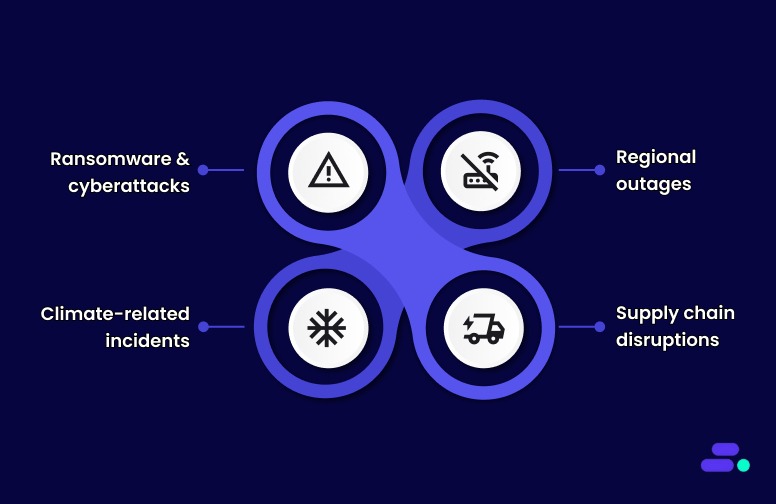
Today’s threats go far beyond hardware failures or accidental data loss. SMBs face:
- Ransomware and cyberattacks can encrypt or destroy critical systems overnight.
- Regional outages caused by power failures or connectivity disruptions.
- Climate-related incidents like floods or wildfires can take entire data centers offline.
- Supply chain disruptions that affect access to infrastructure and recovery resources.
Even short outages can trigger cascading effects, from delayed healthcare operations to missed financial transactions. The question for businesses is no longer if a disruption will happen, but how quickly they can recover when it does.
The shift toward automation and cloud-native resilience: Traditional DR methods like manual failovers, physical backups, and secondary data centers can’t meet modern recovery expectations. Businesses now need:
- Automation to eliminate human delays during failover.
- Scalability to expand recovery capacity instantly.
- Affordability to avoid idle infrastructure costs.
That’s where AWS transforms the game. With AWS Elastic Disaster Recovery (AWS DRS), organizations can continuously replicate data, recover from specific points in time, and spin up recovery instances in minutes, all using a cost-efficient, pay-as-you-go model.
Why it matters for SMBs: For smaller businesses, this evolution is an equalizer. AWS makes enterprise-level resilience achievable without massive capital investment.
By combining automation, scalability, and strong security under a single framework, AWS empowers SMBs to stay operational no matter what 2025 brings.
Suggested Read: Best practices for AWS resiliency: Building reliable clouds

A closer look at AWS’s modern disaster recovery stack
Disaster recovery on AWS has matured into a full resilience ecosystem, not just a backup strategy. It has turned what was once a complex, costly process into a flexible, automated, and affordable framework that SMBs can confidently rely on.
Businesses need continuity for entire workloads, including compute, databases, storage, and networking, with automation that responds instantly to failure events. AWS meets this challenge through an integrated DR ecosystem that combines scalable compute, low-cost storage, and intelligent automation under one cloud-native architecture.
Below is a closer look at the core AWS services powering disaster recovery in 2025:
1. AWS Elastic Disaster Recovery (AWS DRS): The core of modern DR
AWS DRS has become the cornerstone of AWS-based disaster recovery. It continuously replicates on-premises or cloud-based servers into a low-cost staging area within AWS.
- Instant recovery: In case of a disaster, AWS DRS can launch recovery instances in minutes using the latest state or a specific point-in-time snapshot.
- Cross-region replication: Data can be replicated across AWS Regions for compliance or geographic redundancy.
- Scalability and automation: Combined with Lambda or CloudFormation, recovery environments can be automatically scaled to meet post-failover demand.
For SMBs, this service eliminates the need for expensive standby infrastructure while delivering near-enterprise-grade recovery times.
2. Amazon S3, Amazon Glacier, and Amazon Glacier Deep Archive: Tiered, cost-efficient backup storage
Reliable storage remains the foundation of any disaster recovery plan. AWS provides multiple layers of durability and cost optimization through:
- Amazon S3: Ideal for frequently accessed backups and versioned data, offering 99.999999999% durability.
- Amazon S3 Glacier: Designed for infrequent access, with recovery in minutes to hours at a fraction of the cost.
- Amazon S3 Glacier Deep Archive: For long-term retention or compliance data, with recovery times measured in hours but at the lowest possible cost.
These options give SMBs fine-grained control over storage economics, protecting data affordably without sacrificing accessibility.
3. Amazon EC2 and EBS snapshots: Fast restoration for compute and data volumes
Snapshots form the operational backbone of infrastructure recovery.
- Amazon EBS snapshots capture incremental backups of volumes, enabling point-in-time restoration.
- Amazon EC2 snapshots allow entire virtual machines to be redeployed in another Region or Availability Zone.
With automation through AWS Backup or Lambda, these snapshots can be scheduled, monitored, and replicated for quick recovery from corruption or regional failure.
4. AWS CloudFormation and AWS CDK: Infrastructure as Code for recovery at scale
Manual recovery is no longer viable. AWS’s Infrastructure as Code (IaC) tools such as CloudFormation and the Cloud Development Kit (CDK) make it possible to rebuild entire production environments automatically.
- Versioned blueprints: Define compute, storage, and networking configurations once and redeploy anywhere.
- Consistency: Ensure recovery environments are identical to production, avoiding configuration drift.
- Speed: Launch full-stack environments in minutes instead of days.
IaC has become essential for SMBs seeking consistent, repeatable recovery processes without maintaining redundant infrastructure.
5. AWS Lambda and Amazon EventBridge: Automation and event-driven recovery
Recovery is no longer a manual checklist. Using AWS Lambda and Amazon EventBridge, DR processes can be fully automated:
- AWS Lambda runs recovery scripts, initiates failover, or provisions resources the moment a trigger event occurs.
- Amazon EventBridge detects failures, health changes, or compliance events and automatically executes recovery workflows.
This automation ensures that recovery isn’t delayed by human intervention, a critical factor when every second counts.
6. Amazon Route 53: Intelligent failover and traffic routing
Even the best recovery setup fails without smart routing. Amazon Route 53 handles global DNS management and automated failover by:
- Redirecting traffic from failed Regions to healthy ones.
- Supporting active-active or active-passive architectures.
- Monitoring application health continuously for instant redirection.
This ensures users always connect to the most available endpoint, even during major disruptions.
7. Amazon DynamoDB Global Tables and Aurora Global Database: Always-on data replication
Data availability is at the heart of resilience. AWS provides globally distributed data replication options for mission-critical workloads:
- Amazon DynamoDB Global Tables replicate changes in milliseconds across Regions, ensuring applications remain consistent and writable anywhere.
- Amazon Aurora Global Database replicates data with sub-second latency, allowing immediate failover with minimal data loss.
These services make multi-region architectures practical even for SMBs, enabling near-zero RPO and RTO without complex replication management.
Each service complements the others, helping SMBs build DR strategies that are both technically sophisticated and financially realistic.
Whether recovering from a cyberattack, system outage, or natural disaster, AWS gives organizations the agility to resume operations quickly, without the traditional complexity or capital expense of disaster recovery infrastructure. In short, it’s resilience reimagined for the cloud-first era.
Also Read: An AWS cybersecurity guide for SMBs in 2025

Effective strategies for disaster recovery in AWS
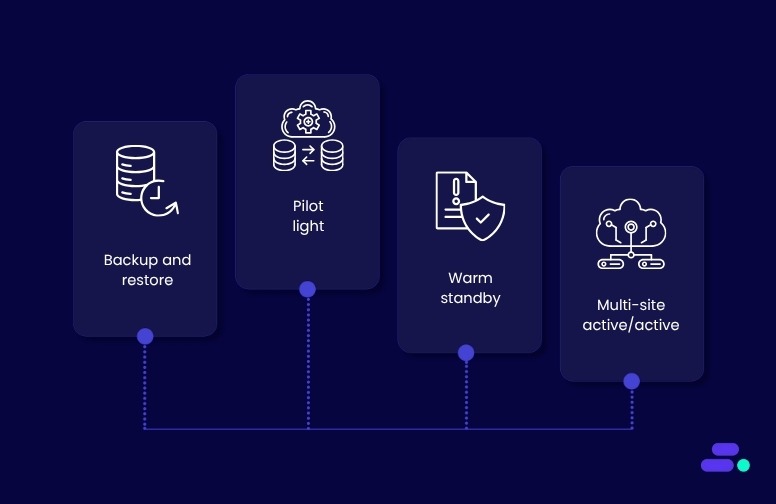
When selecting a disaster recovery (DR) strategy within AWS, it’s essential to evaluate both the Recovery Time Objective (RTO) and the Recovery Point Objective (RPO). Each AWS DR strategy offers different levels of complexity, cost, and operational resilience. Below are the most commonly used strategies, along with detailed technical considerations and the associated AWS services.
1. Backup and restore
The Backup and restore strategy involves regularly backing up your data and configurations. In the event of a disaster, these backups can be used to restore your systems and data. This approach is affordable but may require several hours for recovery, depending on the volume of data.
Key technical steps:
- AWS backup: Automates backups for AWS services, such as EC2, RDS, DynamoDB, and EFS. It supports cross-region backups, ideal for regional disaster recovery.
- Amazon S3 versioning: Enable versioning on S3 buckets to store multiple versions of objects, which can help recover from accidental deletions or data corruption.
- Infrastructure as code (IaC): Use AWS CloudFormation or AWS CDK to define infrastructure templates. These tools automate the redeployment of applications, configurations, and code, reducing recovery time.
- Point-in-time recovery: Use Amazon RDS snapshots, Amazon EBS snapshots, and Amazon DynamoDB backups for point-in-time recovery, ensuring that you meet stringent RPOs.
AWS Services:
- Amazon RDS for database snapshots
- Amazon EBS for block-level backups
- Amazon S3 Cross-region replication for continuous replication to a DR region
2. Pilot light
In the pilot light approach, minimal core infrastructure is maintained in the disaster recovery region. Resources such as databases remain active, while application servers stay dormant until a failover occurs, at which point they are scaled up rapidly.
Key technical steps:
- Continuous data replication: Use Amazon RDS read replicas, Amazon Aurora global databases, and DynamoDB global tables for continuous, cross-region asynchronous data replication, ensuring low RPO.
- Infrastructure management: Deploy core infrastructure using AWS CloudFormation templates across primary and DR regions, keeping application configurations dormant to reduce costs.
- Traffic management: Utilize Amazon Route 53 for DNS failover and AWS global accelerator for more efficient traffic management during failover, ensuring traffic is directed to the healthiest region.
AWS Services:
- Amazon RDS read replicas
- Amazon DynamoDB global tables for distributed data
- Amazon S3 Cross-Region Replication for real-time data replication
3. Warm standby
Warm Standby involves running a scaled-down version of your production environment in a secondary AWS Region. This allows minimal traffic handling immediately and enables scaling during failover to meet production needs.
Key technical steps
- EC2 auto scaling: Use Amazon EC2 auto scaling to scale resources automatically based on traffic demands, minimizing manual intervention and accelerating recovery times.
- Amazon Aurora global databases: These offer continuous cross-region replication, reducing failover latency and allowing a secondary region to take over writes during a disaster.
- Infrastructure as code (IaC): Use AWS CloudFormation to ensure both primary and DR regions are deployed consistently, making scaling and recovery easier.
AWS services
- Amazon EC2 auto scaling to handle demand
- Amazon Aurora global databases for fast failover
- AWS Lambda for automating backup and restore operations
4. Multi-site active/active
The multi-site active/active strategy runs your application in multiple AWS Regions simultaneously, with both regions handling traffic. This provides redundancy and ensures zero downtime, making it the most resilient and comprehensive disaster recovery option.
Key technical steps:
- Global load balancing: Utilize AWS Global Accelerator and Amazon Route 53 to manage traffic distribution across regions, ensuring that traffic is routed to the healthiest region in real-time.
- Asynchronous data replication: Implement Amazon Aurora global databases with multi-region replication for low-latency data availability across regions.
- Real-time monitoring and failover: Utilize AWS CloudWatch and AWS Application Recovery Controller (ARC) to monitor application health and automatically trigger traffic failover to the healthiest region.
AWS services:
- AWS Global Accelerator for low-latency global routing
- Amazon Aurora global databases for near-instantaneous replication
- Amazon Route 53 for failover and traffic management
Also Read: Hidden costs of cloud migration and how SMBs can avoid them

Advanced considerations for AWS disaster recovery in 2025
While AWS offers several core disaster recovery strategies, from backup and restore to multi-site active/active, modern resilience planning requires going a step further. SMBs can strengthen their DR posture by adopting advanced practices around architecture design, automation, governance, and cost optimization.
Here are some important considerations:
1. Choosing the right architecture: single-region vs. multi-region
Not every workload needs a multi-region setup, but every business needs redundancy. AWS offers multiple architectural layers to meet varying RTO/RPO goals:
- Multi-AZ redundancy for regional resilience: Replicating workloads across multiple Availability Zones (AZs) within a single AWS Region protects against localized data center outages. It’s ideal for applications that require high uptime but have data residency or regulatory constraints.
- Cross-region backups for disaster-level protection: Backing up to another AWS Region adds a safeguard against large-scale events such as natural disasters or regional power failures. Tools like AWS Backup and Amazon S3 Cross-Region Replication make this seamless and automated.
- Multi-region deployments for maximum availability: For mission-critical workloads, running active systems in multiple AWS Regions provides near-zero downtime. Services like Amazon Aurora Global Database and DynamoDB Global Tables ensure your data stays synchronized worldwide.
Tip: Choose your redundancy level based on your recovery time objective (RTO) and recovery point objective (RPO). Not every system needs multi-region replication; sometimes a hybrid of local resilience and selective replication is more cost-effective.
2. Automating recovery and testing
Automation is the backbone of successful disaster recovery. Manual steps increase both error risk and downtime, especially under pressure.
- Event-driven recovery: Use Amazon EventBridge and AWS Lambda to automate failover workflows, detect system anomalies, and trigger predefined recovery actions without manual intervention.
- Automated testing: Leverage AWS Resilience Hub and AWS Elastic Disaster Recovery (AWS DRS) to perform non-disruptive recovery tests. Regular “game days” and simulated failovers help validate that your systems can actually meet RTO and RPO targets when it counts.
- Continuous documentation updates: After each test, refine your DR runbooks, IAM roles, and escalation workflows. Resilience isn’t static—it evolves as your architecture changes.
3. Governance, compliance, and security best practices
A DR plan is only as strong as its security controls. Ensuring that recovery operations comply with data protection and industry regulations is critical.
- Secure access and encryption: Use AWS Identity and Access Management (IAM) for least-privilege access and AWS Key Management Service (KMS) for encryption key control.
- Compliance-ready backups: AWS services can help meet standards such as HIPAA, FINRA, and SOC 2 through auditable, tamper-proof data storage.
- Credential isolation: Keep backup and recovery credentials separate from production access to reduce the risk of simultaneous compromise during an incident.
4. Cost optimization for SMBs
Resilience shouldn’t break your budget. AWS enables cost-effective recovery through flexible storage tiers and on-demand infrastructure.
- Use tiered storage: Store frequently accessed backups in Amazon S3, long-term archives in Amazon Glacier, and deep archives in Amazon Glacier Deep Archive for significant cost savings.
- Automate lifecycle policies: Configure automatic transitions between storage tiers to minimize manual oversight and wasted spend.
- Selective replication: Not all data needs to be replicated across regions—focus on critical workloads first.
- Pay-as-you-go recovery: Services like AWS Elastic Disaster Recovery (DRS) allow you to maintain minimal compute during normal operations and scale up only when needed, avoiding the cost of a full secondary site.
Example: Many SMBs start with a pilot light configuration for essential systems and expand to warm standby as their business and recovery needs grow, achieving resilience in phases without large upfront investments.
By integrating automation, security, and cost awareness into your AWS disaster recovery plan, SMBs can achieve enterprise-grade resilience without enterprise-level complexity. The key isn’t just recovering quickly; it’s building a DR strategy that evolves with your business.
Challenges of automating AWS disaster recovery for SMBs (and how to solve them)
AWS disaster recovery automation empowers SMBs with multiple strategies and solutions for disaster recovery. However, SMBs must address setup complexity and ongoing costs and ensure continuous monitoring to benefit fully.
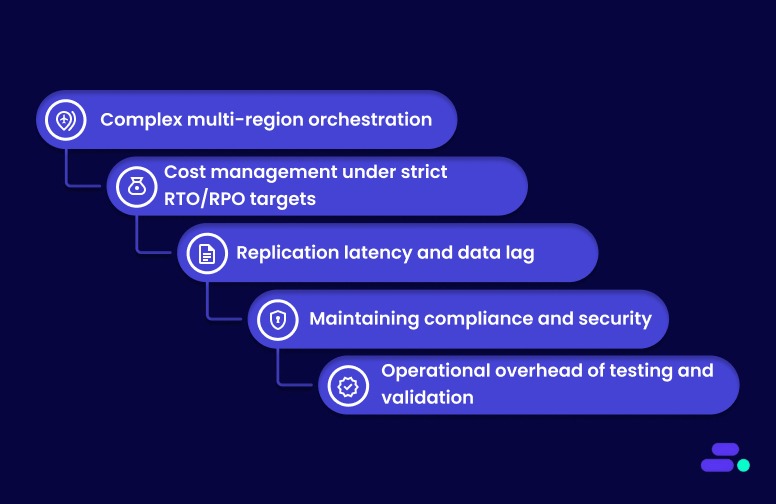
Here are some common challenges and how to solve them:
1. Complex multi-region orchestration: Coordinating automated failover across multiple AWS Regions can be intricate, risking data inconsistency and downtime.
Solution: Use AWS Elastic Disaster Recovery (AWS DRS) and AWS CloudFormation/CDK to define reproducible, automated multi-region failover processes, reducing human error and synchronization issues.
2. Cost management under strict RTO/RPO targets: Low RTOs and RPOs often require high resource usage, which can escalate costs quickly.
Solution: Implement tiered storage with Amazon S3, Amazon Glacier, and Amazon Glacier Deep Archive, and leverage on-demand DR environments rather than always-on secondary systems to optimize costs.
3. Replication latency and data lag: Cross-region replication can introduce delays, risking data inconsistency within recovery windows.
Solution: Use DynamoDB Global Tables or Aurora Global Database for near real-time multi-region replication and configure RPO tolerances according to workload criticality.
4. Maintaining compliance and security: Automated DR workflows must meet regulatory standards (HIPAA, SOC 2), requiring continuous monitoring and audit-ready reporting.
Solution: Employ AWS Backup Audit Manager, IAM roles with least-privilege access, and AWS KMS for encryption, ensuring compliance without adding manual overhead.
5. Operational overhead of testing and validation: Regular failover drills and recovery testing are resource-intensive, especially for small IT teams.
Solution: Use AWS Resilience Hub and AWS DRS non-disruptive testing to automate simulation drills, validate RTO/RPO targets, and continuously refine DR plans.
Despite these challenges, AWS remains the leading choice for SMB disaster recovery due to its extensive global infrastructure, comprehensive native services, and flexible pay-as-you-go pricing.
Also Read: A complete guide to Amazon S3 Glacier for long-term data storage

How does Cloudtech help SMBs implement AWS disaster recovery strategies?
For SMBs, building a resilient disaster recovery (DR) framework is no longer optional; it’s essential for minimizing downtime, protecting data, and ensuring business continuity. Cloudtech simplifies this process with an AWS-native, SMB-first approach that emphasizes automation, compliance, and measurable recovery outcomes.
Here’s how Cloudtech enables reliable AWS disaster recovery for SMBs:
- Cloud foundation and governance: Cloudtech sets up secure, multi-account AWS environments using AWS Control Tower, AWS Organizations, and AWS IAM. This ensures strong governance, access management, and cost visibility for DR operations from day one.
- Workload recovery and resiliency: Using AWS Elastic Disaster Recovery (AWS DRS), AWS Backup, and Amazon Route 53, Cloudtech implements structured DR plans with automated failover. This reduces disruption and maintains high availability for critical workloads during outages.
- Application recovery and modernization: Cloudtech adapts legacy applications into scalable, cloud-native architectures using AWS Lambda, Amazon ECS, and Amazon EventBridge. This enables faster recovery, efficient resource usage, and automation-driven failover for production workloads.
- Data protection and integration: Through Amazon S3, AWS Backup, and Multi-AZ configurations, Cloudtech ensures continuous data replication, backup retention, and regional redundancy, providing SMBs with secure and reliable access to their critical data.
- Automation, testing, and monitoring: Cloudtech uses EventBridge and AWS DRS automation, along with regular DR drills and validation exercises, to continuously test recovery procedures, maintain compliance, and optimize RTO/RPO targets.
Cloudtech’s proven AWS disaster recovery methodology ensures SMBs don’t just recover from outages; they modernize, automate, and scale their DR strategy securely. The result is a cloud-native, cost-efficient DR environment that protects business operations and enables growth in 2025 and beyond.
Also Read: 10 common challenges SMBs face when migrating to the cloud

Wrapping up
Effective disaster recovery is critical for SMBs to safeguard operations, data, and customer trust in an unpredictable environment. AWS provides a powerful, flexible platform offering diverse strategies, from backup and restore to multi-site active-active setups, that help SMBs balance recovery speed, cost, and complexity.
Cloudtech simplifies the complexity of disaster recovery, enabling SMBs to focus on growth while maintaining strong operational resilience. To strengthen your disaster recovery plan with AWS expertise, visit Cloudtech and explore how Cloudtech can support your business continuity goals.
FAQs
1. How does AWS Elastic Disaster Recovery improve SMB recovery plans?
AWS Elastic Disaster Recovery continuously replicates workloads, reducing downtime and data loss. It automates failover and failback, allowing SMBs to restore applications quickly without complex manual intervention, improving recovery speed and reliability.
2. What are the cost implications of using AWS for disaster recovery?
AWS DR costs vary based on data volume and recovery strategy. Pay-as-you-go pricing helps SMBs avoid upfront investments, but monitoring storage, data transfer, and failover expenses is essential to optimize overall costs.
3. Can SMBs use AWS disaster recovery without a dedicated IT team?
Yes, AWS offers managed services and automation tools that simplify DR setup and management. However, SMBs may benefit from expert support to design and maintain effective recovery plans tailored to their business needs.
4. How often should SMBs test their AWS disaster recovery plans?
Regular testing, at least twice a year, is recommended to ensure plans work as intended. Automated testing tools on AWS can help SMBs perform failover drills efficiently, reducing operational risks and improving readiness.

Guide to creating an AWS Cloud Security policy
Every business that moves its operations to the cloud faces a harsh reality: one misconfigured permission can expose sensitive data or disrupt critical services. For businesses, AWS security is not simply a consideration but a fundamental element that underpins operational integrity, customer confidence, and regulatory compliance. With the growing complexity of cloud environments, even a single gap in access control or policy structure can open the door to costly breaches and regulatory penalties.
A well-designed AWS Cloud Security policy brings order and clarity to access management. It defines who can do what, where, and under which conditions, reducing risk and supporting compliance requirements. By establishing clear standards and reusable templates, businesses can scale securely, respond quickly to audits, and avoid the pitfalls of ad-hoc permissions.
Key Takeaways
- Enforce Least Privilege: Define granular IAM roles and permissions; require multi-factor authentication and restrict root account use.
- Mandate Encryption Everywhere: Encrypt all S3, EBS, and RDS data at rest and enforce TLS 1.2+ for data in transit.
- Automate Monitoring & Compliance: Enable CloudTrail and AWS Config in all regions; centralize logs and set up CloudWatch alerts for suspicious activity.
- Isolate & Protect Networks: Design VPCs for workload isolation, use strict security groups, and avoid open “0.0.0.0/0” rules.
- Regularly Review & Remediate: Schedule policy audits, automate misconfiguration fixes, and update controls after major AWS changes.
What is an AWS Cloud Security policy?
An AWS Cloud Security policy is a set of explicit rules and permissions that define who can access specific AWS resources, what actions they can perform, and under what conditions these actions can be performed. These policies are written in JSON and are applied to users, groups, or roles within AWS Identity and Access Management (IAM).
They control access at a granular level, specifying details such as which Amazon S3 buckets can be read, which Amazon EC2 instances can be started or stopped, and which API calls are permitted or denied. This fine-grained control is fundamental to maintaining strict security boundaries and preventing unauthorized actions within an AWS account.
Beyond access control, these policies can also enforce compliance requirements, such as PCI DSS, HIPAA, and GDPR, by mandating encryption for stored data and restricting network access to specific IP ranges, including trusted corporate or VPN addresses and AWS’s published service IP ranges..
AWS Cloud Security policies are integral to automated security monitoring, as they can trigger alerts or block activities that violate organizational standards. By defining and enforcing these rules, organizations can systematically reduce risk and maintain consistent security practices across all AWS resources.
Key elements of a strong AWS Cloud Security policy
A strong AWS Cloud Security policy starts with precise permissions, enforced conditions, and clear boundaries to protect business resources.
- Precise permission boundaries based on the principle of least privilege:
Limiting user, role, and service permissions to only what is necessary helps prevent both accidental and intentional misuse of resources.
- Grant only necessary actions for users, roles, or services.
- Explicitly specify allowed and denied actions, resource Amazon Resource Names, and relevant conditions (such as IP restrictions or encryption requirements).
- Carefully scoped permissions reduce the risk of unwanted access.
- Use of policy conditions and multi-factor authentication enforcement:
Requiring extra security checks for sensitive actions and setting global controls across accounts strengthens protection for critical operations.
- Require sensitive actions (such as deleting resources or accessing critical data) only under specific circumstances, like approved networks or multi-factor authentication presence.
- Apply service control policies at the AWS Organization level to set global limits on actions across accounts.
- Layered governance supports compliance and operational needs without overexposing resources.
Clear, enforceable policies lay the groundwork for secure access and resource management in AWS. Once these principles are established, organizations can move forward with a policy template that fits their specific requirements.
How to create an AWS Cloud Security policy?
A comprehensive AWS Cloud Security policy establishes the framework for protecting businesses' cloud infrastructure, data, and operations. These specific requirements and considerations for AWS environments are necessary while maintaining practical implementation guidelines.
Step 1: Establish the foundation and scope
Define the purpose and scope of the AWS Cloud Security policy. Clearly outline the environments (private, public, hybrid) covered by the policy, and specify which departments, systems, data types, and users are included.
This ensures the policy is focused, relevant, and aligned with the business's goals and compliance requirements.
Step 2: Conduct a comprehensive risk assessment
Conduct a comprehensive risk assessment to identify, assess, and prioritize potential threats. Begin by inventorying all cloud-hosted assets, data, applications, and infrastructure, and assessing their vulnerabilities.
Categorize risks by severity and determine appropriate mitigation strategies, considering both technical risks (data breaches, unauthorized access) and business risks (compliance violations, service disruptions). Regular assessments should be performed periodically and after major changes.
Step 3: Define security requirements and frameworks
Establish clear security requirements in line with industry standards and frameworks such as ISO/IEC 27001, NIST SP 800-53, and relevant regulations (GDPR, HIPAA, PCI-DSS).
Specify compliance with these standards and design the security controls (access management, encryption, MFA, firewalls) that will govern the cloud environment. This framework should address both technical and administrative controls for protecting assets.
Step 4: Develop detailed security guidelines
Create actionable security guidelines to implement across the business's cloud environment. These should cover key areas:
- Identity and Access Management (IAM): Implement role-based access controls (RBAC) and enforce the principle of least privilege. Use multi-factor authentication (MFA) for all cloud accounts, especially administrative accounts.
- Data protection: Define encryption requirements for data at rest and in transit, establish data classification standards, and implement backup strategies.
- Network security: Use network segmentation, firewalls, and secure communication protocols to limit exposure and protect businesses' cloud infrastructure.
The guidelines should be clear and provide specific, actionable instructions for all stakeholders.
Step 5: Establish a governance and compliance framework
Design a governance structure that assigns specific roles and responsibilities for AWS Cloud Security management. Ensure compliance with industry regulations and establish continuous monitoring processes.
Implement regular audits to validate the effectiveness of business security controls, and develop change management procedures for policy updates and security operations.
Step 6: Implement incident response procedures
Develop a detailed incident response plan with four key components: preparation, detection, containment, eradication, and recovery. Define roles and responsibilities for the incident response team and document escalation procedures. AWS Security Hub or Amazon Detective is used for real-time correlation and investigation.
Automate playbooks for common incidents and ensure regular training for the response team to ensure consistent and effective responses. Store the plan in secure, highly available storage, and review it regularly to keep it up to date.
Step 7: Deploy enforcement and monitoring mechanisms
Implement tools and processes to enforce compliance with business's AWS Cloud Security policies. Use automated policy enforcement frameworks, such as AWS Config or Azure Policy, to ensure consistency across cloud resources.
Deploy continuous monitoring solutions, including SIEM systems, to analyze security logs and provide real-time visibility. Set up key performance indicators (KPIs) to assess the effectiveness of security controls and policy compliance.
Step 8: Provide training and awareness programs
Develop comprehensive training programs for all employees, from basic security awareness for general users to advance AWS Cloud Security training for IT staff. Focus on educating personnel about recognizing threats, following security protocols, and responding to incidents.
Regularly update training content to reflect emerging threats and technological advancements. Encourage certifications, like AWS Certified Security Specialty, to validate expertise.
Step 9: Establish review and maintenance processes
Create a process for regularly reviewing and updating the business's AWS Cloud Security policy. Schedule periodic reviews to ensure alignment with evolving organizational needs, technologies, and regulatory changes.
Implement a feedback loop to gather input from stakeholders, perform internal and external audits, and address any identified gaps. Use audit results to update and improve their security posture, maintaining version control for all policy documents.
Creating a clear and enforceable security policy is the foundation for controlling access and protecting the AWS environment. Understanding why these policies matter helps prioritize their design and ongoing management within the businesses.
Why is an AWS Cloud Security policy important?
AWS Cloud Security policies serve as the authoritative reference for how an organization protects its data, workloads, and operations in cloud environments. Their importance stems from several concrete factors:
- Ensures regulatory compliance and audit readiness
AWS Cloud Security policies provide the documentation and controls required to comply with regulations like GDPR, HIPAA, and PCI DSS.
During audits or investigations, this policy serves as the authoritative reference that demonstrates your cloud infrastructure adheres to legal and industry security standards, thereby reducing the risk of fines, data breaches, or legal penalties.
- Standardizes security across the cloud environment
A clear policy enforces consistent configuration, access management, and encryption practices across all AWS services. This minimizes human error and misconfigurations—two of the most common causes of cloud data breaches—and ensures security isn't siloed or left to chance across departments or teams.
- Defines roles, responsibilities, and accountability
The AWS shared responsibility model splits security duties between AWS and the customer. A well-written policy clarifies who is responsible for what, from identity and access control to incident response, ensuring no task falls through the cracks and that all security functions are owned and maintained.
- Strengthens risk management and incident response
By requiring regular risk assessments, the policy enables organizations to prioritize protection for high-value assets. It also lays out structured incident response playbooks for detection, containment, and recovery—helping teams act quickly and consistently in the event of a breach.
- Guides Secure Employee and Vendor Behavior
Security policies establish clear expectations regarding password hygiene, data sharing, the use of personal devices, and controls over third-party vendors. They help prevent insider threats, enforce accountability, and ensure that external partners don’t compromise your security posture.
A strong AWS Cloud Security policy matters because it defines how security and compliance responsibilities are divided between the customer and AWS, making the shared responsibility model clear and actionable for your organization.
What is the AWS shared responsibility model?

The AWS shared responsibility model is the foundation of any AWS security policy. AWS is responsible for the security of the cloud, which covers the physical infrastructure, hardware, software, networking, and facilities running AWS services. Organizations are responsible for security in the cloud, which includes managing data, user access, and security controls for their applications and services.
1. Establishing identity and access management foundations
Building a strong identity and access management in AWS starts with clear policies and practical security habits. The following points outline how organizations can create, structure, and maintain effective access controls.
Creating AWS Identity and Access Management policies
Organizations can create customer-managed policies in three ways:
- JavaScript Object Notation method: Paste and customize example policies. The editor validates syntax, and AWS Identity and Access Management Access Analyzer provides policy checks and recommendations.
- Visual editor method: Build policies without JavaScript Object Notation knowledge by selecting services, actions, and resources in a guided interface.
- Import method: Import and tailor existing managed policies from your account.
Policy structure and best practices
Effective AWS Identity and Access Management policies rely on a clear structure and strict permission boundaries to keep access secure and manageable. The following points highlight the key elements and recommended practices:
- Policies are JavaScript Object Notation documents with statements specifying effect (Allow or Deny), actions, resources, and conditions.
- Always apply the principle of least privilege: grant only the permissions needed for each role or task.
- Use policy validation to ensure effective, least-privilege policies.
Identity and Access Management security best practices
Maintaining strong access controls in AWS requires a disciplined approach to user permissions, authentication, and credential hygiene. The following points outline the most effective practices:
- User management: Avoid wildcard permissions and attaching policies directly to users. Use groups for permissions. Rotate access keys every ninety days or less. Do not use root user access keys.
- Multi-factor authentication: Require multi-factor authentication for all users with console passwords and set up hardware multi-factor authentication for the root user. Enforce strong password policies.
- Credential management: Regularly remove unused credentials and monitor for inactive accounts.
2. Network security implementation
Effective network security in AWS relies on configuring security groups as virtual firewalls and following Virtual Private Cloud best practices for availability and monitoring. The following points outline how organizations can set up and maintain secure, resilient cloud networks.
Security groups configuration
Amazon Elastic Compute Cloud security groups act as virtual firewalls at the instance level.
- Rule specification: Only allowed rules are supported. No inbound traffic is allowed by default; outbound traffic is allowed unless restricted.
- Multi-group association: Resources can belong to multiple security groups; rules are combined.
- Rule management: Changes apply automatically to all associated resources. Use unique rule identifiers for easier management.
Virtual Private Cloud security best practices
Securing an AWS Virtual Private Cloud involves deploying resources across multiple zones, controlling network access at different layers, and continuously monitoring network activity. The following points highlight the most effective strategies:
- Multi-availability zone deployment: Use subnets in multiple zones for high availability and fault tolerance.
- Network access control: Use security groups for instance-level control and network access control lists for subnet-level control.
- Monitoring and analysis: Enable Virtual Private Cloud Flow Logs to monitor traffic. Use Network Access Analyzer and AWS Network Firewall for advanced analysis and filtering.
3. Data protection and encryption
Protecting sensitive information in AWS involves encrypting data both at rest and in transit, tightly controlling access, and applying encryption at the right levels to meet security and compliance needs.
Encryption implementation
Encrypting data both at rest and in transit is essential to protect sensitive information, with access tightly controlled through AWS permissions and encryption applied at multiple levels as needed.
- Encrypt data at rest and in transit.
- Limit access to confidential data using AWS permissions.
- Apply encryption at the file, partition, volume, or application level as needed.
Amazon Simple Storage Service security
Securing Amazon Simple Storage Service (Amazon S3) involves blocking public access, enabling server-side encryption with managed keys, and activating access logging to monitor data usage and changes.
- Public access controls: Enable Block Public Access at both account and bucket levels.
- Server-side encryption: Enable for all buckets, using AWS-managed or customer-managed keys.
- Access logging: Enable logs for sensitive buckets to track all data access and changes.
4. Monitoring and logging implementation
Effective monitoring and logging in AWS combine detailed event tracking with real-time analysis to maintain visibility and control over cloud activity.
AWS CloudTrail configuration
Setting up AWS CloudTrail trails ensures a permanent, auditable record of account activity across all regions, with integrity validation to protect log authenticity.
- Trail creation: Set up trails for ongoing event records. Without trails, only ninety days of history are available.
- Multi-region trails: Capture activity across all regions for complete audit coverage.
- Log file integrity: Enable integrity validation to ensure logs are not altered.
Centralized monitoring approach
Integrating AWS CloudTrail with Amazon CloudWatch, Amazon GuardDuty, and AWS Security Hub enables automated threat detection, real-time alerts, and unified compliance monitoring.
- Amazon CloudWatch integration: Integrate AWS CloudTrail with Amazon CloudWatch Logs for real-time monitoring and alerting.
- Amazon GuardDuty utilization: Use for automated threat detection and prioritization.
- AWS Security Hub implementation: Centralizes security findings and compliance monitoring.
Knowing how responsibilities are divided helps create a comprehensive security policy that protects both the cloud infrastructure and your organization’s data and users.
Best practices for creating an AWS Cloud Security policy
Building a strong AWS Cloud Security policy requires more than technical know-how; it demands a clear understanding of businesses' priorities and potential risks. The right approach brings together practical controls and business objectives, creating a policy that supports secure cloud operations without slowing down the team
- AWS IAM controls: Assign AWS IAM roles with narrowly defined permissions for each service or user. Disable root account access for daily operations. Enforce MFA on all console logins, especially administrators. Conduct quarterly reviews to revoke unused permissions.
- Data encryption: Configure S3 buckets to use AES-256 or AWS KMS-managed keys for server-side encryption. Encrypt EBS volumes and RDS databases with KMS keys. Require HTTPS/TLS 1.2+ for all data exchanges between clients and AWS endpoints.
- Logging and monitoring: Enable CloudTrail in all AWS regions to capture all API calls. Use AWS Config to track resource configuration changes. Forward logs to a centralized, access-controlled S3 bucket with lifecycle policies. Set CloudWatch alarms for unauthorized IAM changes or unusual login patterns.
- Network security: Design VPCs to isolate sensitive workloads in private subnets without internet gateways. Use security groups to restrict inbound traffic to only necessary ports and IP ranges. Avoid overly permissive “0.0.0.0/0” rules. Implement NAT gateways or VPNs for secure outbound traffic.
- Automated compliance enforcement: Deploy AWS Config rules such as “restricted-common-ports” and “s3-bucket-public-read-prohibited.” Use Security Hub to aggregate findings and trigger Lambda functions that remediate violations automatically.
- Incident response: Maintain an incident response runbook specifying steps to isolate compromised EC2 instances, preserve forensic logs, and notify the security team. Conduct biannual tabletop exercises simulating AWS-specific incidents like unauthorized IAM policy changes or data exfiltration from S3.
- Third-party access control: Grant third-party vendors access through IAM roles with time-limited permissions. Require vendors to provide SOC 2 or ISO 27001 certifications. Log and review third-party access activity monthly.
- Data retention and deletion: Configure S3 lifecycle policies to transition data to Glacier after 30 days and delete after 1 year unless retention is legally required. Automate the deletion of unused EBS snapshots older than 90 days.
- Policy review and updates: Schedule formal policy reviews regularly and after significant AWS service changes. Document all revisions and communicate updates promptly to cloud administrators and security teams following approval.
As cloud threats grow more sophisticated, effective protection demands more than ad hoc controls. It requires a consistent, architecture-driven approach. Partners like Cloudtech build AWS security with best practices and the AWS Well-Architected Framework. This ensures that security, compliance, and resilience are baked into every layer of your cloud environment.
How Cloudtech Secures Every AWS Project
This commitment enables businesses to adopt AWS with confidence, knowing their environments are aligned with the highest operational and security standards from the outset. Whether you're scaling up, modernizing legacy infrastructure, or exploring AI-powered solutions, Cloudtech brings deep expertise across key areas:
- Data modernization: Upgrading data infrastructures for performance, analytics, and governance.
- Generative AI integration: Deploying intelligent automation that enhances decision-making and operational speed.
- Application modernization: Re-architecting legacy systems into scalable, cloud-native applications.
- Infrastructure resiliency: Designing fault-tolerant architectures that minimize downtime and ensure business continuity.
By embedding security and compliance into the foundation, not as an afterthought, Cloudtech helps businesses scale with confidence and clarity.
Conclusion
With a structured approach to AWS Cloud Security policy, businesses can establish a clear framework for precise access controls, minimize exposure, and maintain compliance across their cloud environment.
This method introduces consistency and clarity to permission management, enabling teams to operate with confidence and agility as AWS usage expands. The practical steps outlined here help organizations avoid common pitfalls and maintain a strong security posture.
Looking to strengthen your AWS security? Connect with Cloudtech for expert solutions and proven strategies that keep their cloud assets protected.
FAQs
1. How can inherited IAM permissions unintentionally increase security risks?
Even when businesses enforce least-privilege IAM roles, users may inherit broader permissions through group memberships or overlapping policies. Regularly reviewing both direct and inherited permissions is essential to prevent privilege escalation risks.
2. Is it possible to automate incident response actions in AWS security policies?
Yes, AWS allows businesses to automate incident response by integrating Lambda functions or third-party systems with security alerts, minimizing response times, and reducing human error during incidents.
3. How does AWS Config help with continuous compliance?
AWS Config can enforce secure configurations by using rules that automatically check and remediate non-compliant resources, ensuring the environment continuously aligns with organizational policies.
4. What role does AWS Security Hub’s Foundational Security Best Practices (FSBP) standard play in policy enforcement?
AWS Security Hub’s FSBP standard continuously evaluates businesses' AWS accounts and workloads against a broad set of controls, alerting businesses when resources deviate from best practices and providing prescriptive remediation guidance.
5. How can businesses ensure log retention and security in a multi-account AWS environment?
Centralizing logs from all accounts into a secure, access-controlled S3 bucket with lifecycle policies helps maintain compliance, supports audits, and protects logs from accidental deletion or unauthorized access.

Amazon RDS in AWS: key features and advantages
Businesses today face constant pressure to keep their data secure, accessible, and responsive, while also managing tight budgets and limited technical resources.
Traditional database management often requires significant time and expertise, pulling teams away from strategic projects and innovation.
Reflecting this demand for more streamlined solutions, the Amazon Relational Database Service (RDS) service market was valued at USD 1.8 billion in 2023 and is projected to grow at a compound annual growth rate (CAGR) of 9.2%, reaching USD 4.4 billion by 2033.
With Amazon RDS, businesses can shift focus from database maintenance to delivering faster, data-driven outcomes without compromising on security or performance. In this guide, we’ll break down how Amazon RDS simplifies database management, enhances performance, and supports business agility, especially for growing teams.
Key takeaways:
- Automated management and reduced manual work: Amazon RDS automates setup, patching, backups, scaling, and failover for managed relational databases, freeing teams from manual administration.
- Comprehensive feature set for reliability and scale: Key features include automated backups, multi-AZ high availability, read replica scaling, storage autoscaling, encryption, and integrated monitoring.
- Layered architecture for resilience: RDS architecture employs a layered approach, comprising compute (EC2), storage (EBS), and networking (VPC), with built-in automation for recovery, backups, and scaling.
- Operational responsibilities shift: Compared to Amazon EC2 and on-premises, RDS shifts most operational tasks (infrastructure, patching, backups, high availability) to AWS, while Amazon EC2 and on-premises require the customer to handle these responsibilities directly.
What is Amazon RDS?
Amazon RDS is a managed AWS service for relational databases including MySQL, PostgreSQL, MariaDB, Oracle, and SQL Server. It automates setup, patching, backups, and scaling, allowing users to deploy and manage databases quickly with minimal effort.
Amazon RDS offers built-in security, automated backups, and high availability through multi-AZ deployments. It integrates with other AWS services and uses a pay-as-you-go pricing model, making it a practical choice for scalable, secure, and easy-to-manage databases.
How does Amazon RDS work?

Amazon RDS provides a structured approach that addresses both operational needs and administrative overhead. This service automates routine database tasks, providing teams with a reliable foundation for storing and accessing critical business data.
- Database instance creation: Amazon RDS instances generally run a single database engine and provide one or more databases (schemas) inside them, depending on the engine. However, for some engines (e.g., Oracle, SQL Server), multiple databases can be hosted per instance, while others (e.g., MySQL) allow an instance to host multiple schemas (databases).
- Managed infrastructure: Amazon RDS operates on Amazon EC2 instances with Amazon EBS volumes for database and log storage. The service automatically provisions, configures, and maintains the underlying infrastructure, eliminating the need for manual server management.
- Engine selection process: During setup, users select from multiple supported database engines. Amazon RDS configures many parameters with sensible defaults, but users can also customize parameters through parameter groups. The service then creates preconfigured database instances that applications can connect to within minutes.
- Automated management operations: Amazon RDS continuously performs background operations, including software patching, backup management, failure detection, and repair without user intervention. The service handles database administrative tasks, such as provisioning, scheduling maintenance jobs, and keeping database software up to date with the latest patches.
- SQL query processing: Applications interact with Amazon RDS databases using standard SQL queries and existing database tools. Amazon RDS processes these queries through the selected database engine while managing the underlying storage, compute resources, and networking components transparently.
- Multi-AZ synchronization: In Multi-AZ deployments, Amazon RDS synchronously replicates data from the primary instance to standby instances in different Availability Zones. This synchronous replication ensures data consistency and enables automatic failover in the event of an outage. Failover in Multi-AZ deployments is automatic and usually completes within a few minutes.
- Connection management: Amazon RDS assigns unique DNS endpoints to each database instance using the format ‘instancename.identifier.region.rds.amazonaws.com’. Applications connect to these endpoints using standard database connection protocols and drivers.
How can Amazon RDS help businesses?
Amazon RDS stands out by offering a suite of capabilities that address both the practical and strategic needs of database management. These features enable organizations to maintain focus on their core objectives while the service handles the underlying complexity.
- Automated backup system: Amazon RDS performs daily full snapshots during user-defined backup windows and continuously captures transaction logs. This enables point-in-time recovery to any second within the retention period, with backup retention configurable from 1 to 35 days.
- Multi-AZ deployment options: Amazon RDS offers two Multi-AZ configurations - single standby for failover support only, and Multi-AZ DB clusters with two readable standby instances. Multi-AZ deployments provide automatic failover in 60 seconds for single-standby and under 35 seconds for cluster deployments.
- Read replica scaling: Amazon RDS supports up to 5 read replicas per database instance for MySQL, MariaDB, PostgreSQL, Oracle, and SQL Server. Read replicas use asynchronous replication and can be promoted to standalone instances when needed, enabling horizontal read scaling.
- Storage types and autoscaling: Amazon RDS provides three storage types - General Purpose SSD (gp2/gp3), Provisioned IOPS SSD (io1/io2), and Magnetic storage. Storage autoscaling automatically increases storage capacity when usage approaches configured thresholds.
- Improved monitoring integration: Amazon RDS integrates with Amazon CloudWatch for real-time metrics collection, including CPU utilization, database connections, and IOPS performance. Performance Insights offers enhanced database performance monitoring, including wait event analysis.
- Encryption at rest and in transit: Amazon RDS uses AES-256 encryption for data at rest, automated backups, snapshots, and read replicas.
All data transmission between primary and replica instances is encrypted, including data exchanged across AWS regions. - Parameter group management: Database parameter groups provide granular control over database engine configuration settings. Users can create custom parameter groups to fine-tune database performance and behavior according to application requirements.
- Blue/green deployments: Available for Amazon Aurora MySQL, Amazon RDS MySQL, and MariaDB, this feature creates staging environments that mirror production for safer database updates with zero data loss.
- Engine version support: Amazon RDS supports multiple versions of each database engine, allowing users to select specific versions based on application compatibility requirements. Automatic minor version upgrades can be configured during maintenance windows.
- Database snapshot management: Amazon RDS allows manual snapshots to be taken at any time and also provides automated daily snapshots. Snapshots can be shared across AWS accounts and copied to different regions for disaster recovery purposes.
These features of Amazon RDS collectively create a framework that naturally translates into tangible advantages, as businesses experience greater reliability and reduced administrative overhead.
What are the advantages of using Amazon RDS?
The real value of Amazon RDS becomes evident when considering how it simplifies the complexities of database management for organizations. By shifting the burden of routine administration and maintenance, teams can direct their attention toward initiatives that drive business growth.
- Automated operations: Amazon RDS automates critical tasks like provisioning, patching, backups, recovery, and failover. This reduces manual workload and operational risk, letting teams focus on development instead of database maintenance.
- High availability and scalability: With Multi-AZ deployments, read replicas, and automatic scaling for compute and storage, RDS ensures uptime and performance, even as workloads grow or spike.
- Strong performance with real-time monitoring: SSD-backed storage with Provisioned IOPS supports high-throughput workloads, while built-in integrations with Amazon CloudWatch and Performance Insights provide detailed visibility into performance bottlenecks.
- Enterprise-grade security and compliance: Data is encrypted in transit and at rest (AES-256), with fine-grained IAM roles, VPC isolation, and support for AWS Backup vaults, helping organizations meet standards like HIPAA and FINRA.
- Cost-effective and engine-flexible: RDS offers pay-as-you-go pricing with no upfront infrastructure costs, and supports major engines like MySQL, PostgreSQL, Oracle, SQL Server, and Amazon Aurora, providing flexibility without vendor lock-in.
The advantages of Amazon RDS emerge from a design that prioritizes both performance and administrative simplicity. To see how these benefits come together in practice, it’s helpful to look at the core architecture that supports the service.
What is the Amazon RDS architecture?
A clear understanding of Amazon RDS architecture enables organizations to make informed decisions about their database deployments. This structure supports both reliability and scalability, providing a foundation that adapts to changing business requirements.
- Three-tier deployment structure: The Amazon RDS architecture consists of the database instance layer (EC2-based compute), the storage layer (EBS volumes), and the networking layer (VPC and security groups). Each component is managed automatically while providing isolation and security boundaries.
- Regional and multi-AZ infrastructure: Amazon RDS instances operate within AWS regions and can be deployed across multiple Availability Zones. Single-AZ deployments use one AZ, Multi-AZ instance deployments span two AZs, and Multi-AZ cluster deployments span three AZs for maximum availability. The failover time depends on the engine and configuration. Typically, Amazon Aurora Multi-AZ clusters failover in under 35 seconds; for standard RDS Multi-AZ, failover is usually completed within 60 seconds.
- Storage architecture design: Database and log files are stored on Amazon EBS volumes that are automatically striped across multiple EBS volumes for improved IOPS performance. Amazon RDS supports up to 64TB storage for MySQL, PostgreSQL, MariaDB, and Oracle, and 16TB for SQL Server.
- Engine-specific implementations: Each database engine (MySQL, PostgreSQL, MariaDB, Oracle, SQL Server) runs on dedicated Amazon RDS instances with engine-optimized configurations. Aurora utilizes a distinct cloud-native architecture with separate compute and storage layers.
- Network security boundaries: Amazon RDS instances reside within Amazon VPC with configurable security groups acting as virtual firewalls. Database subnet groups define which subnets in a VPC can host database instances, providing network-level isolation.
- Automated monitoring and recovery: Amazon RDS automation software runs outside database instances and communicates with on-instance agents. This system handles metrics collection, failure detection, automatic instance recovery, and host replacement when necessary.
- Backup and snapshot architecture: Automated backups store full daily snapshots and transaction logs in Amazon S3. Point-in-time recovery reconstructs databases by applying transaction logs to the most appropriate daily backup snapshot.
- Read Replica architecture: Read replicas are created from snapshots of source instances and maintained through asynchronous replication. Each replica operates as an independent database instance that accepts read-only connections while staying synchronized with the primary.
- Amazon RDS custom architecture: Amazon RDS Custom provides elevated access to the underlying EC2 instance and operating system while maintaining automated management features. This deployment option bridges fully managed Amazon RDS and self-managed database installations.
- Outposts integration: Amazon RDS on AWS Outposts extends the Amazon RDS architecture to on-premises environments using the same AWS hardware and software stack. This enables low-latency database operations for applications that must remain on-premises while maintaining cloud management capabilities.
Amazon RDS solutions at Cloudtech
Cloudtech is a specialized AWS consulting partner focused on helping businesses accelerate their cloud adoption with secure, scalable, and cost-effective solutions. With deep AWS expertise and a practical approach, Cloudtech supports businesses in modernizing their cloud infrastructure while maintaining operational resilience and compliance.
- Data Processing: Streamline and modernize your data pipelines for optimal performance and throughput.
- Data Lake: Integrate Amazon RDS with Amazon S3-based data lakes for smart storage, cost optimization, and resiliency.
- Data Compliance: Architect Amazon RDS environments to meet standards like HIPAA and FINRA, with built-in security and auditing.
- Analytics & Visualization: Connect Amazon RDS to analytics tools for actionable insights and better decision-making.
- Data Warehouse: Build scalable, reliable strategies for concurrent users and advanced analytics.
Conclusion
Amazon Relational Database Service in AWS provides businesses with a practical way to simplify database management, enhance data protection, and support growth without the burden of ongoing manual maintenance.
By automating tasks such as patching, backups, and failover, Amazon RDS allows businesses to focus on projects that drive business value. The service’s layered architecture, built-in monitoring, and flexible scaling options give organizations the tools to adapt to changing requirements while maintaining high availability and security.
For small and medium businesses looking to modernize their data infrastructure, Cloudtech provides specialized consulting and migration services for Amazon RDS.
Cloudtech’s AWS-certified experts help organizations assess, plan, and implement managed database solutions that support compliance, performance, and future expansion.
Connect with Cloudtech today to discover how we can help companies optimize their database operations. Get in touch with us!
FAQs
- Can Amazon RDS be used for custom database or OS configurations?
Amazon RDS Custom is a special version of Amazon RDS for Oracle and SQL Server that allows privileged access and supports customizations to both the database and underlying OS, which is not possible with standard Amazon RDS instances.
- How does Amazon RDS handle licensing for commercial database engines?
For engines like Oracle and SQL Server, Amazon RDS offers flexible licensing options: Bring Your Own License (BYOL), License Included (LI), or licensing through the AWS Marketplace, giving organizations cost and compliance flexibility.
- Are there any restrictions on the number of Amazon RDS instances per account?
AWS limits each account to 40 Amazon RDS instances, with even tighter restrictions for Oracle and SQL Server (typically up to 10 instances per account).
- Does Amazon RDS support hybrid or on-premises deployments?
Yes, Amazon RDS on AWS Outposts enables organizations to deploy managed databases in their own data centers, providing a consistent AWS experience for hybrid cloud environments.
- How does Amazon RDS manage database credentials and secrets?
Amazon RDS integrates with AWS Secrets Manager, allowing automated rotation and management of database credentials, which helps eliminate hardcoded credentials in application code.

Amazon S3 cost: a comprehensive guide
Amazon Simple Storage Service (Amazon S3) is a popular cloud storage solution that allows businesses to securely store and access data at scale. For small and medium-sized businesses (SMBs), understanding Amazon S3’s pricing model is important to managing cloud costs effectively while maintaining performance and scalability.
Amazon S3 pricing is based on several factors, including the amount of data stored, data transfer, and the number of requests made to the service. Different storage classes and data management features also impact overall costs.
This guide breaks down the key components of Amazon S3 pricing to help SMBs make informed decisions and manage their cloud budgets effectively.
What is Amazon S3?
Amazon S3 (Simple Storage Service) is a scalable object storage solution engineered for high availability, durability, and performance. It operates by storing data as objects within buckets, allowing users to upload, retrieve, and manage files of virtually any size from anywhere via a web interface or API.
The system is designed to handle massive amounts of data with built-in redundancy, ensuring that files are protected against hardware failures and remain accessible even during outages.
Amazon S3’s architecture supports a wide range of use cases, from hosting static website assets to serving as a repository for backup and archival data. Each object stored in Amazon S3 can be assigned metadata and controlled with fine-grained access policies, making it suitable for both public and private data distribution.
The service automatically scales to meet demand, eliminating the need for manual capacity planning or infrastructure management, which is especially useful for businesses with fluctuating storage requirements.
But while its flexibility is powerful, managing Amazon S3 costs requires insight into how usage translates into actual charges.
How Amazon S3 pricing works for businesses
Amazon S3 costs depend on more than just storage size. Charges are based on actual use across storage, requests, data transfer, and other features.
Pricing varies by AWS region and changes frequently, so it’s essential to check the updated rates. There are no minimum fees beyond the free tier, and businesses pay only for what they use.
- Storage: Businesses are charged for the total volume of data stored in Amazon S3, calculated on a per-gigabyte-per-month basis. The cost depends on the storage class selected (such as Standard, Intelligent-Tiering, or Glacier), each offering different price points and retrieval options. Intelligent-Tiering includes multiple internal tiers with automated transitions.
- Requests and data retrievals: Each operation, such as GET, PUT, COPY, LIST, and DELETE, incurs a cost, often billed per thousand requests. These requests are more expensive than GETs in most regions (for example, $0.005 per 1,000 PUT vs $0.0004 per 1,000 GET in S3 Standard). Retrieving data from lower-cost storage classes (like AWS S3 Glacier) may cost more per operation.
- Data transfer: Moving data out of Amazon S3 to the internet, between AWS regions, or via Amazon S3 Multi-Region Access Points generates additional charges. Inbound data transfer (uploading to Amazon S3) is generally free, whereas outbound data transfer (downloading) is not.
Note:
- The first 100 GB per month is free.
- Pricing tiers reduce per GB rate as data volume increases.
- Cross-region transfer and replication incur inter-region transfer costs.
- Management and analytics features: Tools like Amazon S3 Inventory, Object Tagging, Batch Operations, Storage Lens, and Storage Class Analysis add to the bill. These features help automate and monitor storage, but they come with additional fees. Basic Amazon S3 Storage Lens is free, while advanced metrics cost $0.20/million objects monitored.
- Replication: Configuring replication, such as Cross-Region Replication (CRR) or Same-Region Replication (SRR), triggers charges for the data copied and the operations performed during replication. RTC (Replication Time Control) adds $0.015 per GB. CRR includes inter-region transfer costs (which are often underestimated).
- Transformation and querying: Services like Amazon S3 Object Lambda, Amazon S3 Select, and Amazon S3 Glacier Select process or transform data on the fly, with costs based on the amount of data processed or the number of queries executed.
Note:
- S3 Select is only available on CSV, JSON, or Parquet.
- Object Lambda also incurs Lambda function costs in addition to data return charges.
- Security and access control: Depending on the service and configuration, enabling encryption at rest (SSE-S3) and in-transit encryption (HTTPS) are free. SSE-KMS (with AWS Key Management Service) incurs $0.03 per 10,000 requests + AWS KMS key costs.
- Bucket location: The AWS region or Availability Zone where Amazon S3 buckets reside affects pricing, as costs can vary by location.
- Free tier: New AWS customers receive a limited free tier, typically including 5 GB of storage, 20,000 GET requests, 2,000 PUT/LIST/COPY/POST requests, and 15 GB of outbound data transfer per month for the first 12 months.
The way Amazon S3 charges for storage and access might not be immediately apparent at first glance. Here’s a straightforward look at the components that make up the Amazon S3 bill for businesses.
Complete breakdown of Amazon S3 costs
Amazon S3 (Simple Storage Service) operates on a pay-as-you-use model with no minimum charges or upfront costs. Understanding Amazon S3 pricing requires examining multiple cost components that contribute to your monthly bills.
1. Amazon S3 Standard storage class
Amazon S3 Standard serves as the default storage tier, providing high durability and availability for frequently accessed data. Pricing follows a tiered structure:
This storage class offers high throughput and low latency, making it ideal for applications that require frequent data access.
2. Amazon S3 Standard – Infrequent Access (IA)
Designed for data accessed less frequently but requiring rapid retrieval when needed. Pricing starts at $0.0125 per GB per month, representing approximately 45% savings compared to Amazon S3 Standard. Additional charges apply for each data access or retrieval operation.
3. Amazon S3 One Zone – Infrequent Access
This storage class stores data in a single availability zone rather than distributing across multiple zones. Due to reduced redundancy, Amazon offers this option at 20% less than Standard-IA storage, with pricing starting at $0.01 per GB per month.
4. Amazon S3 Express One Zone
Introduced as a high-performance storage class for latency-sensitive applications. Recent price reductions effective April 2025 include:
Amazon S3 Express One Zone delivers data access speeds up to 10 times faster than Amazon S3 Standard and supports up to 2 million GET transactions per second.
5. Amazon S3 Glacier storage classes
Amazon S3 Glacier storage classes offer low-cost, secure storage for long-term archiving, with retrieval options ranging from milliseconds to hours based on access needs.
- Amazon S3 Glacier instant retrieval: Archive storage offers the lowest cost for long-term data with millisecond retrieval requirements. Pricing starts at $0.004 per GB per month (approximately 68% cheaper than Standard-IA.
- Amazon S3 Glacier flexible retrieval: Previously known as Amazon S3 Glacier, this class provides 10% cheaper storage than Glacier Instant Retrieval for archive data requiring retrieval times from minutes to 12 hours.
- Expedited: $0.03 per GB
- Standard: $0.01 per GB
- Bulk: $0.0025 per GB
- Requests are also charged: $0.05–$0.10 per 1,000 requests depending on tier.
- Amazon S3 Glacier Deep Archive: The most economical Amazon S3 storage class for long-term archival, with retrieval times up to 12 hours. Pricing starts at $0.00099 per GB per month, representing the lowest cost option for infrequently accessed data.
6. Amazon S3 Intelligent-Tiering
This automated cost-optimization feature moves data between access tiers based on usage patterns. Rather than a fixed storage class, it dynamically transitions data every 30, 90, or 365 days. Pricing depends on the current tier, with an additional $0.0025 per 1,000 objects monthly for monitoring.
Intelligent-Tiering supports six tiers now:
- Frequent
- Infrequent
- Archive Instant
- Archive Access
- Deep Archive Access
- Glacier Deep Archive (opt-in)
Data moves based on access pattern, with zero retrieval fees.
7. Amazon S3 Tables
A specialized storage option optimized for analytics workloads. Pricing includes:
- Storage: $0.0265 per GB for the first 50 TB per month
- PUT requests: $0.005 per 1,000 requests
- GET requests: $0.0004 per 1,000 requests
- Object monitoring: $0.025 per 1,000 objects
- Compaction: $0.004 per 1,000 objects processed and $0.05 per GB processed
Amazon S3 Tables deliver up to 3x faster query performance and 10x higher transactions per second compared to standard Amazon S3 buckets for analytics applications.
Additional costs involved with Amazon S3 storage

With storage as just the starting point, SMs' Amazon S3 bill reflects a broader set of operations and features. Each service and request type introduces its own pricing structure, making it important to plan for these variables.
1. Request and data retrieval costs
Request pricing varies significantly across storage classes and request types:
2. Data transfer pricing
Amazon charges for outbound data transfers while inbound transfers remain free. The pricing structure includes:
1. Standard data transfer out
- First 100 GB per month: Free (across all AWS services)
- Up to 10 TB per month: $0.09 per GB
- Next 40 TB: $0.085 per GB
- Next 100 TB: $0.07 per GB
- Above 150 TB: $0.05 per GB
2. Transfer acceleration
Amazon S3 Transfer Acceleration provides faster data transfers for an additional $0.04 per GB charge. This service routes data through AWS edge locations to improve transfer speeds, which is particularly beneficial for geographically distant users.
3. Multi-region access points
For applications requiring global data access, Amazon S3 Multi-Region Access Points add:
- Data routing cost: $0.0033 per GB processed
- Internet acceleration varies by region (ranging from $0.0025 to $0.06 per GB)
While optimizing data transfer can reduce outbound charges, businesses should also consider the cost of managing and analyzing stored data.
3. Management and analytics costs
- Amazon S3 Storage lens: Offers free metrics for basic usage insights and advanced metrics at $0.20 per million objects monitored monthly.
- Amazon S3 Analytics Storage class analysis: Helps identify infrequently accessed data for cost optimization, billed at $0.10 per million objects monitored monthly.
- Amazon S3 Inventory: Generates reports on stored objects for auditing and compliance, costing $0.0025 per million objects listed.
- Amazon S3 Object Tagging: Enables fine-grained object management, priced at $0.0065 per 10,000 tags per month
While these tools improve visibility and cost management, SMBs using replication must also consider the added costs of storing data across regions.
4. Replication costs
Amazon S3 replication supports both Same-Region Replication (SRR) and Cross-Region Replication (CRR), with distinct pricing components:
Same-Region Replication (SRR)
- Standard Amazon S3 storage costs for replicated data
- PUT request charges for replication operations
- Data retrieval charges (for Infrequent Access tiers)
Cross-Region Replication (CRR)
- All Same-Region Replication (SRR) costs plus inter-region data transfer charges
- Example: 100 GB replication from N. Virginia to N. California costs approximately $6.60 total ($2.30 source storage + $2.30 destination storage + $2.00 data transfer + $0.0005 PUT requests)
Replication Time Control (RTC)
- Additional $0.015 per GB for expedited replication
For SMBs transforming documents at the point of access, Amazon S3 Object Lambda introduces a new layer of flexibility, along with distinct costs.
5. Amazon S3 Object Lambda pricing
Amazon S3 Object Lambda transforms data during retrieval using AWS Lambda functions. Pricing includes:
- Lambda compute charges: $0.0000167 per GB-second
- Lambda request charges: $0.20 per million requests
- Data return charges: $0.005 per GB of processed data returned.
For example, processing 1 million objects, each averaging 1,000 KB, with 512MB Lambda functions would cost approximately $11.45 in total ($0.40 for Amazon S3 requests, $8.55 for Lambda charges, and $2.50 for data return).
6. Transform & query cost breakdown
Amazon S3 provides tools to transform, filter, and query data directly in storage, minimizing data movement and boosting efficiency. Each feature has its own cost, based on storage class, query type, and data volume. For SMBs, understanding these costs is key to managing spend while using in-storage processing.
Amazon S3 Select pricing structure
Amazon S3 Select enables efficient data querying using SQL expressions with costs based on three components. For Amazon S3 Standard storage, organizations pay $0.0004 per 1,000 SELECT requests, $0.0007 per GB of data returned, and $0.002 per GB of data scanned. The service treats each SELECT operation as a single request regardless of the number of rows returned.
Amazon S3 Glacier Select pricing
Glacier Select pricing varies significantly based on retrieval speed tiers. Expedited queries cost $0.02 per GB scanned and $0.03 per GB returned. Standard queries charge $0.008 per GB scanned and $0.01 per GB returned. Bulk queries offer the most economical option at $0.001 per GB scanned and $0.0025 per GB returned.
Amazon S3 Object Lambda costs
Amazon S3 Object Lambda processing charges $0.005 per GB of data returned. The service relies on AWS Lambda functions, meaning organizations also incur standard AWS Lambda pricing for request volume and execution duration. AWS Lambda charges include $0.20 per million requests and compute costs based on allocated memory and execution time.
Amazon Athena query costs
Amazon Athena pricing operates at $5 per terabyte scanned per query execution with a 10 MB minimum scanning charge. This translates to approximately $0.000004768 per MB scanned, meaning small queries under 200 KB still incur the full 10 MB minimum charge. Database operations like CREATE TABLE, ALTER TABLE, and schema modifications remain free.
Where SMBs store their data can also influence the total price they pay for Amazon S3 services. Different AWS regions have their own pricing structures, which may affect their overall storage costs.
Here’s an interesting read: Cloudtech has earned AWS advanced tier partner status
Amazon S3 cost: Regional pricing variations
Amazon S3 pricing can change significantly depending on the AWS region selected. Storage and operational costs are not the same worldwide; regions like North Virginia, Oregon, and Ireland generally offer lower rates, while locations such as São Paulo are more expensive.
Here are some Amazon S3 pricing differences across AWS regions. Examples for Amazon S3 Standard storage (first 50 TB):
These regional differences can impact Amazon S3 costs significantly for large-scale deployments.
AWS free tier benefits
New AWS customers receive generous Amazon S3 free tier allowances for 12 months:
- 5 GB Amazon S3 Standard storage
- 20,000 GET requests
- 2,000 PUT, COPY, POST, or LIST requests
- 100 GB data transfer out monthly
The free tier provides an excellent foundation for testing and small-scale applications before transitioning to paid usage.
Beyond location, SMBs' approach to security and access management strategies also factors into their Amazon S3 expenses. Each layer of protection and control comes with its own cost considerations that merit attention.
Amazon S3 cost: security access & control pricing components
Security features in Amazon S3 help protect business data, but they also introduce specific cost elements to consider. Reviewing these components helps them budget for both protection and compliance in their storage strategy.
Amazon S3 Access Grants
Amazon S3 Access Grants are priced on a per-request basis. AWS charges a flat rate for all Access Grants requests, such as those used to obtain credentials (GetDataAccess). Delete-related requests, like DeleteAccessGrant, are free of charge. The exact per-request rate may vary by region, so SMBs should refer to the current Amazon S3 pricing page for the most up-to-date information.
Access Grants helps organizations map identities from directories (such as Active Directory or AWS IAM) to Amazon S3 datasets, enabling scalable and auditable data permissions management.
IAM Access Analyzer integration
Organizations utilizing IAM Access Analyzer for Amazon S3 security monitoring face differentiated pricing based on analyzer types. External access analyzers providing public and cross-account access findings operate at no additional charge.
Internal access analyzers cost $9.00 per AWS resource monitored per region per month, while unused access analyzers charge $0.20 per IAM role or user per month. Custom policy checks incur charges based on the number of validation calls made through IAM Access Analyzer APIs.
Encryption services
Amazon S3 offers multiple encryption options with varying cost implications. Server-Side Encryption with Amazon S3-Managed Keys (SSE-S3) provides free encryption for all new objects without performance impact. Customer-provided key encryption (SSE-C) operates without additional Amazon S3 costs.
AWS Key Management Service encryption (SSE-KMS) applies standard KMS pricing for key management operations. Dual-layer encryption (DSSE-KMS) costs $0.003 per gigabyte plus standard AWS KMS fees.
Amazon S3 Multi-Region Access Points
Multi-Region Access Points incur a data routing fee of $0.0033 per GB for facilitating global endpoint access across multiple AWS regions. This charge applies in addition to standard Amazon S3 costs for requests, storage, data transfer, and replication.
Accurate cost planning calls for more than a rough estimate of storage needs. AWS provides a dedicated tool to help SMBs anticipate and budget for Amazon S3 expenses with precision.
AWS pricing calculator for Amazon S3 cost estimation

The AWS pricing calculator gives SMBs a clear forecast of their Amazon S3 expenses before they commit. With this tool, they can adjust their storage and access plans to better fit their budget and business needs.
1. Calculator functionality
The AWS Pricing Calculator provides comprehensive cost modeling for Amazon S3 usage scenarios. Users can estimate storage costs based on data volume, request patterns, and data transfer requirements. The tool includes historical usage data integration for logged-in AWS customers, enabling baseline cost comparisons.
2. Input parameters
Cost estimation requires several key inputs, including monthly storage volume in gigabytes or terabytes, anticipated PUT/COPY/POST/LIST request volumes, expected GET/SELECT request quantities, and data transfer volumes both inbound and outbound. The calculator applies tiered pricing automatically based on usage thresholds.
3. Pricing calculation examples
For a basic scenario involving 100 GB of monthly storage and 10,000 each of PUT and GET requests, estimated costs include $2.30 for storage, approximately $0.05 for data requests, plus variable data transfer charges starting at $0.09 per GB for outbound internet transfers.
With SMBs, Amazon S3 costs now clear, the next step is to find practical ways to reduce them. Smart planning and a few strategic choices can help them keep their storage budget in check.
What are the best strategies for optimizing Amazon S3 costs?
With a clear view of Amazon S3 cost components, SMBs can identify practical steps to reduce their storage expenses. Applying these strategies helps them control costs while maintaining the performance and security their business requires.
- Storage class selection: Choose appropriate storage classes based on access patterns. For example, storing 1 TB of infrequently accessed data in Amazon Standard-IA instead of Standard saves approximately $129 annually ($153.60 vs $282.64).
- Lifecycle policies: Implement automated transitions between storage classes as data ages. Objects can move from Standard to Standard-IA after 30 days, then to Amazon Glacier after 90 days, and finally to Amazon Deep Archive after 365 days.
- Data compression: Store data in compressed formats to reduce storage volume and associated costs.
- Object versioning management: Carefully manage object versioning to avoid unnecessary storage costs from retaining multiple versions.
- Monitoring and analytics: Use Amazon S3 Storage Lens and other analytics tools to identify optimization opportunities, despite their additional costs.
How Cloudtech helps SMBs reduce Amazon S3 costs with AWS best practices
Cloudtech is an AWS Advanced Tier Partner specializing in offering AWS services to many SMBs. Many SMBs struggle with complex Amazon S3 pricing, underused storage classes, and inefficient data management, which can lead to unnecessary expenses.
Cloudtech’s AWS-certified team brings deep technical expertise and practical experience to address these challenges.
- Amazon S3 Storage class selection: Advise on the optimal mix of Amazon S3 storage tiers (Standard, Intelligent-Tiering, Glacier, etc.) to balance performance needs and cost efficiency.
- Lifecycle policy guidance: Recommend strategies for automated data tiering and expiration to minimize storage costs without manual intervention.
- Usage monitoring & cost optimization: Help implement monitoring for Amazon S3 usage and provide actionable insights to reduce unnecessary storage and retrieval expenses.
- Security and compliance configuration: Ensure Amazon S3 configurations align with security best practices to prevent costly misconfigurations and data breaches.
- Exclusive AWS partner resources: Cloudtech offers direct access to AWS support, the latest features, and beta programs for up-to-date cost management and optimization opportunities.
- Industry-focused Amazon S3 solutions: Customize Amazon S3 strategies to SMB specific industry needs in healthcare, financial services, or manufacturing, aligning cost management with regulatory and business requirements.
Conclusion
With a clearer understanding of Amazon S3 cost structures, SMBs are better positioned to make informed decisions about cloud storage. This knowledge enables businesses to identify key cost drivers, choose the right storage classes, and manage data access patterns effectively, transforming cloud storage from an unpredictable expense into a controlled, strategic asset.
For SMBs seeking expert support, Cloudtech offers AWS-certified guidance and proven strategies for Amazon S3 cost management. Their team helps businesses maximize the value of their cloud investment through hands-on assistance and tailored solutions.
Reach out to Cloudtech today and take the next step toward smarter cloud storage.
FAQs about Amazon S3 cost
1. Are incomplete multipart uploads charged in AWS S3?
Yes, incomplete multipart uploads remain stored in the bucket and continue to incur storage charges until they are deleted. Setting up lifecycle policies to automatically remove these uploads helps SMBs avoid unnecessary costs
2. Are there charges for monitoring and analytics features in AWS S3?
Yes, features such as Amazon S3 Inventory, Amazon S3 Analytics, and Amazon S3 Storage Lens have their own pricing. For example, Amazon S3 Inventory charges $0.0025 per million objects listed, and Amazon S3 Analytics costs $0.10 per million objects monitored each month.
3. Is there a fee for transitioning data between storage classes?
Yes, moving data between Amazon S3 storage classes (such as from Standard to Glacier) incurs a transition fee, typically $0.01 per 1,000 objects.
4. Do requests for small files cost more than for large files?
Yes, frequent access to many small files can increase request charges, since each file access is billed as a separate request. This can significantly impact costs if overlooked.
5. Is data transfer within the same AWS region or availability zone free?
Data transfer within the same region is usually free, but transferring data between availability zones in the same region can incur charges, typically $0.01 per GB. Many users assume all intra-region traffic is free, but this is not always the case.
.jpeg)
How can SMBs automate data extraction with Amazon Textract?
For many small and medium-sized businesses (SMBs), managing invoices, receipts, and forms remains a time-consuming process that often leads to errors and inefficiencies. Manual data entry slows decision-making and diverts valuable resources away from strategic priorities.
Amazon Textract offers a smarter alternative. Automating data extraction enables SMBs to process documents faster, improve accuracy, and streamline operations.
This blog explores how SMBs can use Amazon Textract to simplify document management, enhance productivity, and focus on business growth.
Key takeaways:
- Amazon Textract automates text, forms, and table extraction, helping SMBs reduce manual data entry and errors.
- Synchronous vs asynchronous processing ensures scalable, real-time, or batch document automation for any workload.
- Post-processing, normalization, and storage in AWS services streamline workflows and maintain compliance.
- Human-in-the-loop with Amazon A2I improves accuracy and auditability for sensitive or low-confidence data.
- Cloudtech guides SMBs in end-to-end Textract deployment, workflow automation, and AI-driven document insights.
What is Amazon Textract? Key features explained
Amazon Textract is an AWS machine learning–based document analysis service that automates data extraction from scanned documents, PDFs, and images.
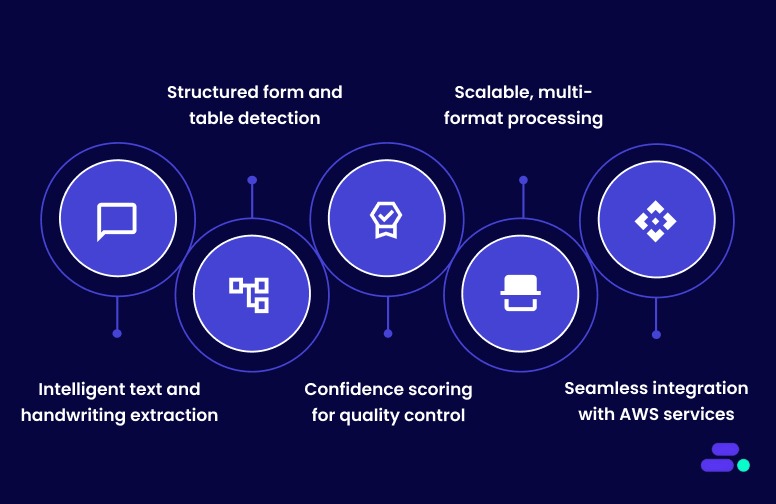
Unlike traditional optical character recognition (OCR) tools that only detect text, Amazon Textract understands document structure. It identifies tables, forms, and key-value pairs, making it ideal for SMBs handling invoices, patient records, or contracts.
Core features of Amazon Textract:
- Intelligent text and handwriting extraction: Amazon Textract accurately extracts both printed and handwritten text from scanned documents in multiple languages, ensuring no critical data is missed. It identifies text placement and layout context, making it effective for documents with complex formatting.
- Structured form and table detection: The service recognizes tables, fields, and key-value pairs such as “Invoice No: 1042” or “Patient Name: John Smith.” This preserves data relationships and outputs structured information for direct use in databases, ERP, or analytics platforms.
- Confidence scoring for quality control: Each extracted element is assigned a confidence score, allowing businesses to set validation thresholds. Combined with Amazon Augmented AI (A2I), Textract enables selective human review for high-stakes data, maintaining both speed and accuracy.
- Scalable, multi-format processing: Textract supports multiple file types (JPEG, PNG, PDF, TIFF) and can handle both single-page and multi-page documents. It scales automatically with AWS infrastructure, ideal for SMBs processing large document volumes without adding operational overhead.
- Seamless integration with AWS services: Textract works natively with Amazon S3, AWS Lambda, and AWS Glue to create end-to-end automated document workflows. This integration allows SMBs to streamline data extraction, transformation, and storage securely within the AWS ecosystem.
Amazon Textract enables SMBs to move from manual, error-prone data entry to fully automated, scalable document workflows. It empowers teams to extract, validate, and integrate data faster, improving accuracy, compliance, and overall productivity.
Suggested Read: Best practices for AWS resiliency: Building reliable clouds

Automating data extraction with Amazon Textract: An easy guide
Many SMBs are moving away from manual data entry toward automated document processing, and Amazon Textract is often at the center of that shift. By combining machine learning with intelligent document analysis, Textract helps businesses save time, reduce errors, and unlock data trapped in forms, invoices, and PDFs.
Pre-requisites of AWS Textract
Here are some prerequisites before starting:
- An AWS account with an IAM user or role that has AmazonTextractFullAccess (create a dedicated role for production).
- AWS CLI or SDK credentials configured (aws configure) or environment variables set.
- Install AWS SDK (Python example):
pip install boto3 - Documents in supported formats (JPEG, PNG, PDF, TIFF) and meeting quality guidelines (recommended ≥150 DPI, minimum text height ~15 px).
- For large or multi-page files, plan to use asynchronous APIs and store files in Amazon S3.
Here’s how businesses can easily implement Amazon Textract:
Step 1: Choose synchronous vs asynchronous processing
The first step is deciding how Amazon Textract will process documents, synchronously for quick, real-time extraction or asynchronously for handling large or multi-page files. This choice depends on workload size, latency needs, and document complexity.
- Synchronous (AnalyzeDocument): Best for single-page images or small PDFs (quick, real-time needs). File size limits apply (e.g., small images ≤ ~5 MB / single-page PDFs ≤ ~10 MB for sync).
- Asynchronous (StartDocumentAnalysis / StartDocumentTextDetection): Use for multi-page PDFs, large files, or batch processing. Requires the document to be placed in Amazon S3; results are retrieved via job IDs.
Rule of thumb: use sync for low-latency, single-page use cases; use async for bulk or multi-page jobs.
By selecting the right mode early, SMBs ensure efficient processing, with real-time insights for smaller documents or scalable batch automation for large volumes without performance bottlenecks.
Step 2: Prepare storage and permissions
Before running Amazon Textract, it’s essential to set up secure storage and access permissions. Documents and extracted data are stored in Amazon S3, while IAM roles define who can read, write, or manage them, ensuring a safe and compliant workflow.
- Create an S3 bucket to hold incoming documents and output (for async jobs).
- Ensure the Textract IAM role/user has read access to the S3 input bucket and write access if you store outputs.
- (Optional) Configure S3 lifecycle rules for long-term archiving (S3 Glacier) to control costs.
With properly configured S3 buckets and IAM permissions, SMBs create a secure, cost-efficient foundation for Textract operations, allowing smooth automation without data access issues or compliance risks.
Step 3: Basic API call (conceptual flow)
At this stage, businesses trigger Amazon Textract to extract data from documents using its APIs. Depending on the file type and processing mode, they can use synchronous calls for real-time results or asynchronous jobs for large or multi-page documents stored in Amazon S3.
Synchronous (single page):
- Read image bytes and call AnalyzeDocument with FeatureTypes set to ["TABLES", "FORMS"] or just text.
- Receive JSON Block objects containing PAGE, LINE, WORD, KEY_VALUE_SET, TABLE, CELL, etc.
- Parse JSON to extract text, key-value pairs, and table cells.
Asynchronous (multi-page / large files):
- Upload PDF/TIFF to S3.
- Call StartDocumentAnalysis (or StartDocumentTextDetection) specifying FeatureTypes = ["TABLES", "FORMS"].
- Poll GetDocumentAnalysis (or use SNS for notifications) until the job completes.
- Retrieve JSON Block objects, then parse and post-process.
By successfully executing the Textract API, SMBs gain structured JSON outputs containing detailed text, form fields, and table data, ready for transformation into usable formats such as CSV or databases for further automation.
Step 4: Interpreting Textract output
After running Amazon Textract, the service returns structured JSON output organized into “Block” objects that represent elements like text lines, tables, and form fields. Understanding these block relationships is key to reconstructing meaningful data, such as invoices, forms, and tables, accurately.
- Textract returns a list of Block objects. Common block types: PAGE, LINE, WORD, TABLE, CELL, KEY_VALUE_SET.
- Key-value pairs: link keys and values via relationships in the JSON; reconstruct programmatically to get InvoiceNumber → 12345.
- Tables: use TABLE + CELL blocks and their row/column relationships to rebuild CSV/Excel.
- Confidence scores: each block includes a confidence value; use thresholds to flag low-confidence items for review.
By parsing Textract’s output effectively, businesses can rebuild well-structured datasets (e.g., CSV or database entries) and apply confidence thresholds to flag uncertain results, ensuring data accuracy before it’s used for analytics or compliance reporting.
Step 5: Post-processing & storage
Once Textract completes extraction, the next step is post-processing—cleaning, validating, and storing the structured output. This involves normalizing data formats, applying business rules, and routing results to appropriate AWS storage or database services for long-term use and compliance retention.
- Convert extracted tables to CSV or JSON and store them in DynamoDB, RDS, or S3.
- Normalize fields (dates, currencies) and apply business rules (e.g., validate invoice numbers).
- Archive original documents and processed outputs for audit/compliance.
Example integrations: S3 (storage) → Lambda (event trigger) → Textract (analysis) → Lambda (parse & transform) → DynamoDB/Redshift (store).
Automated post-processing ensures that extracted data is accurate, searchable, and ready for downstream applications like analytics or billing. It also streamlines compliance by keeping both raw documents and processed results securely stored and easily auditable within the AWS ecosystem.
Step 6: Add quality control (human-in-the-loop)
Quality control ensures that extracted data meets accuracy and compliance standards. By leveraging confidence scores from Textract, SMBs can automatically process reliable data while flagging uncertain fields for human verification using Amazon A2I. This human-in-the-loop approach balances automation with accuracy.
- Use confidence thresholds to auto-accept high-confidence fields and route low-confidence items to human review.
- Integrate Amazon Augmented AI (A2I) to present small batches of low-confidence results to human reviewers and feed corrections back into workflows.
- Maintain audit logs of human edits for compliance.
Incorporating human review reduces errors, improves trust in automated workflows, and ensures regulatory compliance. SMBs can confidently process sensitive documents like invoices or medical forms while maintaining a clear audit trail of corrections and validations.
Step 7: Advanced options & ML augmentation
Advanced integration extends Textract beyond basic extraction. By combining it with Amazon Comprehend, SageMaker, or Step Functions, SMBs can perform entity recognition, sentiment analysis, domain-specific parsing, and orchestrate end-to-end automated workflows for more intelligent document processing.
- Combine Textract output with Amazon Comprehend for entity extraction, sentiment, or classification.
- Use Amazon SageMaker for custom models (e.g., specialized NLP or domain-specific table parsing) when Textract needs domain adaptation.
- Orchestrate workflows with Step Functions for long-running pipelines (upload → analyze → postprocess → human review → store).
These enhancements enable smarter, context-aware automation. SMBs can derive deeper insights, reduce manual intervention, and implement sophisticated, scalable document pipelines that adapt to specific business needs and complex data scenarios.
Following these steps lets SMBs automate document workflows end-to-end, extracting reliable data from invoices, forms, and records. It reduces manual effort, improves accuracy, and accelerates business processes while preserving auditability and compliance.

Common challenges when using Amazon Textract (and how to overcome them)
While Amazon Textract automates document data extraction, SMBs often encounter challenges related to document quality, format, parsing, scaling, and integration. Understanding these common issues and implementing practical solutions ensures smooth adoption, reliable results, and operational efficiency.
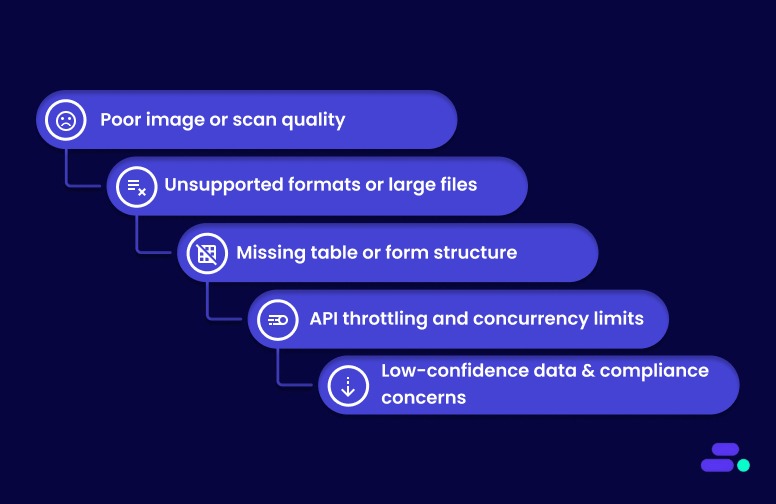
Here are some of the common challenges and their corresponding solutions:
1. Poor image or scan quality: Low-resolution, skewed, or low-contrast scans reduce extraction accuracy.
Solution: Preprocess documents with deskewing, denoising, and contrast enhancement. Enforce a minimum DPI of 150 for text clarity.
2. Unsupported formats or large files: XFA-based PDFs or very large multi-page documents may fail or require multiple retries.
Solution: Use asynchronous processing for large or multi-page files, and convert unsupported formats into standard PDFs or images (JPEG/PNG/TIFF).
3. Missing table or form structure: Tables and key-value relationships may not be detected correctly, affecting downstream workflows.
Solution: Verify parsing logic using the JSON Block relationships, and preprocess documents to improve layout clarity. Use async mode for complex, multi-page documents.
4. API throttling and concurrency limits: High-volume jobs can hit AWS API limits, causing delays or failures.
Solution: Implement batching, parallelism with SQS/Lambda, and exponential backoff for retries to stay within Textract service quotas.
5. Low-confidence data and compliance concerns
Challenge: Some extracted fields may be inaccurate, impacting business decisions or audits.
Solution: Apply confidence thresholds, route uncertain results through Amazon A2I for human validation, and maintain audit logs for compliance.
By proactively addressing these challenges, SMBs can maximize Textract’s accuracy, efficiency, and reliability. Proper preprocessing, intelligent workflow design, and human-in-the-loop validation ensure automated document extraction delivers real business value.
Also Read: AWS business continuity and disaster recovery plan

Troubleshooting and support for Amazon Textract
When challenges arise with Amazon Textract, a systematic approach to troubleshooting combined with access to AWS support resources can help resolve issues effectively.
1. Common troubleshooting scenarios
Businesses using Amazon Textract may encounter several recurring issues during implementation and daily operations. The most frequent challenges involve permissions, service limits, document quality, and integration with other AWS services. AWS provides detailed guidance and multiple support channels to help resolve these scenarios efficiently.
- IAM permission errors: Users often see "not authorized" errors when IAM policies are missing required permissions, such as textract:DetectDocumentText or textract:AnalyzeDocument. These issues are resolved by updating IAM policies to grant the necessary Amazon Textract actions.
- IAM: PassRole authorization failures: Errors related to IAM: PassRole occur when users lack permission to pass roles to Amazon Textract. Policies must be updated to allow the iam: PassRole action for relevant roles.
- S3 access issues: Insufficient permissions for S3 buckets, such as missing s3:GetObject, s3:ListBucket, or s3:GetBucketLocation, can prevent Amazon Textract from accessing documents. Ensure policies include these actions for the required buckets.
- Connection and throttling errors: Applications that exceed transaction per second (TPS) limits may encounter throttling or connection errors. AWS recommends implementing automatic retries with exponential backoff, typically up to five attempts, and requesting service quota increases as needed.
- Document quality and format problems: Amazon Textract performs best with high-contrast, clear documents in supported formats (JPEG, PNG, or text-based PDFs). If extraction fails or results are inaccurate, verify that documents are not image-based PDFs, are properly uploaded to S3, and meet quality guidelines.
2. Training and debugging support
Businesses using Amazon Textract have access to dedicated resources for troubleshooting and ongoing support. AWS provides both technical tools for debugging and multiple professional support channels to address operational or account-related issues.
- Validation files for custom queries: AWS generates validation files during training, helping users identify specific errors such as invalid manifest files, insufficient training documents, or cross-region Amazon S3 bucket issues.
- Detailed error descriptions: The system provides comprehensive error messages to pinpoint and resolve training dataset problems efficiently.
3. Professional support channels
Businesses using Amazon Textract have access to a range of professional support channels designed to address both technical and operational needs. These channels ensure users can resolve issues quickly, manage billing questions, and receive guidance on complex implementations.
- AWS Support Center: AWS offers multiple support channels for Amazon Textract users. For billing questions and account-related issues, users can contact the AWS Support Center.
- Technical assistance: For assistance with document accuracy issues, particularly with receipts, identification documents, or industrial diagrams, AWS provides direct email support through amazon-textract@amazon.com.
However, it is recommended to primarily use AWS Support Plans and AWS forums for technical assistance. - Enterprise and managed services: Organizations requiring enterprise-level support can access AWS Managed Services (AMS) for Amazon Textract provisioning and management. For custom pricing proposals and enterprise implementations, AWS provides dedicated sales consultation services through its partner contact forms.
Addressing common challenges lays the groundwork for a reliable deployment of Amazon Textract. Building on this foundation, following proven technical approaches and best practices helps maintain accuracy and performance over time.
Also Read: AWS business continuity and disaster recovery plan
For businesses seeking verified third-party consulting and implementation services, Cloudtech offers specialized Amazon Textract integration and optimization services to help maximize the document processing capabilities. Check out the pricing here!
Cloudtech's role in Amazon Textract implementation
Cloudtech, an AWS Advanced Tier Partner, specializes in cloud modernization and intelligent document processing for small and medium businesses. We deliver customized solutions to automate, optimize, and scale AWS environments, with a focus on document-centric workflows.
Cloudtech builds tailored workflows using Amazon Textract, helping businesses reduce manual effort, improve data accuracy, and speed up document processing.
- Data and application modernization: Upgrading data infrastructure and transforming legacy applications into scalable, cloud-native solutions.
- AWS cloud strategy and optimization: Delivering end-to-end AWS services, including cloud assessments, architecture design, and cost optimization.
- AI and automation: Implementing generative AI and intelligent automation to streamline business processes and boost efficiency.
- Infrastructure and resiliency: Building secure, high-availability cloud environments to support business continuity and regulatory compliance.
By combining automation, best practices, and deep AWS expertise, Cloudtech helps SMBs not just “move to the cloud,” but operate like cloud-native businesses, with infrastructure that’s secure, efficient, and ready to evolve with market demands.
See how other SMBs have modernized, scaled, and thrived with Cloudtech’s support →
Conclusion
Amazon Textract moves beyond traditional OCR by capturing not only text but also the structure and context within documents, enabling more accurate and actionable data extraction.
Understanding its capabilities and practical applications equips businesses to rethink document workflows and reduce the burden of manual processing. Whether handling forms, tables, or handwritten notes, Amazon Textract offers a reliable option to streamline operations and improve data accuracy.
For organizations seeking to implement or expand their use of this technology, Cloudtech offers expert guidance and support to ensure a smooth and effective deployment customized to business needs.
Reach out to Cloudtech to explore how Amazon Textract can be integrated into a business's cloud strategy.
FAQs
1. How does Amazon Textract's Custom Queries adapter auto-update feature work?
The auto-update feature automatically updates businesses' Custom Queries adapter whenever improvements are made to the pretrained Queries feature. This ensures their custom models are always up-to-date without manual intervention. Businesses can toggle this feature on or off during adapter creation, or update it later via the update_adapter API call.
2. What are the specific training requirements and limitations for Custom Queries adapters?
To create Custom Queries adapters, businesses must upload at least five training documents and five test documents. Businesses can upload a maximum of 2,500 training documents and 1,000 test documents. The training process involves annotating documents with queries and responses. Monthly training limits apply, and they can view these limits in the Service Quotas console.
3. How does Amazon Textract handle data retention, and what are the deletion policies?
Amazon Textract stores processed content only to provide and improve the service. Content is encrypted and stored in the AWS region where the service is used. They can request deletion of content through AWS Support, though it may affect the service's performance. Training content for Custom Queries adapters is deleted after training is complete.
4. What is the Amazon Textract Service Quota Calculator, and how does it help with capacity planning?
The Service Quota Calculator helps businesses estimate their quota requirements based on their workload, including the number of documents and pages. It provides recommended quota values and links to the Service Quotas console for increased requests, helping businesses plan their capacity more effectively.
5. How does Amazon Textract's VPC endpoint configuration work with AWS PrivateLink?
Amazon Textract supports private connectivity using interface VPC endpoints powered by AWS PrivateLink, ensuring secure communication without the public internet. Businesses can create VPC endpoints for standard or FIPS-compliant operations and apply endpoint policies to control access within their VPC environment.