Blogs

Eliminating manual errors with intelligent document processing for SMBs
Handling documents manually is slow, frustrating, and full of mistakes, especially for businesses dealing with invoices, contracts, and forms from multiple sources. That’s where intelligent document processing (IDP) comes in. By using AI to automatically read, classify, and validate documents, IDP turns messy data into accurate, ready-to-use information.
Take a small accounting firm processing hundreds of client invoices every day. Staff spend hours typing in amounts, dates, and client details, and mistakes inevitably happen. Payments get delayed, clients get frustrated, and valuable time is wasted. With IDP, AI-powered optical character recognition (OCR) and automated checks capture and organize invoice data instantly, cutting errors and freeing the team to focus on meaningful work.
This article looks at why reducing manual errors is so important for SMBs and explores practical IDP strategies that make document workflows faster, smoother, and more reliable.
Key takeaways:
- Intelligent document processing automates extraction, classification, and routing, drastically reducing manual errors and saving time.
- AI-powered OCR and validation ensure accurate data capture from diverse document formats, including handwritten or scanned files.
- Integration with ERP, CRM, and accounting systems eliminates duplicate entry and maintains consistent workflows across the business.
- Continuous learning models improve accuracy over time, adapting to new document types and evolving business needs.
- Cloudtech helps SMBs implement IDP efficiently, providing hands-on setup, workflow orchestration, and governance to make data reliable and actionable.
Why is reducing manual errors important for SMBs?
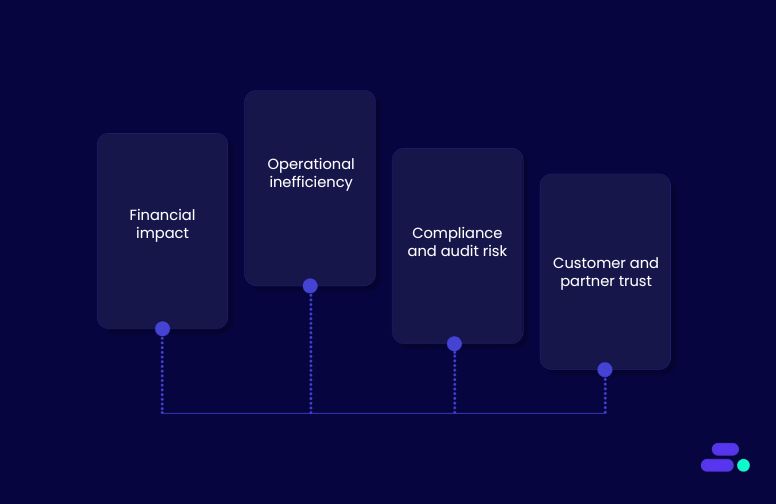
Manual errors in document handling are more than just minor inconveniences. They can ripple across business operations, impacting finances, compliance, and customer trust.
For SMBs, which often operate with lean teams and tight margins, the consequences of mistakes are magnified. One misentered invoice, mislabeled contract, or incorrect client record can lead to payment delays, regulatory penalties, or reputational damage.
The stakes for SMBs:
- Financial impact: Inaccurate data in invoices, purchase orders, or expense reports can result in underpayments, overpayments, or missed revenue. These errors directly affect cash flow and profitability.
- Operational inefficiency: Staff spend extra hours correcting mistakes, manually cross-checking documents, or re-entering data, reducing time available for strategic tasks.
- Compliance and audit risk: Industries like finance, healthcare, and logistics require accurate documentation for audits and regulatory reporting. Errors in records can trigger penalties or compliance breaches.
- Customer and partner trust: Repeated errors in contracts, shipments, or billing can erode confidence, leading to lost clients or strained supplier relationships.
Reducing manual errors through IDP enables SMBs not only to prevent costly mistakes but also streamline workflows, improve decision-making, and free employees to focus on higher-value activities.

Intelligent document processing strategies for reducing manual errors
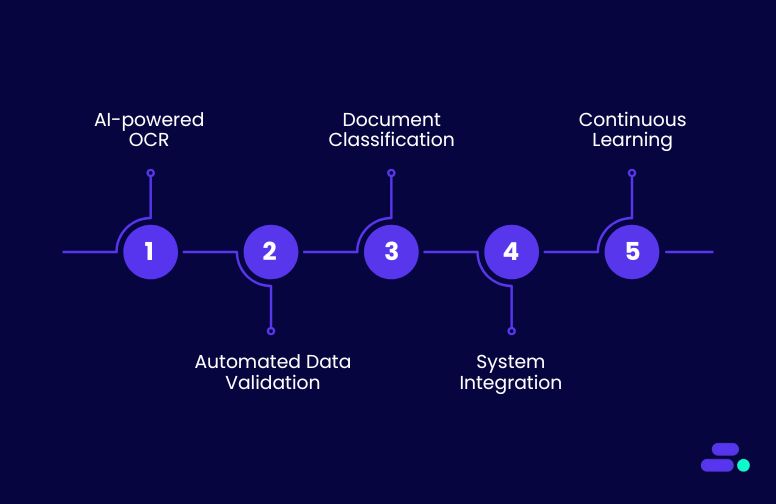
As volumes of invoices, contracts, forms, and customer records increase, the risk of mistakes multiplies, slowing operations and creating costly downstream errors. IDP provides a structured approach to automate these repetitive tasks, ensuring that data is captured accurately, organized consistently, and ready for analytics or business workflows.
Following IDP strategies isn’t just about technology, it’s about embedding reliability into daily operations. By standardizing how documents are processed, validating information automatically, and integrating systems end-to-end, SMBs can scale without proportionally increasing labor or error rates. This creates a foundation for faster decision-making, higher customer trust, and more efficient growth.
1. AI-powered optical character recognition (OCR)
AI-driven OCR leverages machine learning to accurately extract text from scanned documents, PDFs, and images, going beyond the limitations of traditional rule-based OCR. Modern AI models can handle handwriting, complex layouts, and multi-language documents, making it ideal for SMBs processing diverse document types at scale.
By converting unstructured content into structured, machine-readable data, organizations can immediately feed information into downstream systems without manual re-entry.
How this reduces mistakes:
- Eliminates manual transcription errors: By automatically reading and digitizing text, human typos or misinterpretations are avoided, especially for critical fields like invoice numbers, account IDs, or dates.
- Preserves contextual accuracy: AI models recognize tables, forms, and headers, ensuring that numbers, labels, and metadata remain correctly associated and reducing misalignment errors.
- Handles variability in documents: Machine learning adapts to different formats, fonts, and handwriting styles, preventing the common errors that occur when manually interpreting diverse document layouts.
Application: Tools like Amazon Textract enable SMBs to automatically detect and extract structured elements from invoices, purchase orders, contracts, or handwritten forms. This structured output can then be routed into ERP, accounting, or CRM systems, eliminating the need for repetitive manual data entry and reducing error propagation across business processes.
2. Automated data validation and verification
Automated validation ensures that extracted data is checked in real time against predefined rules, business logic, or trusted external datasets. This step is critical for SMBs processing high volumes of invoices, forms, or customer records, where even small errors can cascade into compliance issues, accounting discrepancies, or operational inefficiencies.
By embedding verification into the workflow, businesses can catch mistakes immediately before they affect downstream systems.
How this reduces mistakes:
- Prevents propagation of incorrect data: Validation rules immediately flag entries that don’t meet expected formats or ranges, stopping errors from entering ERP, CRM, or reporting systems.
- Cross-checks against authoritative sources: Integrating with external databases or internal master records ensures fields like tax IDs, account numbers, or pricing match trusted references.
- Reduces human intervention errors: Automating verification removes the need for repetitive manual checks, lowering the risk of oversight or fatigue-related mistakes.
Application: AWS services like AWS Lambda can run lightweight validation functions in real time, while Amazon DynamoDB can serve as a high-speed reference store for master data.
For example, when processing invoices, Lambda functions can validate vendor tax IDs, product codes, and total amounts against DynamoDB or external APIs, automatically flagging discrepancies for review. This ensures that only accurate, verified data flows into financial and operational systems, saving time and minimizing costly errors.

3. Document classification and intelligent routing
Intelligent document classification organizes incoming documents such as invoices, contracts, or customer forms into categories automatically and routes them to the appropriate team or workflow.
For SMBs handling diverse document types, this reduces bottlenecks, prevents misplacement, and ensures operational efficiency. By using AI to interpret content, businesses eliminate reliance on manual judgment and accelerate document processing.
How this reduces mistakes:
- Prevents misrouting: Automatically assigns documents to the correct team or workflow based on content, avoiding delays and errors from human sorting.
- Maintains consistency: Standardized classification ensures similar documents are treated uniformly, reducing variance in processing outcomes.
- Minimizes human oversight: Eliminates errors caused by fatigue, misreading, or inconsistent categorization by staff.
Application: AWS services such as Amazon Comprehend can perform natural language understanding to detect document types, keywords, and context, while Amazon Step Functions orchestrates workflow automation to route each document to the correct processing queue.
For example, incoming vendor invoices are classified and automatically routed to accounts payable, ensuring timely approval and accurate financial records, without requiring staff to manually review and sort hundreds of documents daily.
4. Integration with business systems
Connecting intelligent document processing pipelines directly to ERP, CRM, or accounting systems ensures that extracted and validated data flows seamlessly into the tools SMBs rely on daily. This prevents repetitive manual data entry, reduces reconciliation work, and ensures information remains consistent across all systems.
By embedding integration into the IDP workflow, businesses achieve faster, more reliable operations and minimize errors caused by human handling.
How this reduces mistakes:
- Eliminates duplicate entry: Automated transfer of validated data prevents repeated typing or copy-paste errors.
- Ensures consistency across systems: Integrated pipelines maintain uniform data formats and values in ERP, CRM, or accounting software.
- Reduces reconciliation efforts: Fewer mismatches between systems mean less manual intervention and correction, freeing teams for higher-value tasks.
Application: AWS tools such as Amazon AppFlow enable low-code integration to sync processed documents directly with platforms like Salesforce, QuickBooks, or SAP. Alternatively, custom APIs can be developed to push validated data into legacy or specialized systems.
For example, once an invoice is processed via Amazon Textract and validated with Lambda functions, AppFlow automatically updates the corresponding record in the accounting system, ensuring accurate financial reporting and eliminating hours of manual data entry.
5. Continuous learning and feedback loops
Intelligent document processing systems become more accurate when they learn from past errors and user corrections. By incorporating feedback loops, AI models can adapt to new document formats, handwriting styles, or exceptions, reducing repeated mistakes over time.
This approach ensures SMBs’ IDP pipelines remain effective even as business needs and document types evolve.
How this reduces mistakes:
- Adapts to new formats: Models update automatically to handle new invoice layouts, forms, or content types.
- Minimizes repeated errors: Corrections made by users feed back into the system, preventing the same mistakes from recurring.
- Enhances classification and extraction accuracy: Continuous retraining improves the precision of text extraction, data validation, and document routing.
Application: AWS Amazon SageMaker allows SMBs to retrain machine learning models on corrected datasets. For instance, if an extracted invoice field is flagged as incorrect, the corrected data can be fed back into SageMaker to refine the OCR and classification models. Over time, the system requires less human intervention, ensures higher data accuracy, and accelerates document processing workflows.

AWS tools provide the foundation for accurate and efficient document processing, but real-world success requires experience and strategy. Cloudtech, as an AWS Advanced Tier Partner, combines certified expertise with SMB-focused solutions to ensure IDP pipelines extract, validate, and deliver data reliably.
How does Cloudtech help SMBs implement intelligent document processing?
Working with an AWS partner brings more than access to cloud tools. It provides certified expertise, proven frameworks, and guidance tailored to business needs. For SMBs implementing intelligent document processing, this means faster deployment, fewer errors, and smoother integration with existing systems.
Cloudtech stands out by combining deep AWS knowledge with an SMB-first approach. It designs lean, scalable IDP solutions that fit tight budgets and evolving workflows, ensures every pipeline is secure and compliant, and provides ongoing support to refine AI models over time.
Key Cloudtech services for IDP:
- IDP workflow assessment: Reviews document-heavy workflows to identify where manual errors occur, what documents need automation, and the most impactful areas to target for AI-driven extraction and validation.
- Document extraction and classification pipelines: Uses Amazon Textract for OCR, Amazon Comprehend for content understanding, and AWS Step Functions for orchestrating extraction, validation, and routing, ensuring documents are processed accurately and consistently.
- Integration with business systems: Connects automated pipelines to ERP, CRM, and accounting platforms via Amazon AppFlow or custom APIs, eliminating duplicate entry and ensuring validated data flows seamlessly into business applications.
- AI model training and continuous improvement: Prepares datasets and retrains AI models in Amazon SageMaker, allowing the system to learn from corrections, adapt to new formats, and continually improve extraction and classification accuracy.
With these services, Cloudtech enables SMBs to minimize manual errors, improve operational efficiency, and generate accurate, actionable insights from their documents, all without requiring large IT teams or enterprise-grade overhead.
See how other SMBs have modernized, scaled, and thrived with Cloudtech’s support →

Wrapping up
Intelligent document processing is all about creating reliable, error-free workflows that let SMBs handle critical documents at scale. By combining AI-driven extraction, smart validation, and seamless system integration, businesses can ensure that data is accurate, actionable, and ready for analytics or decision-making.
Partnering with an AWS expert like Cloudtech adds real value. Cloudtech helps SMBs implement IDP solutions that are tailored, scalable, and easy to manage, ensuring pipelines stay efficient and compliant while adapting to evolving business needs.
With Cloudtech, SMBs gain a trusted framework for transforming document-heavy operations into precise, automated processes. Connect with Cloudtech today!
FAQs
1. What types of documents can SMBs process with intelligent document processing?
IDP can handle a wide variety of document formats including invoices, receipts, contracts, forms, and handwritten notes. By automating extraction and classification, SMBs can process documents consistently regardless of source or structure.
2. How does intelligent document processing adapt to evolving business needs?
Modern IDP systems use machine learning models that improve over time, learning from corrections and exceptions. This enables SMBs to handle new document templates, formats, or content types without reconfiguring workflows.
3. Can small teams manage IDP without dedicated IT staff?
Yes. With prebuilt AWS services like Textract, Comprehend, and Step Functions, SMBs can implement IDP pipelines with minimal coding. Cloudtech further simplifies deployment by providing hands-on setup, monitoring, and training tailored for lean teams.
4. Does intelligent document processing support compliance and auditing?
IDP can be configured to track document changes, capture processing logs, and maintain audit trails. This helps SMBs meet regulatory requirements, ensure traceability, and reduce risk in industries like finance, healthcare, and legal services.
5. How does IDP improve collaboration across departments?
By automatically classifying and routing documents to the right teams, IDP ensures the right stakeholders get access to accurate information quickly. This reduces miscommunication, eliminates manual handoffs, and accelerates workflows.

From raw data to reliable insights: Ensuring data quality at every stage
In any industry, decisions are only as strong as the data behind them. When information is incomplete, inconsistent, or outdated, the consequences can range from lost revenue and compliance issues to reputational damage. For some sectors, however, the stakes are far higher.
In healthcare, the cost of poor data quality isn’t just financial, it can directly affect patient safety. Imagine a clinic relying on electronic health records (EHR) where patient allergy information is outdated or inconsistent across systems. A doctor prescribing medication based on incomplete data could trigger a severe allergic reaction, leading to emergency intervention.
This article explores why data quality matters, the risks of ignoring it, and how to build a framework that maintains accuracy from raw ingestion to AI-ready insights.
Key takeaways:
- Data quality directly impacts business insights, compliance, and operational efficiency.
- Poor-quality data in legacy or fragmented systems can lead to costly errors post-migration.
- AWS offers powerful tools to clean, govern, and monitor data at scale.
- Embedding quality checks and security into pipelines ensures long-term trust in analytics.
- Cloudtech brings AWS-certified expertise and an SMB-focused approach to deliver clean, reliable, and future-ready data.
Why is clean data important for SMB growth?
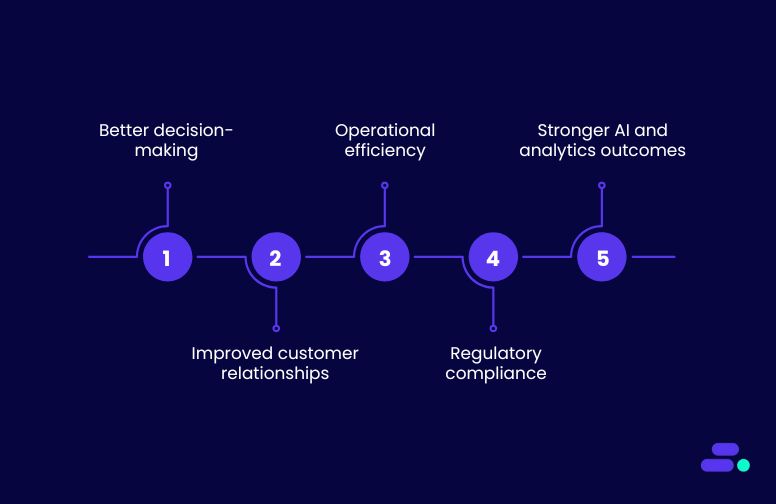
Growth often hinges on agility, making quick, confident decisions and executing them effectively. But agility without accuracy is a gamble. Clean, reliable data ensures that every strategy, campaign, and operational move is based on facts, not assumptions.
When data is riddled with errors, duplicates, or outdated entries, it not only skews decision-making but also wastes valuable resources. From missed sales opportunities to flawed forecasts, the ripple effect can slow growth and erode customer trust.
Key reasons clean data fuels SMB growth:
- Better decision-making: Accurate data allows leaders to spot trends, forecast demand, and allocate budgets with confidence.
- Improved customer relationships: Clean CRM data means personalized, relevant communication that strengthens loyalty.
- Operational efficiency: Fewer errors reduce time spent on manual corrections, freeing teams to focus on growth activities.
- Regulatory compliance: Clean, well-governed data helps SMBs meet industry compliance standards without last-minute scrambles.
- Stronger AI and analytics outcomes: For SMBs using predictive models or automation, clean data ensures reliable, bias-free insights.
In short, clean data is a growth enabler. SMBs that invest in data hygiene are better positioned to respond to market shifts, innovate faster, and scale without hitting operational roadblocks.
How to keep data accurate and reliable from start to finish?
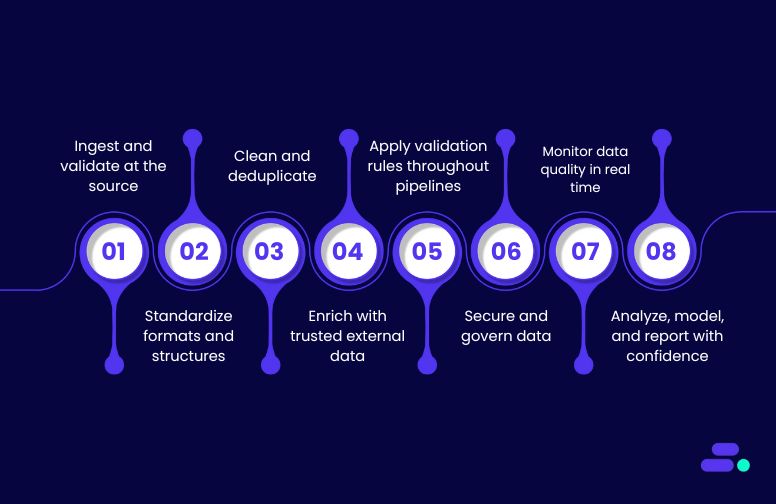
Data quality starts at the source and must be protected at every step until it drives decisions. For SMBs, that means capturing accurate data, cleaning and standardizing it early, enriching it where relevant, and validating it continuously.
Real-time monitoring and strict governance prevent errors from slipping through, ensuring analytics and AI models run on trusted information. With the right AWS tools, these safeguards become a built-in part of the workflow, turning raw data into reliable insights.
1. Ingest and validate at the source
The moment data enters the system is the most critical point for quality control. If inaccurate, incomplete, or incorrectly formatted data slips in here, those errors spread across every system that touches it, multiplying the damage and making later fixes far more expensive.
By validating at the source, businesses ensure every subsequent stage is working with a reliable baseline, reducing operational risks and improving downstream analytics.
How to achieve data quality with AWS:
- AWS Glue DataBrew: Profiles data on arrival, detecting missing fields, format mismatches, and anomalies. Applies rules to standardize formats (e.g., timestamps to UTC) and flags suspicious records before storage, ensuring only clean data enters the pipeline.
- Amazon Kinesis Data Streams: Validates streaming data in real time, checking schema, detecting duplicates, and enforcing thresholds. Invalid records are quarantined via Dead Letter Queues, while only verified entries move forward, keeping downstream data pristine.
The outcome: Without this step, a business might load customer records with misspelled names, incorrect email formats, or mismatched account IDs into its CRM. Over time, marketing campaigns would be sent to the wrong people, invoices might bounce, and sales teams would waste hours chasing invalid leads, all while decision-makers base strategies on flawed reports.
With validation at the source, these errors are caught immediately, ensuring only accurate, properly formatted records enter the system. Teams work with clean, unified customer data from day one, campaigns reach the right audience, billing runs smoothly, and leaders can trust that the insights they act on truly reflect the business reality.
2. Standardize formats and structures
Disparate data formats, whether from legacy systems, SaaS platforms, or third-party feeds, create friction in analytics, integration, and automation. If formats and structures aren’t aligned early, teams face mismatched schemas, failed joins, and incomplete reports later.
Standardization ensures every dataset speaks the same “language,” enabling seamless processing and accurate insights across systems.
How to achieve data quality with AWS:
- AWS Glue: Automatically crawls incoming datasets to detect schema and metadata, then applies transformations to unify formats (e.g., converting all date fields to ISO 8601, aligning column names, or normalizing units like “kg” and “kilograms”). Supports creation of a centralized Data Catalog so downstream processes reference a single, consistent schema.
- AWS Lambda: Executes lightweight, event-driven format conversions on the fly. For example, when a CSV file lands in Amazon S3, Lambda triggers to convert it into Parquet for analytics efficiency or apply consistent naming conventions before it’s stored in the data lake.
The outcome: Without this step, a business pulling sales data from different regions might find that one source logs dates as MM/DD/YYYY, another as DD-MM-YYYY, and a third uses month names. When combined, these mismatches could cause analytics tools to misread timelines, drop records, or produce skewed trend reports—leaving leadership with conflicting or incomplete views of performance.
With standardized formats and structures, all sources align to a single schema before they ever reach the analytics layer. Joins work flawlessly, reports reflect the complete picture, and automation such as forecasting models or cross-system updates runs without breaking. The result is faster decision-making and a single source of truth everyone can trust.
3. Clean and deduplicate
Even with validation and standardization in place, datasets can still contain outdated, inconsistent, or duplicated records that distort analytics and decision-making. Without regular cleanup, errors accumulate, causing inflated counts, skewed KPIs, and flawed business insights.
Cleaning and deduplication preserve the integrity of datasets so every query, dashboard, and model is built on a trustworthy foundation.
How to achieve data quality with AWS:
- AWS Glue DataBrew: Provides a visual interface to detect and fix inconsistencies such as typos, out-of-range values, and formatting anomalies without writing code. Enables rule-based deduplication (e.g., match on customer ID and timestamp) and bulk corrections to standardize values across large datasets.
- Amazon EMR: Processes massive datasets at scale using Apache Spark or Hive for complex deduplication and cleaning logic. Ideal for historical cleanup of years’ worth of data, matching across multiple tables, and applying advanced fuzzy-matching algorithms.
The outcome: Without this step, a business’s customer database might list the same client three times under slightly different names, “Acme Corp,” “ACME Corporation,” and “Acme Co.”, with varying contact details. This inflates customer counts, leads to multiple sales reps contacting the same account, and produces misleading revenue metrics.
With cleaning and deduplication in place, duplicate and inconsistent entries are merged into a single, accurate record. Dashboards now reflect the true number of customers, sales outreach is coordinated, and reports give leadership a clear, reliable view of performance. The result is leaner operations, better customer relationships, and more trustworthy KPIs.
4. Enrich with trusted external data
Raw internal data often lacks the context needed for richer analysis and better decision-making. By supplementing it with verified external datasets such as demographic profiles, market trends, or geospatial data, businesses can unlock new insights, personalize services, and improve predictive accuracy.
However, enrichment must be done using reputable sources to avoid introducing unreliable or biased data that could undermine trust in the results.
How to achieve data quality with AWS:
- AWS Data Exchange: Provides access to a marketplace of curated third-party datasets, such as weather, financial, demographic, or geospatial data. Ensures data is sourced from verified providers and integrates directly into AWS analytics and storage services for seamless use.
- Amazon API Gateway: Allows secure, scalable ingestion of data from trusted APIs, such as government databases or industry-specific data providers, into the business pipelines. Includes throttling, authentication, and schema validation to ensure only clean, expected data enters the system.
The outcome: Without this step, a business might rely solely on its internal sales records to forecast demand, missing the fact that upcoming regional weather events or market shifts could heavily influence buying patterns. As a result, inventory might be overstocked in low-demand areas and understocked where demand will spike, leading to lost sales and wasted resources.
With enrichment from trusted external sources, internal data is layered with context, such as weather forecasts, demographic profiles, or local economic trends, allowing predictions to reflect real-world conditions. This enables smarter stocking decisions, targeted marketing, and more accurate forecasts, turning raw operational data into a competitive advantage.
5. Apply validation rules throughout pipelines
Data that passes initial ingestion checks can still be corrupted mid-pipeline during transformation, enrichment, or aggregation. Without embedded safeguards, subtle errors like mismatched currency codes, invalid status values, or noncompliant field entries can propagate unnoticed, contaminating downstream analytics and compliance reporting.
Continuously applying validation rules at every stage ensures data remains accurate, compliant, and analysis-ready from source to destination.
How to achieve data quality with AWS:
- AWS Glue Studio: Allows businesses to design ETL workflows with built-in validation logic, such as conditional checks, pattern matching, and field-level constraints, to automatically flag or quarantine suspect records before they reach output tables.
- AWS Step Functions: Orchestrates complex data workflows and integrates validation checkpoints between steps, ensuring only clean, compliant data progresses. Can trigger automated remediation workflows for records that fail checks.
The outcome: Without this step, a business might approve clean financial transactions at ingestion, only for a mid-pipeline transformation to accidentally swap currency codes, turning USD amounts into EUR values without conversion. These subtle errors could slip into financial reports, misstate revenue, and even cause compliance breaches.
With validation rules applied throughout the pipeline, every transformation and aggregation step is monitored. Invalid entries are caught instantly, quarantined, and either corrected or excluded before reaching the final dataset. This keeps analytics accurate, compliance intact, and ensures leadership never has to backtrack decisions due to hidden data corruption.
6. Secure and govern data
Even the cleanest datasets lose value if they’re not protected, properly governed, and traceable. Without strict access controls, unauthorized users can alter or leak sensitive information; without governance, teams risk working with outdated or noncompliant data; and without lineage tracking, it’s impossible to trace errors back to their source.
Strong security and governance not only protect data but also maintain trust, enable regulatory compliance, and ensure analytics are based on reliable, approved sources.
How to achieve data quality with AWS:
- AWS Lake Formation: Centralizes governance by defining fine-grained access policies at the table, column, or row level. Ensures only authorized users and services can view or modify specific datasets.
- AWS IAM (Identity and Access Management): Manages authentication and permissions, enforcing the principle of least privilege across all AWS services.
- AWS CloudTrail: Records every API call, configuration change, and access attempt, creating a complete audit trail to investigate anomalies, verify compliance, and maintain data lineage.
The outcome: Without this step, a business might have clean, well-structured datasets but no guardrails on who can access or change them. A single unauthorized edit could overwrite approved figures, or sensitive customer data could be exposed—leading to regulatory penalties, reputational damage, and loss of customer trust. When errors occur, the lack of lineage tracking makes it nearly impossible to pinpoint the cause or fix the root issue.
With robust security and governance in place, every dataset is protected by strict access controls, changes are fully traceable, and only approved, compliant versions are used in analytics. This safeguards sensitive information, ensures teams always work with the right data, and gives leadership full confidence in both the accuracy and integrity of their insights.
7. Monitor data quality in real time
Even well-structured pipelines can let issues slip through if data isn’t continuously monitored. Without real-time quality checks, anomalies such as sudden spikes, missing values, or unexpected formats can silently propagate to dashboards, machine learning models, or production systems, leading to bad decisions or customer-facing errors.
Continuous monitoring ensures problems are caught early, minimizing downstream impact and preserving confidence in analytics.
How to achieve data quality with AWS:
- Amazon CloudWatch: Tracks operational metrics and custom quality indicators (e.g., row counts, null value percentages) in near real-time. Can trigger alerts or automated remediation workflows when thresholds are breached.
- AWS Glue Data Quality: Automatically profiles datasets, generates quality rules, and monitors for deviations during ETL jobs, enabling proactive intervention when issues arise.
The outcome: Without this step, a business could invest heavily in analytics and AI only to base decisions on flawed inputs, leading to dashboards that exaggerate sales growth, forecasts that miss market downturns, or machine learning models that recommend unprofitable actions. These errors can cascade into poor strategic choices, wasted resources, and missed opportunities.
With only validated, high-quality data feeding analytics and models, insights are accurate, forecasts reflect reality, and AI recommendations align with business goals. Decision-makers can act quickly and confidently, knowing that every chart, prediction, and automation is grounded in facts rather than flawed assumptions.
8. Analyze, model, and report with confidence
The final step in the data lifecycle is where clean, trusted data delivers tangible business value. If earlier stages fail, BI dashboards may mislead, predictive models may drift, and AI applications may produce unreliable outputs.
By ensuring only validated, high-quality datasets reach analytics and modeling environments, SMBs can make confident decisions, forecast accurately, and automate with minimal risk.
How to achieve data quality with AWS:
- Amazon QuickSight: Connects directly to curated datasets to build interactive dashboards and visualizations. Filters, parameters, and calculated fields can ensure only trusted data is displayed, preventing misleading KPIs.
- Amazon SageMaker: Trains and deploys machine learning models on cleansed datasets, reducing bias, improving accuracy, and avoiding garbage-in/garbage-out pitfalls.
The outcome: Without this step, leadership might rely on BI dashboards built from incomplete or inconsistent datasets showing inflated sales, underreporting expenses, or misclassifying customer segments. Predictive models could drift over time, making inaccurate forecasts or recommending actions that hurt rather than help the business.
With only validated, trusted data powering analytics and models, every report reflects reality, forecasts anticipate market shifts with greater accuracy, and AI applications operate on solid foundations. This gives decision-makers the clarity and confidence to act decisively, knowing their insights are both accurate and actionable.

AWS tools enable strong data pipelines, but flawless execution needs expertise. AWS Partners like Cloudtech bring certified skills and SMB-focused strategies to ensure data stays accurate, secure, and analytics-ready, freeing teams to focus on growth, not fixes.
How does Cloudtech help SMBs maintain and utilize high-quality data?
Improving data quality isn’t just a technical exercise, but ensuring every decision is backed by accurate, trusted insights. This is where AWS Partners like Cloudtech add real value. They bring certified expertise, proven frameworks, and direct alignment with AWS best practices, helping businesses avoid costly trial-and-error.
Cloudtech stands out for its SMB-first approach. Rather than applying enterprise-heavy solutions, Cloudtech designs lean, scalable data quality frameworks that fit SMB realities, like tight budgets, fast timelines, and evolving needs:
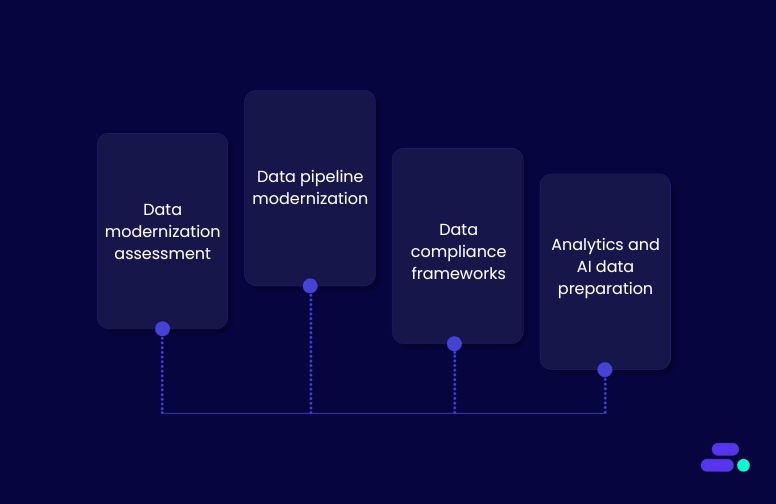
- Cloudtech’s data modernization assessment: A business-first review of the customer’s current data systems to identify quality issues, compliance gaps, and the most impactful fixes before any migration or changes begin.
- Cloudtech’s pipeline modernization: Uses AWS Glue, Step Functions, and Kinesis to automate cleaning, standardize formats, and remove duplicates at scale for consistent, reliable data.
- Cloudtech’s data compliance frameworks: Implements governance with AWS IAM, CloudTrail, and AWS Config to protect sensitive data and ensure full audit readiness.
- Cloudtech’s analytics and AI data preparation: Prepares accurate, trusted datasets for Amazon QuickSight, SageMaker, and Amazon Q Business, so insights are dependable from day one.
With Cloudtech, SMBs get a clear, secure, and repeatable framework that keeps data quality high, so teams can trust their numbers and act faster.
Wrapping up
Ensuring clean, trusted data is no longer optional. It’s a competitive necessity. But achieving consistently high-quality data requires more than one-off fixes. It demands ongoing governance, the right AWS tools, and a partner who understands both the technology and the unique realities of SMB operations.
Cloudtech combines AWS-certified expertise with a human-centric approach to help businesses build data pipelines and governance frameworks that keep data accurate, secure, and ready for insight.
Ready to make your data a business asset you can trust? Connect with Cloudtech.
FAQs
1. How can poor data quality hurt business growth, even if systems are in the cloud?
Moving to the cloud doesn’t automatically fix inaccurate or incomplete data. If errors exist before migration, they’re often just “copied and scaled” into the new system. This can lead to faulty insights, misguided strategies, and operational inefficiencies. Cloudtech’s approach ensures only high-quality, verified data enters AWS environments, so the benefits of the cloud aren’t undermined by old problems.
2. Does data quality impact compliance and audit readiness?
Yes, compliance frameworks like HIPAA, FINRA, or GDPR require not just secure data, but accurate and traceable records. Inconsistent data formats, missing fields, or unverified sources can trigger audit failures or penalties. Cloudtech’s governance design with AWS Lake Formation, IAM, and CloudTrail ensures compliance and traceability from day one.
3. Can SMBs maintain high data quality without hiring a large data team?
They can. Cloudtech uses AWS-native automation such as AWS Glue DataBrew for cleaning and CloudWatch alerts for anomalies, so SMBs don’t need to rely on constant manual checks. These tools allow a lean IT team to maintain enterprise-grade data quality with minimal overhead.
4. How does better data quality translate into faster decision-making?
When datasets are accurate and consistent, reports and dashboards refresh without errors or missing figures. That means leadership teams can act in real time rather than waiting for data clean-up cycles. Cloudtech’s workflows ensure analytics platforms like Amazon QuickSight and AI models in SageMaker can deliver insights instantly and reliably.
5. What’s the first step Cloudtech takes to improve data quality?
Every engagement starts with a Data Quality & Governance Assessment. Cloudtech’s AWS-certified architects evaluate current datasets, data flows, and governance structures to identify hidden issues such as duplicate entries, conflicting sources, or security gaps before designing a tailored remediation and modernization plan.
Want to develop good AI models? Start with better data integration
Consider a healthcare provider developing a predictive patient care tool. However, appointment data lives in one system, lab results in another, and patient history in a third. Because these systems are disconnected, the AI model only receives part of the patient’s story. Maybe it knows when the patient last visited but not the latest lab results or underlying conditions.
With this fragmented view, the model misses critical correlations between symptoms, test results, and medical history. Those gaps lead to less accurate predictions, forcing care teams to manually cross-check multiple records. The result is slower decision-making, higher workloads, and, ultimately, a risk to patient outcomes.
This article explains why data integration is the backbone of successful AI initiatives for SMBs, the key challenges to overcome, and how AWS-powered integration strategies can turn fragmented data into a high-value, innovation-ready asset.
Key takeaways:
- Unified data is the foundation of reliable AI: Consolidating historical, transactional, and real-time datasets ensures models see the full picture.
- Standardization improves accuracy: Consistent formats, schemas, and definitions reduce errors and speed up AI training.
- Automation accelerates insights: Automated ingestion, transformation, and synchronization save time and maintain data quality.
- Integrated data drives smarter decisions: Blending live and historical datasets enables timely, actionable business insights.
- SMB-focused solutions scale safely: Cloudtech’s AWS-powered pipelines and GenAI services help SMBs build AI-ready data ecosystems without complexity.
The role of data integration in building more reliable AI models
AI models thrive on diversity, volume, and quality of data, three elements that are often compromised when datasets are scattered. Siloed information not only reduces the range of features available for training, it also introduces inconsistencies in formats, timestamps, and naming conventions. These inconsistencies force the model to learn from a distorted version of reality.
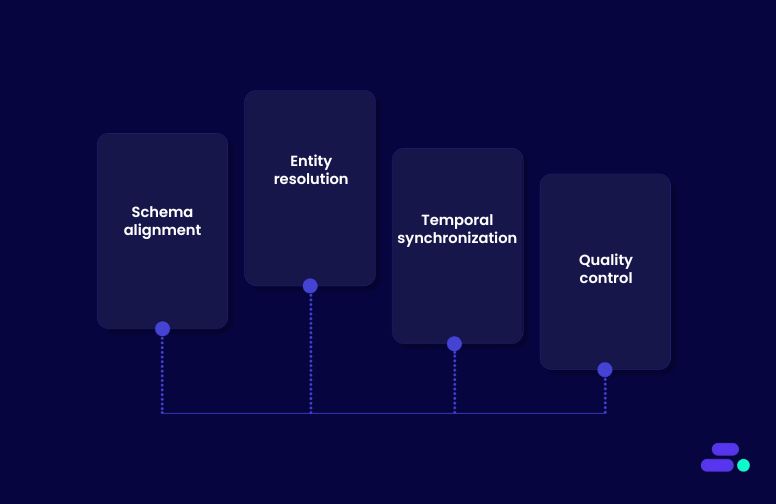
Data integration addresses this at multiple layers:
- Schema alignment: Matching field names, units, and data types so the AI sees “age” or “revenue” in the same way across all sources.
- Entity resolution: Reconciling duplicates or mismatches (e.g., “Robert Smith” in one system, “Rob Smith” in another) to create a unified record.
- Temporal synchronization: Ensuring time-series data from different systems aligns to the same reference points, preventing false correlations.
- Quality control: Applying cleaning, validation, and enrichment steps before data enters the training pipeline.
For example, if a healthcare AI model integrates appointment logs, lab results, and historical diagnoses, schema alignment ensures “blood glucose” readings are in the same units, entity resolution ensures each patient’s record is complete, and temporal synchronization ensures lab results match the right appointment date. Without these steps, the model may misinterpret data or fail to link cause and effect, producing unreliable predictions.
Why data integration matters for AI reliability:
- Complete input for training: Integrated data ensures models receive all relevant attributes, increasing their ability to capture complex relationships.
- Improved accuracy: When no key variables are missing, the AI can make predictions that reflect real-world conditions.
- Reduced bias: Data gaps often skew results toward incomplete or non-representative patterns. Integration helps mitigate this risk.
- Operational efficiency: Teams spend less time reconciling mismatched datasets and more time analyzing insights.
- Stronger compliance: A single source of truth helps maintain regulatory accuracy, especially in sensitive industries like finance or healthcare.
In short, data integration isn’t just about combining sources. It’s about making sure every piece of information fits together in a way that AI can truly understand. That’s the difference between a model that “sort of works” and one that consistently delivers actionable insights.
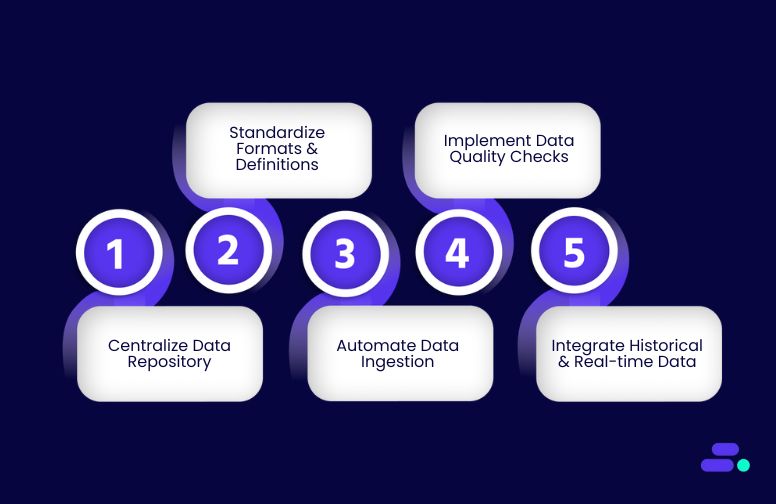
Five data integration strategies to supercharge AI initiatives
In the race to adopt AI, many organizations jump straight to model development, only to hit a wall when results fall short of expectations. The culprit is often not the algorithm, but the data feeding it. AI models are only as strong as the information they learn from, and when that information is scattered, inconsistent, or incomplete, no amount of tuning can fix the foundation.
That’s why the smartest AI journeys start before a single line of model code is written, with a robust data integration strategy. By unifying data from multiple systems, standardizing formats, and ensuring quality at the source, organizations give their AI models the complete and accurate inputs they need to detect patterns, uncover correlations, and generate reliable predictions.
1. Centralize data with a unified repository
AI models thrive on complete, coherent datasets. A centralized data repository (such as a cloud-based data lake or data warehouse) consolidates these disparate datasets into one governed, accessible source of truth. This ensures that every training cycle begins with a consistent and comprehensive dataset, dramatically reducing the “garbage in, garbage out” problem in AI.
How it strengthens AI models:
- Eliminates blind spots by ensuring all relevant datasets, like structured, semi-structured, and unstructured are brought together.
- Enforces consistent formats and schema alignment, reducing preprocessing effort and minimizing the risk of feature mismatches.
- Enables faster experimentation by making new data sources immediately available to data scientists without long integration cycles.
How to do it with AWS:
- Amazon S3: Serve as the foundation for a scalable, secure data lake to store raw and processed data from multiple sources.
- AWS Glue: Automate ETL (extract, transform, load) workflows to clean, standardize, and catalog datasets before loading them into the central repository.
- Amazon Redshift: Store and query structured data at scale for analytics and AI feature engineering.
- AWS Lake Formation: Manage fine-grained access controls, enforce governance, and simplify data sharing across teams.
- Amazon Kinesis Data Firehose: Stream real-time operational data into S3 or Redshift for near-instant availability.
Use case example: A retail company builds a demand forecasting AI without centralizing data, where sales transactions remain in the POS system, inventory lives in ERP, and marketing spend is trapped in spreadsheets. The AI model fails to detect that a recent ad campaign caused regional stockouts because marketing data never intersects with inventory trends.
After implementing an AWS-powered centralized repository, data is continuously ingested from POS, ERP, and CRM systems via Amazon Kinesis, stored in Amazon S3, transformed and cataloged with AWS Glue, and queried directly from Amazon Redshift for AI model training. All datasets are aligned, time-synced, and accessible in one place. The same model is retrained and now detects promotion-driven demand spikes, improving forecast accuracy and enabling proactive stock replenishment before shortages occur.
2. Standardize data formats and definitions
Inconsistent data formats and ambiguous definitions are silent AI killers. If one system logs dates as “MM/DD/YYYY” and another as “YYYY-MM-DD,” or if “customer” means different things across departments, the model may misinterpret or ignore key features. Standardizing formats, data types, and business definitions ensures that AI models interpret every field correctly, preserving data integrity and model accuracy.
How it strengthens AI models:
- Prevents feature mismatch errors by enforcing consistent schema across all datasets.
- Improves model interpretability by ensuring fields mean the same thing in every dataset.
- Reduces time spent on cleansing and reconciliation, allowing data scientists to focus on modeling and optimization.
How to do it with AWS:
- AWS Glue Data Catalog: Maintain a centralized schema registry and automatically detect inconsistencies during ETL jobs.
- AWS Glue DataBrew: Perform low-code, visual data preparation to enforce format consistency before ingestion.
- Amazon Redshift Spectrum: Query standardized datasets in S3 without copying data, ensuring consistency across analytical workloads.
- AWS Lake Formation: Apply uniform governance and metadata tagging so every dataset is understood in the same context.
Use case example: A global e-commerce company trains a product recommendation AI where customer purchase dates, stored differently across regional databases, cause time-based features to be calculated incorrectly. The model misaligns buying patterns, recommending seasonal products out of sync with local trends.
After implementing an AWS-based standardization pipeline, all incoming sales, inventory, and marketing datasets are normalized using AWS Glue DataBrew, cataloged in AWS Glue, and enforced with AWS Lake Formation policies. Dates, currencies, and product codes follow a single global standard. When the same model is retrained, seasonal recommendations now align perfectly with local demand cycles, increasing click-through rates and boosting regional sales during peak periods.
3. Automate data ingestion and synchronization
Manual data ingestion is slow, error-prone, and a bottleneck for AI readiness. AI models perform best when training datasets are consistently refreshed with accurate, up-to-date information. Automating ingestion and synchronization ensures that data from multiple sources flows into your central repository in near real time, eliminating stale insights and keeping models relevant.
How it strengthens AI models:
- Reduces model drift by ensuring fresh, synchronized data is always available for training and retraining.
- Minimizes human error and delays that occur in manual data collection and uploads.
- Enables near real-time analytics, empowering AI systems to adapt to changing business conditions faster.
How to do it with AWS:
- Amazon Kinesis Data Streams: Capture and process real-time data from applications, devices, and systems.
- Amazon Kinesis Data Firehose: Automatically deliver streaming data into Amazon S3, Redshift, or OpenSearch without manual intervention.
- AWS Glue: Orchestrate and automate ETL pipelines to prepare new data for immediate use.
- Amazon Data Migration Service (DMS): Continuously replicate data from on-prem or other cloud databases into AWS.
- AWS Step Functions: Coordinate ingestion workflows, error handling, and retries with serverless orchestration.
Use case example: A ride-hailing company builds a dynamic pricing AI model but uploads driver location data and trip histories only once per day. By the time the model runs, traffic patterns and demand surges have already shifted, leading to inaccurate fare recommendations.
After deploying an AWS-driven ingestion and sync solution, GPS pings from drivers are streamed via Amazon Kinesis Data Streams into Amazon S3, transformed in real time with AWS Glue, and immediately accessible to the AI engine. Historical trip data is kept continuously synchronized using AWS DMS. The retrained model now responds to live traffic and demand spikes within minutes, improving fare accuracy and boosting driver earnings and rider satisfaction.

4. Implement strong data quality checks
Even the most advanced AI models will fail if trained on flawed data. Inconsistent, incomplete, or inaccurate datasets introduce biases and errors that reduce model accuracy and reliability. Embedding automated, ongoing data quality checks into your pipelines ensures that only clean, trustworthy data is used for AI training and inference.
How it strengthens AI models:
- Prevents “garbage in, garbage out” by filtering out inaccurate, duplicate, or incomplete records before they reach the model.
- Improves model accuracy and generalization by ensuring features are reliable and consistent.
- Reduces bias and unintended drift caused by faulty or outdated inputs by ensuring that all training and inference datasets remain accurate, current, and representative of real-world conditions
How to do it with AWS:
- AWS Glue DataBrew: Profile, clean, and validate datasets using no-code, rule-based transformations.
- AWS Glue: Build ETL jobs that incorporate validation rules (e.g., null checks, schema matching, outlier detection) before loading data into the repository.
- Amazon Deequ: Use this open-source library (built on Apache Spark) for automated, scalable data quality verification and anomaly detection.
- Amazon CloudWatch: Monitor data pipelines for failures, delays, or anomalies in incoming datasets.
- AWS Lambda: Trigger automated remediation workflows when data fails quality checks.
Use case example: A healthcare startup develops a patient risk prediction AI model, but occasional CSV imports from partner clinics contain corrupted date fields and missing patient IDs. The model begins producing unreliable predictions, and clinicians lose trust in its recommendations.
After implementing AWS-based quality controls, incoming clinic data is first validated in AWS Glue DataBrew for completeness and schema accuracy. Amazon Deequ automatically flags anomalies like missing IDs or invalid dates, while AWS Lambda routes flagged datasets to a quarantine bucket for review. Clean, validated records are then loaded into the central data lake in Amazon S3. The retrained model shows a boost in predictive accuracy, restoring trust among healthcare providers.
5. Integrate historical and real-time data streams
AI models achieve peak performance when they can learn from the past while adapting to the present. Historical data provides context and patterns, while real-time data ensures predictions reflect the latest conditions. Integrating both streams creates dynamic, context-aware models that can respond immediately to new information without losing sight of long-term trends.
How it strengthens AI models:
- Enables continuous learning by combining long-term trends with up-to-the-moment events.
- Improves prediction accuracy for time-sensitive scenarios like demand forecasting, fraud detection, or predictive maintenance.
- Allows real-time AI inference while retaining the ability to retrain models with updated datasets.
How to do it with AWS:
- Amazon S3: Store and manage large volumes of historical datasets in a cost-effective, durable repository.
- Amazon Kinesis Data Streams/Kinesis Data Firehose: Capture and deliver real-time event data (transactions, IoT signals, clickstreams) directly into storage or analytics platforms.
- Amazon Redshift: Combine and query historical and streaming data for advanced analytics and AI feature engineering.
- AWS Glue: Automate the transformation and joining of historical and live data into AI-ready datasets.
- Amazon SageMaker Feature Store: Maintain and serve consistent features built from both real-time and historical inputs for training and inference.
Use case example: A regional power utility’s outage prediction AI is trained only on historical maintenance logs and weather patterns. It fails to anticipate sudden failures caused by unexpected equipment surges during heatwaves. This leads to unplanned downtime and costly emergency repairs.
By integrating decades of maintenance history stored in Amazon S3 with real-time sensor readings from substations streamed via Amazon Kinesis, the utility gains a live operational view. AWS Glue merges ongoing IoT telemetry with past failure patterns, and Amazon SageMaker Feature Store delivers enriched features to the prediction model.
The updated AI now detects anomalies minutes after they begin, allowing maintenance teams to take preventive action before outages occur, reducing downtime incidents and cutting emergency repair costs.
So, effective AI isn’t just about choosing the right algorithms. It’s about making sure the data behind them is connected, consistent, and complete. With the help of Cloudtech and its AWS-powered data integration approach, SMBs can break down silos and unify every relevant dataset into a single, governed ecosystem.
How does Cloudtech help SMBs turn disconnected data into a unified AI-ready asset?
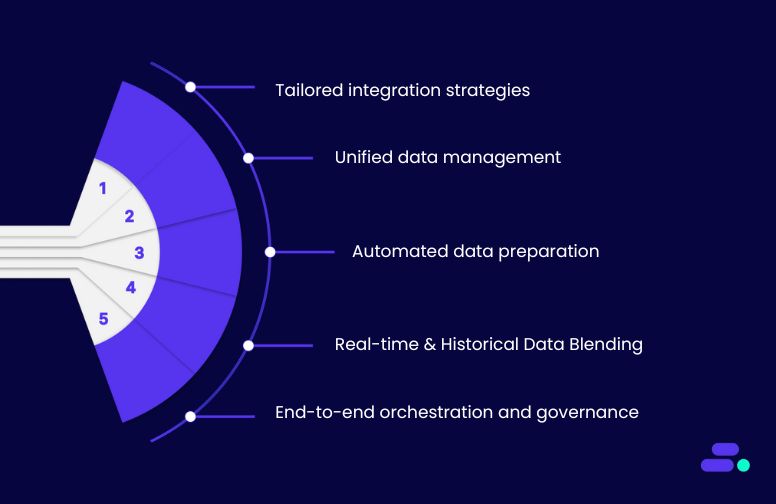
Disconnected data limits AI potential. Historical, transactional, and real-time datasets must flow seamlessly into a unified, governed environment for models to deliver accurate predictions. Cloudtech, an AWS Advanced Tier Services Partner focused exclusively on SMBs, solves this by combining robust data integration with practical GenAI solutions.
- GenAI Proof of Concept (POC): Cloudtech rapidly tests AI use cases with integrated datasets, delivering a working model in four weeks. SMBs gain actionable insights quickly without large upfront investments.
- Intelligent Document Processing (IDP): Integrated data from forms, invoices, and contracts is automatically extracted, classified, and merged into ERP or DMS systems. This reduces manual effort, eliminates errors, and accelerates document-heavy workflows.
- AI Insights with Amazon Q: By using integrated datasets, Cloudtech enables natural-language queries, conversational dashboards, and executive-ready reports. SMBs can make faster, data-driven decisions without needing specialized analytics teams.
- GenAI Strategy Workshop: Cloudtech helps SMBs identify high-impact AI use cases and design reference architectures using unified data. This ensures AI initiatives are grounded in complete, accurate, and accessible datasets.
- GenAI Data Preparation: Clean, structured, and harmonized data is delivered for AI applications, improving model accuracy, speeding up training, and reducing errors caused by inconsistent or incomplete information.
By combining AWS-powered data integration with these GenAI services, Cloudtech turns fragmented datasets into a strategic asset, enabling SMBs to build reliable AI models, accelerate innovation, and extract tangible business value from their data.
See how other SMBs have modernized, scaled, and thrived with Cloudtech’s support →
Wrapping up
Data integration is the foundation for AI, analytics, and smarter decision-making in SMBs. When data is unified, standardized, and continuously synchronized, businesses gain clarity, improve efficiency, and unlock actionable insights from every dataset.
Cloudtech, with its AWS-certified expertise and SMB-focused approach, helps organizations build robust integration pipelines that are automated, scalable, and reliable. It ensures AI models and analytics tools work with complete, accurate information.
With Cloudtech’s AWS-powered data integration solutions, SMBs can transform scattered, siloed data into a strategic asset, fueling smarter predictions, faster decisions, and sustainable growth. Explore how Cloudtech can help your business unify its data and power the next generation of AI-driven insights—connect with the Cloudtech team today.
FAQs
1. How can SMBs measure the ROI of a data integration initiative?
Cloudtech advises SMBs to track both direct and indirect benefits, such as reduced manual reconciliation time, faster AI model training, improved forecast accuracy, and enhanced decision-making speed. By setting measurable KPIs during the integration planning phase, SMBs can quantify cost savings, productivity gains, and revenue impact over time.
2. Can data integration help SMBs comply with industry regulations?
Yes. Integrating data into a governed, centralized repository allows SMBs to enforce access controls, maintain audit trails, and ensure data lineage. Cloudtech leverages AWS tools like Lake Formation and Glue to help businesses maintain compliance with standards such as HIPAA, GDPR, or FINRA while supporting analytics and AI initiatives.
3. How do SMBs prioritize which datasets to integrate first?
Cloudtech recommends starting with high-value data that drives immediate business impact, whether it is customer, sales, and operational datasets, while considering dependencies and integration complexity. Prioritizing in this way ensures early wins, faster ROI, and a solid foundation for scaling integration efforts to more complex or less structured data.
4. What role does metadata play in effective data integration?
Metadata provides context about the datasets, including origin, structure, and usage patterns. Cloudtech uses tools like AWS Glue Data Catalog to manage metadata, making it easier for SMBs to track data quality, enforce governance, and enable AI models to consume data accurately and efficiently.
5. Can integrated data improve collaboration between teams in SMBs?
Absolutely. When datasets are centralized and accessible, different teams like sales, marketing, finance, and operations can work from the same trusted source. Cloudtech ensures data is not only integrated but discoverable, empowering cross-functional teams to make consistent, data-driven decisions and reducing silos that slow growth.
Early warning signs of data integrity problems: What should SMBs look out for?
Data usually lives across scattered spreadsheets, outdated databases, and disconnected applications. It’s “good enough” until a single error slips through, and suddenly reports don’t match, customers get the wrong invoices, or compliance deadlines are missed.
Think of an online retailer preparing quarterly tax filings. A small mismatch between sales records and payment processor data can force hours of manual reconciliation. Orders are delayed, finance teams scramble, and leadership questions whether the numbers can be trusted. Without a reliable data foundation, every decision becomes a gamble.
This article explores why data integrity is critical for SMB success, the early warning signs of trouble, and how AWS-powered best practices can help businesses safeguard their most valuable asset, which is data.
Key takeaways:
- Data integrity is a growth enabler, not just a compliance requirement: For SMBs, reliable data directly supports smarter decision-making, stronger customer relationships, and scalable operations.
- Inaccurate or inconsistent data creates hidden costs: From operational inefficiencies to lost sales opportunities, poor data quality can quietly erode profitability.
- Automation is the foundation of sustainable data accuracy: AWS-powered tools can validate, clean, and standardize data continuously, reducing the risk of human error.
- Data governance must be ongoing, not a one-time cleanup: Policies, monitoring, and regular audits ensure data quality remains high as the business grows and evolves.
- Cloudtech offers SMB-ready, AWS-based solutions that deliver results from day one: Its approach turns messy, unreliable datasets into trusted business assets that drive competitive advantage.
Why is it important for SMBs to ensure data integrity?
Data is the pulse of any business. Sales forecasts, customer records, compliance reports, and inventory data all feed critical decisions every day. When that data is incomplete, inconsistent, or inaccurate, even well-intentioned decisions can backfire.
Unlike large enterprises with dedicated data governance teams, SMBs often rely on lean teams juggling multiple roles. That makes them more vulnerable to unnoticed errors, missing records, or conflicting reports. The result? Wasted time on manual checks, missed opportunities, and in some cases, compliance penalties that strain already-tight budgets.
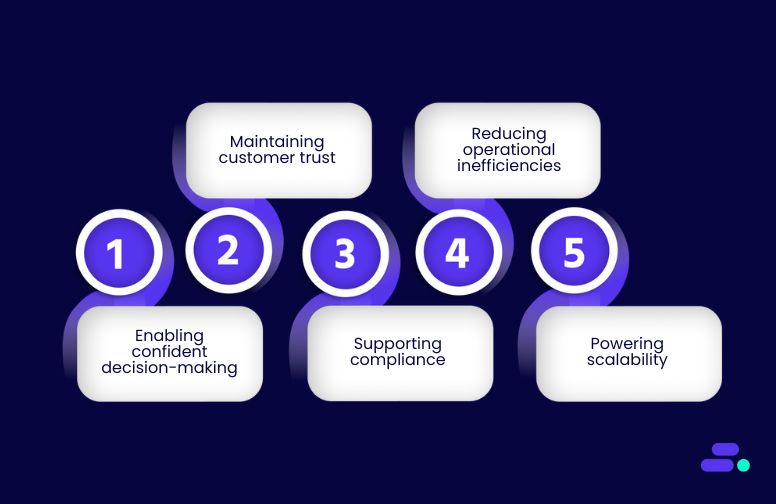
Strong data integrity protects SMBs by:
- Enabling confident decision-making: Leaders can act quickly, knowing the insights they’re using are reliable.
- Maintaining customer trust: Accurate data ensures orders, billing, and communications are error-free, reinforcing credibility.
- Supporting compliance: For industries like healthcare, finance, or retail, maintaining integrity helps avoid fines and legal issues.
- Reducing operational inefficiencies: Teams spend less time fixing errors and more time focusing on growth and innovation.
- Powering scalability: As the business grows, clean and consistent data prevents systems from becoming bottlenecks.
For SMBs, data integrity isn’t a “nice to have.” It’s the difference between steering the business with a clear view ahead or driving blindfolded and hoping for the best.

Common indicators of data integrity problems and how to solve them before escalation?
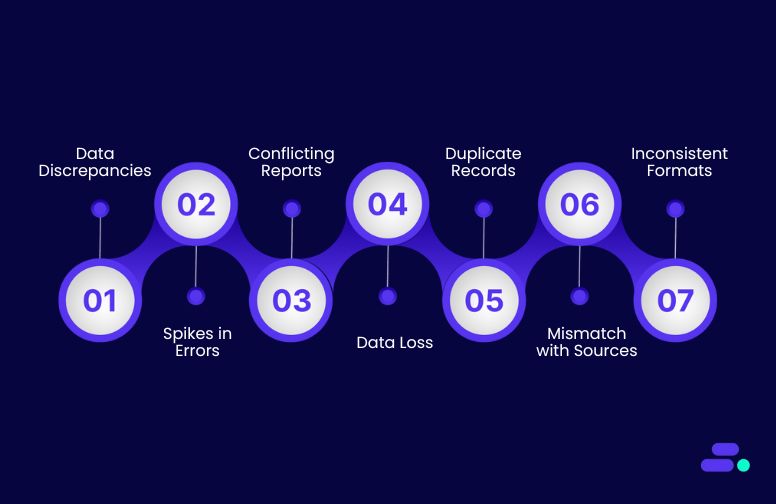
The absence of a structured approach to managing data integrity leads to mismatched records, duplicate entries, and reports that can’t be trusted. Systems might function fine on their own, but when information moves between departments or applications, cracks appear, causing errors that slip past unnoticed until they affect customers, compliance, or revenue.
With the right data integrity strategy, every record flows through the business accurately, consistently, and securely. Errors are caught early, discrepancies are resolved automatically, and teams spend less time firefighting and more time driving growth.
AWS empowers SMBs to achieve this by combining automated validation, secure access controls, and integrated data pipelines. For growing businesses, this shift turns data from a fragile liability into a dependable asset, and the following techniques outline how to spot early warning signs and address them before they escalate into costly problems.
1. Frequent data discrepancies across systems
When the same data appears differently across business systems, such as customer details in a CRM not matching billing records, it’s a red flag for data integrity. For SMBs, where teams rely on multiple interconnected tools, even small mismatches can lead to incorrect invoices, duplicate communications, compliance issues, or lost sales opportunities. Discrepancies often creep in unnoticed, only to surface when they cause financial or reputational damage.
What this problem means for data integrity:
- Breakdown in synchronization: Data changes in one system are not consistently updated in others, causing misalignment.
- Faulty or missing integrations: APIs, middleware, or connectors fail, resulting in incomplete or delayed data transfers.
- Manual entry vulnerabilities: Human errors during manual updates introduce inconsistencies that spread through dependent processes.
How to resolve the problem: The solution begins with creating a single source of truth and enabling real-time synchronization across systems. AWS Glue can serve as the central ETL (extract, transform, load) service to unify, clean, and map data between applications.
For direct, low-code integrations, Amazon AppFlow connects SaaS platforms (like Salesforce, Zendesk, or QuickBooks) with AWS data stores, ensuring that changes made in one system automatically propagate to others. By combining AWS Glue for transformation and AppFlow for live synchronization, SMBs can eliminate manual updates and maintain consistent records across their ecosystem.
2. Unexpected spikes in data errors or rejections
When a sudden surge of invalid inputs or failed data loads appears in logs or monitoring dashboards, it signals a serious data integrity concern. For SMBs, this can mean critical records never make it into reporting systems, customer orders fail mid-process, or compliance-related datasets are incomplete.
These errors often surface during peak operational periods, exactly when the business can least afford delays, and can stem from overlooked validation gaps, system updates, or integration failures.
What this problem means for data integrity:
- Broken validation rules: Existing checks for accuracy, completeness, or formatting may be outdated or disabled, letting bad data in.
- Misconfigured workflows: Data pipelines or ETL processes may be processing fields incorrectly, causing rejections further downstream.
- Inconsistent input standards: When source systems send data in unexpected formats, the receiving system fails to process it correctly.
How to resolve the problem: The fix starts with automated validation at the point of ingestion to stop bad data before it spreads. AWS Glue DataBrew allows teams to visually profile, clean, and standardize incoming datasets without deep coding expertise.
For real-time validation, AWS Lambda functions can be triggered as data enters the pipeline, applying rules to catch and quarantine invalid records. By pairing these tools, SMBs can ensure that only clean, usable data moves forward, while errors are logged and flagged for quick correction.
3. Reports showing conflicting results
When two dashboards or reports, designed to reflect the same KPIs, produce different numbers, it’s a clear warning sign of underlying data integrity issues. For SMBs, these discrepancies erode confidence in decision-making, cause teams to question the accuracy of their analytics, and can lead to costly misaligned strategies.
The root problem often lies in how data is aggregated, when it’s refreshed, or whether reporting tools are referencing the same source of truth.
What this problem means for data integrity:
- Inconsistent aggregation logic: Different formulas or grouping rules between reporting tools can produce mismatched results.
- Outdated or stale queries: Reports may be pulling data from outdated extracts or snapshots, missing the latest updates.
- Mismatched timeframes: Differences in how “periods” are defined, e.g., fiscal vs. calendar weeks, can skew comparisons.
How to resolve the problem: The first step is to centralize and standardize reporting logic so that all tools reference the same definitions, filters, and calculations. Amazon Redshift can serve as a high-performance, centralized data warehouse, ensuring analytics queries always pull from a single, consistent dataset.
For more advanced governance, AWS Lake Formation allows SMBs to define granular permissions and schema consistency rules, making sure all reporting systems align with the same trusted data source. This ensures that regardless of which dashboard is used, the numbers match, restoring confidence in analytics-driven decisions.
4. Unexplained data loss or missing records
When critical data records vanish without explanation, whether it’s customer orders disappearing from a database or entire time periods missing from analytics, it signals a serious data integrity risk.
For SMBs, these gaps can disrupt operations, distort reporting, and create compliance headaches if regulatory records are incomplete. Left unresolved, missing data can also undermine trust with customers and partners who depend on accurate, verifiable information.
What this problem means for data integrity:
- Failed ETL or ingestion jobs: Interrupted pipelines prevent new data from being captured or processed.
- Storage corruption or overwrites: Data in storage may be accidentally deleted, overwritten, or corrupted due to misconfigurations or hardware failures.
- Inadequate backup or recovery processes: Without versioning or robust backups, lost data cannot be restored.
How to resolve the problem: Begin by implementing automated monitoring and alerts for ETL processes using Amazon CloudWatch to detect and notify teams of failures in real time.
For protection against data loss, enable versioning in Amazon S3 to retain historical object copies, or use AWS Backup to create scheduled, resilient backups of critical datasets. By pairing real-time job monitoring with redundant, restorable storage, SMBs can minimize the risk of permanent data loss and recover quickly when issues arise.
5. Duplicate records increasing over time
When customer, product, or transaction records appear multiple times across databases, the impact on data integrity is more serious than it might seem. For SMBs, duplicate records can inflate metrics, cause conflicting analytics results, and even lead to embarrassing errors like sending multiple promotional emails to the same customer.
Over time, the problem compounds, making it harder to identify the “single source of truth” and creating friction in customer interactions.
What this problem means for data integrity:
- Erosion of trust in data accuracy: Stakeholders begin to question the validity of reports and dashboards.
- Operational inefficiency: Sales, support, or marketing teams waste time reconciling conflicting records.
- Customer experience risks: Duplicate outreach or incorrect personalization damages brand credibility.
How to resolve the problem: Use AWS Glue with deduplication scripts to systematically identify and merge records based on defined matching rules, such as unique IDs, email addresses, or a combination of attributes. For relational databases, Amazon RDS queries can help flag and remove duplicate entries at the table level.
By scheduling automated deduplication jobs and enforcing strict data entry validation rules at ingestion points, SMBs can maintain a clean, reliable dataset without relying solely on manual cleanup.
6. Data not matching external sources
When the numbers inside an SMB’s systems don’t align with authoritative external datasets, such as supplier price lists, regulatory compliance databases, or partner inventory feeds, the business is effectively working with a distorted reality.
Decisions based on this inaccurate information can cause financial losses, compliance violations, or strained supplier relationships. The problem often stems from outdated refresh cycles, broken integrations, or inconsistent mapping between data fields.
What this problem means for data integrity:
- Outdated operational decisions: Teams may make purchasing or pricing decisions based on obsolete or incomplete information.
- Compliance and reputational risks: Regulatory filings or audits may fail if internal records don’t match official data sources.
- Breakdown in partner trust: Discrepancies with supplier or partner systems can lead to disputes or penalties.
How to resolve the problem: Set up automated, scheduled data refresh pipelines using AWS Data Pipeline or AWS Step Functions to ensure consistent synchronization with external sources. Combine these with AWS Glue to transform and map incoming data into the correct internal formats before it’s stored.
For real-time updates, Amazon AppFlow can integrate directly with external SaaS platforms, ensuring data freshness without manual intervention. Implement monitoring with Amazon CloudWatch to detect failed syncs early, minimizing the window for discrepancies to grow.
7. Inconsistent data formats across records
When records store the same type of information in multiple formats, such as “2025-08-13” vs. “13/08/2025” for dates, “USD 100” vs. “$100” for currency, or “lbs” vs. “kg” for weight, data analysis quickly turns into a guessing game.
These inconsistencies cause errors in calculations, slow down reporting, and make integration with other systems cumbersome. They also erode trust in the accuracy of outputs since users can’t be certain the data was aggregated or interpreted correctly.
What this problem means for data integrity:
- Inaccurate analytics outputs: Queries and reports may miscalculate totals, averages, or trends due to incompatible formats.
- Integration failures: Downstream systems consuming the data may reject records or misinterpret values.
- Higher operational costs: Data cleaning and reformatting become ongoing manual tasks, diverting resources from more strategic work.
How to resolve the problem: Enforce standardized schemas across datasets using AWS Glue Data Catalog to define field-level formats for every table. Apply format normalization during data ingestion using AWS Glue ETL jobs or AWS Lambda functions triggered via Amazon S3 events.
For datasets sourced from multiple origins, implement a transformation layer that converts all incoming values into a unified format before storage, ensuring analytics tools and integrations consume consistent, clean data. Monitoring jobs with Amazon CloudWatch ensures that any new non-standard entries are detected early and corrected automatically.
The road to data reliability can seem steep for SMBs with smaller teams, but Cloudtech makes it a smooth climb. Its AWS-certified experts design resilient data pipelines that ensure every piece of information is accurate, synchronized, and ready for action.
How does Cloudtech make AWS data integrity achievable for SMBs?
Poor data quality can slow decisions, cause compliance headaches, and undermine customer trust. AWS-powered data integrity solutions change that by ensuring every record is accurate, consistent, and reliable across the business. Cloudtech, as an AWS Advanced Tier Services Partner built exclusively for SMBs, makes sure this foundation is solid from day one.
Instead of patching issues reactively, Cloudtech builds end-to-end, cloud-native data pipelines that are resilient, compliant, and easy to maintain. Here’s how that works:
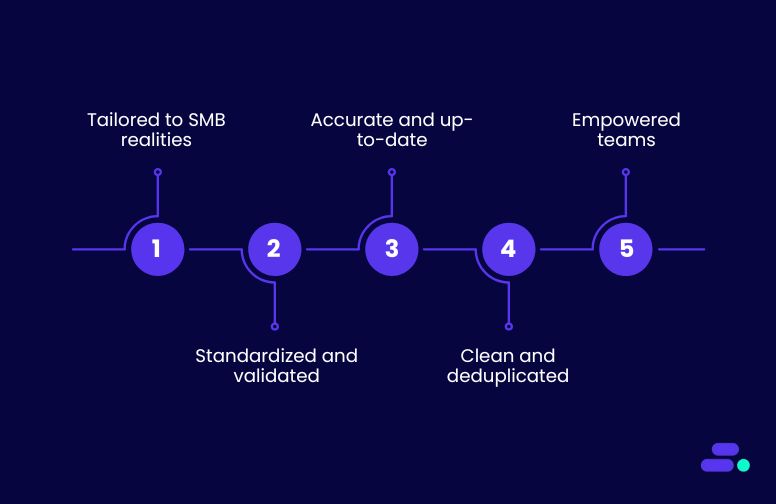
- Tailored to SMB realities: From initial data assessment to ongoing monitoring, Cloudtech delivers right-sized data governance strategies that fit lean teams, removing unnecessary complexity while maintaining high standards.
- Standardized and validated: Using AWS Glue Data Catalog, format normalization scripts, and schema enforcement, data stays consistent—whether it’s coming from internal apps or external sources.
- Accurate and up-to-date: Scheduled refresh pipelines with AWS Step Functions or AWS Data Pipeline keep records in sync with trusted external datasets, eliminating drift over time.
- Clean and deduplicated: Regular quality checks with AWS Glue deduplication jobs or targeted Amazon RDS queries remove duplicates before they can impact analytics or reporting.
- Empowered teams: Training, clear documentation, and best-practice playbooks give SMBs the tools to maintain data integrity independently, without relying on constant outside intervention.
With Cloudtech, SMBs don’t just fix data issues, they build a trustworthy, automated data ecosystem that strengthens every decision they make.
See how other SMBs have modernized, scaled, and thrived with Cloudtech’s support →
Wrapping up
Reliable data is more than an operational asset for SMBs. It’s the backbone of informed decision-making and sustainable growth. True data integrity ensures that every record is consistent, accurate, and trustworthy, no matter the source or format.
Cloudtech, with its AWS-certified expertise and SMB-first approach, helps businesses build and maintain that foundation. By combining automated validation, real-time synchronization, and robust governance practices, Cloudtech ensures data remains dependable while teams focus on innovation and customer value.
With Cloudtech’s AWS-powered data integrity solutions in place, SMBs can operate with clarity, confidence, and agility, turning data from a liability risk into a competitive edge. Discover how it can help your business protect, optimize, and unlock the full potential of its data—connect with the Cloudtech team today.
FAQs
1. How does poor data integrity affect customer trust?
When SMBs rely on inaccurate or outdated records, it often results in incorrect order details, mismatched invoices, or miscommunication with clients. Over time, these errors can lead customers to question the company’s professionalism and reliability. Even one visible mistake, like sending the wrong shipment, can undo months or years of relationship-building. For SMBs, where personal service is often a key differentiator, maintaining data integrity is essential to sustaining customer loyalty.
2. Can data integrity issues slow down decision-making?
Absolutely. Leaders need quick access to reliable information to make timely business decisions. When the accuracy of reports is in doubt, teams are forced to cross-check multiple systems, verify figures manually, and reconcile discrepancies before moving forward. This slows strategic initiatives, delays operational responses, and sometimes results in missed opportunities, especially in competitive markets where speed is critical.
3. Is improving data integrity a one-time project or an ongoing process?
Data integrity is never a “set-and-forget” project. While an initial cleanup or modernization effort can resolve existing issues, SMBs face ongoing risks as new data is collected daily from different sources. Systems evolve, integrations change, and regulations shift. Maintaining integrity requires continuous monitoring, automated validations, and a governance framework that ensures quality remains high as the business grows.
4. How can SMBs prevent human error from impacting data integrity?
Human error is one of the most common causes of data issues, whether through duplicate entries, typos, or incomplete information. Cloudtech helps SMBs address this by designing AWS-based automation that reduces the need for manual inputs. For example, AWS Glue can standardize and transform incoming data automatically, while AWS Step Functions can ensure every process step is validated before moving forward. This not only improves accuracy but also speeds up operations.
5. Does better data integrity have a direct impact on revenue?
While the effect is often indirect, the financial benefits are real. Reliable data enables more accurate sales forecasting, better inventory management, and improved targeting in marketing campaigns. Fewer errors mean fewer returns, disputes, or wasted resources. Over time, these efficiencies add up, allowing SMBs to reinvest savings into growth initiatives while building a stronger, more trustworthy brand presence in the market.
The cloud computing advantage: Picking the right model to 'leapfrog' legacy competitors
There was a time when businesses had to invest heavily in servers, storage, and IT staff just to keep operations running. Scaling up meant buying more hardware, and adapting to market changes was a slow, expensive process. That is no longer the case with cloud computing. Today, SMBs can access enterprise-grade infrastructure on demand, pay only for what they use, and scale in minutes instead of months.
Take the example of a regional retailer competing with a legacy chain still tied to on-prem systems. The legacy player spends weeks setting up servers and testing software before launching a seasonal campaign. The cloud-enabled SMB spins up AWS resources in hours, integrates with modern e-commerce tools, and auto-scales during traffic spikes, going live in days. Cloud computing doesn’t just level the playing field, it gives SMBs the agility and speed to outpace their larger, slower-moving competitors.
This guide breaks down the core cloud computing models and deployment types every SMB should understand to unlock agility, scalability, and cost efficiency.
Key takeaways:
- The right cloud deployment model depends on SMB needs for compliance, workload, and growth.
- Knowing IaaS, PaaS, SaaS, and FaaS helps SMBs choose the best service for control and speed.
- Cloud computing lets SMBs compete with legacy firms through faster innovation and scaling.
- Customized cloud strategies align tech choices with SMB goals for maximum impact.
- Cloudtech’s expertise helps SMBs pick and deploy cloud models confidently and cost-effectively.
How does cloud computing help SMBs outpace larger competitors?
Without cloud computing, SMBs often face the same limitations that have held them back for decades, including slow technology rollouts, high upfront costs, and infrastructure that struggles to scale with demand. Competing against larger companies in this environment means constantly playing catch-up, as enterprise competitors can outspend and out-resource them at every step.
Cloud computing flips that dynamic. Instead of sinking capital into hardware, maintenance, and long deployment cycles, SMBs can rent exactly what they need, when they need it, from powerful computing instances to advanced AI models. This agility turns what used to be multi-year IT initiatives into projects that can be delivered in weeks.
Consider the difference in launching a new product:
- Without cloud: Procuring servers, configuring systems, hiring additional IT staff, and testing environments can stretch timelines for months, while larger competitors with established infrastructure move faster.
- With cloud: Infrastructure is provisioned in minutes, applications scale automatically, and global delivery is possible from day one, allowing SMBs to meet market demand the moment it arises.
In practice, this means smaller businesses can handle traffic surges without overbuying resources. AI, analytics, security, and global content delivery comes at a fraction of the cost. Businesses can focus on innovation instead of upkeep, letting cloud providers like AWS and their partners like Cloudtech handle maintenance, uptime, and redundancy.
In short, cloud computing removes the “infrastructure gap” that used to give large corporations an unshakable advantage. It breaks the traditional advantage of big budgets.
Take a 15-person e-commerce startup. By using AWS global infrastructure, they can launch a worldwide shipping option within two months, using services like Amazon CloudFront for faster content delivery and Amazon RDS for scalable databases. Meanwhile, a traditional retail giant with its own data centers spends over a year just upgrading its logistics software for international orders.
Cloud computing as a growth multiplier: The real power of cloud computing for SMBs isn’t just cost savings, it’s acceleration. Cloud tools enable:
- Data-driven decision-making: Real-time analytics for faster, smarter choices.
- Access to new markets: Multi-region deployments without physical offices.
- Customer experience upgrades: Always-on services with minimal downtime.
When SMBs combine the speed of innovation with intelligent use of cloud tools, they can compete head-to-head with much larger, better-funded rivals and often win.
The four cloud paths: Which one will take SMBs the furthest?
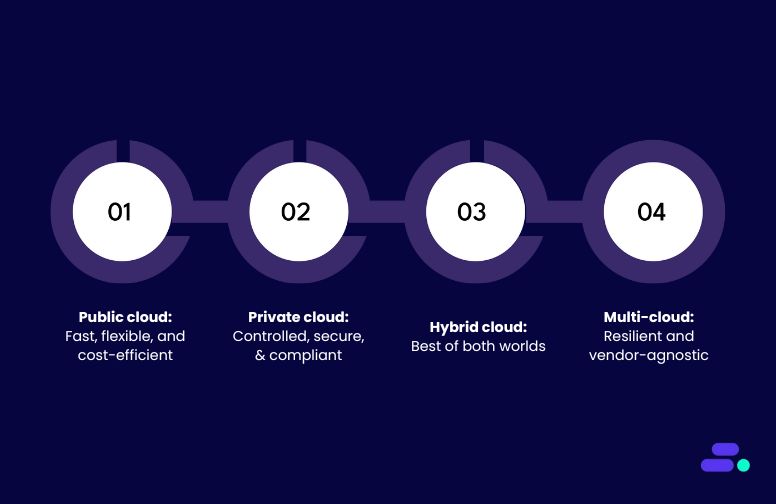
Adopting cloud computing isn’t just about moving to the cloud, but about moving in the right way. The deployment model businesses choose determines how well the cloud environment will align with their business needs, budget, compliance requirements, and growth plans.
For SMBs, the wrong choice can mean underutilized resources, higher-than-expected costs, or compliance risks. The right choice, on the other hand, can unlock faster product launches, better customer experiences, and a competitive edge against much larger rivals.
Each of the four primary cloud paths, including public, private, hybrid, and multi-cloud, comes with its own strengths and trade-offs. Selecting the right one requires balancing cost efficiency, security, performance, and future scalability so their cloud journey is not only smooth today but also sustainable in the long run.
1. Public cloud: Fast, flexible, and cost-efficient
In a public cloud model, computing resources such as servers, storage, and networking are hosted and managed by a third-party cloud provider (like AWS) and shared across multiple customers. Each business accesses its own isolated slice of these shared resources via the internet, paying only for what it actually uses.
The public cloud eliminates the need to purchase, install, and maintain physical IT infrastructure. This means no more waiting weeks for hardware procurement or struggling with capacity planning. Instead, SMBs can provision new virtual servers, storage, or databases in minutes through AWS services such as:
- Amazon EC2 for on-demand compute power
- Amazon S3 for highly scalable, secure storage
- Amazon RDS for fully managed relational databases
- Amazon CloudFront for fast, global content delivery
The cost model is equally attractive, since public cloud is typically pay-as-you-go with no long-term commitments, enabling SMBs to experiment with new ideas without a large upfront investment.
Public cloud is a natural fit for SMBs that:
- Have minimal regulatory compliance requirements
- Operate primarily with cloud-native or modernized applications
- Experience fluctuating demand and want to scale resources up or down quickly
- Prefer to focus on business innovation rather than infrastructure maintenance
Digital marketing agencies, SaaS startups, e-commerce brands, or online education platforms benefit the most from public cloud.
Example in action: A digital marketing agency running campaigns across multiple countries sees demand surge during events like Black Friday. With AWS, it can quickly spin up Amazon EC2 instances to handle traffic spikes, store and analyze massive datasets in Amazon S3, and deliver rich media ads via Amazon CloudFront with minimal latency.
After the peak, resources are scaled back, keeping costs predictable and aligned with revenue. This agility not only saves money but also speeds time to market, enabling SMBs to compete with far larger, slower-moving competitors still reliant on on-premise infrastructure.
2. Private cloud: Controlled, secure, and compliant
In a private cloud model, all computing resources, including servers, storage, and networking are dedicated exclusively to a single organization. This can be hosted in the SMB’s own data center or managed by a third-party provider using isolated infrastructure. Unlike the shared nature of the public cloud, private cloud environments offer complete control over configuration, data governance, and security policies.
For SMBs operating in highly regulated industries such as healthcare, finance, or legal services, a private cloud ensures compliance with standards like HIPAA, PCI DSS, or GDPR. It also allows integration with legacy systems that may not be cloud-ready but must still meet strict security requirements.
With AWS, SMBs can build a secure and compliant private cloud using services such as:
- AWS Outposts for running AWS infrastructure and services on-premises with full cloud integration
- Amazon VPC for creating logically isolated networks in the AWS cloud
- AWS Direct Connect for dedicated, high-bandwidth connectivity between on-premises environments and AWS
- AWS Key Management Service (KMS) for centralized encryption key control
- AWS Config for compliance tracking and governance automation
The private cloud model enables predictable performance, tighter security controls, and tailored infrastructure optimization, ideal for workloads involving sensitive customer data or mission-critical applications.
Private cloud is a natural fit for SMBs that:
- Operate in regulated industries requiring strict compliance (e.g., HIPAA, GDPR, PCI DSS)
- Need full control over infrastructure configuration and security policies
- Handle highly sensitive or confidential data
- Integrate closely with specialized or legacy systems that can’t be hosted in public cloud environments
Examples include regional banks, healthcare providers, legal firms, and government contractors.
Example in action: Imagine a regional healthcare provider managing electronic health records (EHR) for thousands of patients. Compliance with HIPAA means patient data must be encrypted, access-controlled, and stored in a secure, isolated environment. Using AWS Outposts, the provider can run workloads locally while maintaining seamless integration with AWS services for analytics and backup.
Amazon VPC ensures network isolation, AWS KMS handles encryption, and AWS Config continuously monitors compliance. This setup ensures the organization meets all regulatory obligations while benefiting from cloud scalability and automation, something a purely on-prem setup could achieve only with significant hardware investment and maintenance overhead.
3. Hybrid cloud: Best of both worlds
In a hybrid cloud model, SMBs combine on-premises infrastructure with public or private cloud environments, creating a unified system where workloads and data can move seamlessly between environments.
This approach is ideal for organizations that have made significant investments in legacy systems but want to tap into the scalability, innovation, and cost benefits of the cloud without a disruptive “all-at-once” migration.
With AWS, SMBs can extend their existing infrastructure using services such as:
- AWS Direct Connect for secure, low-latency connections between on-prem systems and AWS.
- Amazon S3 for cost-effective cloud storage that integrates with local workloads.
- AWS Outposts to bring AWS infrastructure and services into the on-prem data center for consistent operations across environments.
- AWS Backup for centralized, policy-based backup across cloud and on-premises resources.
The private cloud offers predictable performance, stronger security, and tailored infrastructure, perfect for SMBs with sensitive data, strict compliance needs, or mission-critical workloads. Dedicated resources ensure control over compliance, data residency, and reliability.
Hybrid cloud is a strong fit for SMBs that:
- Still run business-critical legacy applications on-premises.
- Require certain workloads to remain local due to compliance or latency needs.
- Want to modernize incrementally to reduce risk and disruption.
- Need burst capacity in the cloud for seasonal or project-based demand.
Examples include SMBs from industries like manufacturing, logistics, or healthcare where on-site infrastructure is still essential.
Example in action: A manufacturing SMB runs its legacy ERP system on-premises for production scheduling and inventory management but uses AWS for analytics and AI-driven demand forecasting. Production data is synced to Amazon S3, where AWS Glue prepares it for analysis in Amazon Redshift.
Forecast results are then sent back to the ERP system, enabling smarter inventory purchasing without replacing the existing ERP. Over time, more workloads can move to AWS, giving the business the flexibility to modernize at its own pace while still leveraging its trusted on-prem infrastructure.
4. Multi-cloud: Resilient and vendor-agnostic
In a multi-cloud model, an SMB strategically uses services from two or more cloud providers such as AWS, Microsoft Azure, and Google Cloud, often selecting each based on its unique strengths. Instead of relying on a single vendor for all workloads, businesses distribute applications and data across multiple platforms to increase resilience, avoid vendor lock-in, and optimize for performance or cost in specific scenarios.
Multi-cloud enables SMBs to take advantage of the best features from each provider while mitigating the risk of outages or pricing changes from any single vendor. For example, an SMB might run customer-facing web apps on AWS for its global reach, store analytics data in Google Cloud’s BigQuery for its advanced querying, and use Azure’s AI services for niche machine learning capabilities.
AWS plays a central role in many multi-cloud strategies with services such as:
- Amazon EC2 for scalable, reliable compute capacity
- Amazon S3 for durable, cross-region object storage
- AWS Direct Connect for high-speed, secure connections between cloud providers and on-premises environments
- AWS Transit Gateway to simplify hybrid and multi-cloud networking
The cost model in multi-cloud depends on the provider mix, but SMBs gain negotiating power and flexibility, allowing them to select the most cost-effective or performant option for each workload.
Multi-cloud is a natural fit for SMBs that:
- Require high availability and disaster recovery across platforms
- Want to leverage specialized services from different providers
- Operate in industries where redundancy is critical (e.g., finance, healthcare, global SaaS)
- Aim to reduce dependency on a single vendor for strategic or cost reasons
Examples include fintech platforms, global SaaS companies, content delivery providers, or mission-critical logistics systems where downtime or vendor limitations can directly impact revenue and customer trust
Example in action: Consider a global SaaS platform that delivers real-time collaboration tools to clients across multiple continents. To ensure uninterrupted service, it hosts primary workloads on AWS using Amazon EC2 and Amazon RDS, but mirrors critical databases to Azure for failover. Large datasets are stored in Amazon S3 for durability, while select AI-driven analytics are processed in Google Cloud for speed and cost efficiency. If one provider experiences an outage or a regional performance issue, traffic can be rerouted within minutes, ensuring customers see no disruption.
This approach not only strengthens business continuity but also gives the company leverage to choose the best tools for each job, without being locked into a single ecosystem.
When selecting a cloud deployment model, SMB leaders should weigh cost, compliance, workload type, and future scalability.
Comparison table of cloud deployment models for SMBs:
Picking the right cloud level: Service models demystified
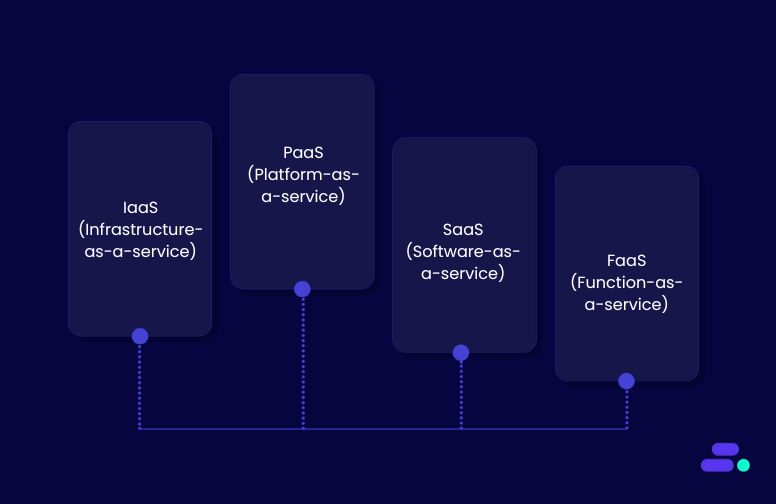
When SMBs move to the cloud, the decision isn’t just where to host workloads (public, private, hybrid, or multi-cloud), it’s also about how much control and responsibility they want over the underlying technology stack.
This is where cloud service models come in. Each model offers a different balance between flexibility, control, and simplicity, and choosing the right one can make the difference between smooth scaling and unnecessary complexity.
1. IaaS (Infrastructure-as-a-service)
IaaS provides on-demand virtualized computing resources such as servers, storage, and networking. SMBs using IaaS retain full control over operating systems, applications, and configurations. This model suits businesses with strong technical expertise that want to customize their environments without investing in physical hardware. It offers flexibility and scalability but requires managing infrastructure components, making it ideal for SMBs ready to handle backend complexity.
AWS examples: Amazon EC2, Amazon S3, Amazon VPC.
Best for:
- Tech-heavy SMBs building custom apps or platforms
- Businesses migrating legacy apps that require specific OS or configurations
- Companies with dedicated IT or DevOps teams
Trade-off: Greater flexibility comes with more management responsibility—security patches, monitoring, and scaling need in-house skills.
2. PaaS (Platform-as-a-service)
PaaS offers a managed environment where the cloud provider handles the underlying infrastructure, operating systems, and runtime. This lets developers focus entirely on building and deploying applications without worrying about maintenance or updates. For SMBs looking to accelerate application development and reduce operational overhead, PaaS strikes a balance between control and simplicity, enabling faster innovation with less infrastructure management.
AWS examples: AWS Elastic Beanstalk, AWS App Runner, Amazon RDS.
Best for:
- SMBs building web or mobile apps quickly
- Teams without dedicated infrastructure management staff
- Businesses that want faster time to market without deep sysadmin skills
Trade-off: Less control over underlying infrastructure. It is better for speed, not for highly customized environments.
3. SaaS (Software-as-a-service)
SaaS delivers fully functional software applications accessible via web browsers or APIs, removing the need for installation or infrastructure management. This model is perfect for SMBs seeking quick access to business tools like customer relationship management, collaboration, or accounting software without technical complexity. SaaS reduces upfront costs and IT demands, allowing SMBs to focus on using software rather than maintaining it.
Examples on AWS Marketplace: Salesforce (CRM), Slack (collaboration), QuickBooks Online (accounting).
Best for:
- SMBs that want instant access to business tools
- Businesses prioritizing ease of use and predictable costs
- Teams without in-house IT resources
Trade-off: Limited customization; businesses adapt their workflows to the software’s capabilities.
4. FaaS (Function-as-a-service)
FaaS, also known as serverless computing, executes discrete code functions in response to events, automatically scaling resources up or down. SMBs adopting FaaS pay only for the actual compute time used, leading to cost efficiency and reduced operational burden. It is particularly useful for automating specific tasks or building event-driven architectures without managing servers, making it attractive for SMBs wanting lean, scalable, and flexible compute options.
AWS example: AWS Lambda.
Best for:
- SMBs automating repetitive processes (e.g., image processing, data cleanup)
- Developers building lightweight, event-based services
- Reducing infrastructure costs by paying only when code runs
Trade-off: Best for short-running, stateless tasks; not suited for heavy, long-running workloads.
Picking the right service model depends on three factors:
- In-house expertise: If businesses have strong IT/development skills, IaaS or PaaS gives more flexibility. If not, SaaS is faster to deploy.
- Workload type: Custom, complex applications fit better on IaaS/PaaS; standard business processes (CRM, accounting) are best on SaaS; event-driven automation works best on FaaS.
- Speed-to-market needs: PaaS and SaaS accelerate deployment, while IaaS allows more customization at the cost of longer setup.
Pro tip: Many SMBs use a mix—SaaS for business operations, PaaS for app development, IaaS for specialized workloads, and FaaS for targeted automation.
Choosing the right cloud deployment and service models is crucial for SMBs to maximize benefits like cost savings, scalability, and security. However, navigating these options can be complex. That’s where Cloudtech steps in, guiding businesses to the ideal cloud strategy tailored to their unique needs.
How does Cloudtech help SMBs choose the right cloud computing models?
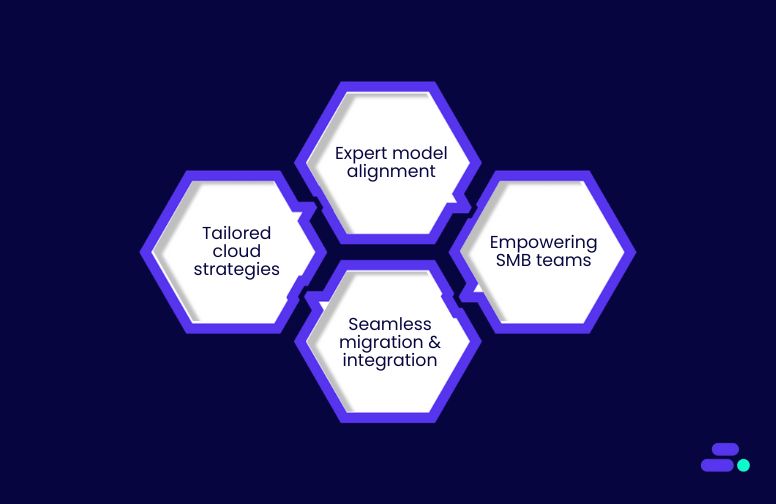
Choosing the right cloud deployment and service models can make or break an SMB’s ability to outmaneuver legacy competitors, but navigating these complex options isn’t easy. That’s exactly why SMBs turn to Cloudtech.
As an AWS Advanced Tier Partner focused on SMB success, Cloudtech brings deep expertise in matching each business with the precise mix of public, private, hybrid, or multi-cloud strategies and service models like IaaS, PaaS, SaaS, and FaaS. They don’t offer one-size-fits-all solutions, but craft tailored cloud roadmaps that align perfectly with an SMB’s technical capacity, regulatory landscape, and aggressive growth ambitions.
Here’s how Cloudtech makes the difference:
- Tailored cloud strategies: Cloudtech crafts customized cloud adoption plans that balance agility, security, and cost-effectiveness, helping SMBs utilize cloud advantages without unnecessary complexity.
- Expert model alignment: By assessing workloads and business priorities, Cloudtech recommends the best mix of deployment and service models, so SMBs can innovate faster and scale smarter.
- Seamless migration & integration: From lift-and-shift to cloud-native transformations, Cloudtech ensures smooth transitions, minimizing downtime and disruption while maximizing cloud ROI.
- Empowering SMB teams: Comprehensive training, documentation, and ongoing support build internal confidence, enabling SMBs to manage and evolve their cloud environment independently.
With Cloudtech’s guidance, SMBs can strategically harness cloud to leapfrog legacy competitors and accelerate business growth.
See how other SMBs have modernized, scaled, and thrived with Cloudtech’s support →
Wrapping up
The cloud’s promise to level the playing field depends on making the right architectural choices, from deployment models to service types. Cloudtech specializes in guiding SMBs through these complex decisions, crafting tailored cloud solutions that align with business goals, compliance requirements, and budget realities.
This combination of strategic insight and hands-on AWS expertise transforms cloud adoption from a technical challenge into a competitive advantage. Leave legacy constraints behind and partner with Cloudtech to harness cloud computing’s full potential.
Connect with Cloudtech today and take the leap toward cloud-powered success.
FAQs
1. How can SMBs manage security risks when adopting different cloud deployment models?
While cloud providers like AWS offer robust security features, SMBs must implement best practices such as encryption, identity and access management, and regular audits. Cloudtech helps SMBs build secure architectures tailored to their deployment model, ensuring compliance without sacrificing agility.
2. What are the common pitfalls SMBs face when migrating legacy systems to cloud service models?
SMBs often struggle with underestimating migration complexity, data transfer challenges, and integration issues. Cloudtech guides SMBs through phased migrations, compatibility testing, and workload re-architecture to minimize downtime and ensure a smooth transition.
3. How can SMBs optimize cloud costs while scaling their operations?
Without careful monitoring, cloud expenses can balloon. Cloudtech implements cost governance tools and usage analytics, enabling SMBs to right-size resources, leverage reserved instances, and automate scaling policies to balance performance and budget effectively.
4. How do emerging cloud technologies like serverless and AI impact SMB cloud strategy?
Serverless architectures and AI services reduce operational overhead and open new innovation avenues for SMBs. Cloudtech helps SMBs identify practical use cases, integrate these technologies into existing workflows, and scale intelligently to maintain competitive advantage.
5. What role does cloud governance play in SMB cloud adoption?
Effective governance ensures policy compliance, data integrity, and security across cloud environments. Cloudtech supports SMBs in establishing governance frameworks, automating compliance checks, and training teams to maintain control as cloud usage expands.
AWS high availability architectures every SMB should know about
Many SMBs piece together uptime strategies with manual backups, single-server setups, and ad-hoc recovery steps. It’s fine, until a sudden outage grinds operations to a halt, draining both revenue and customer confidence.
Picture an online retailer mid–holiday rush. If its main server goes down, carts abandon, payments fail, and reputation takes a hit. Without built-in redundancy, recovery becomes a scramble instead of a safety net.
AWS changes that with high availability architectures designed to keep systems running through hardware failures, traffic surges, or routine maintenance. By combining Multi-AZ deployments, elastic load balancing, and automated failover, SMBs can ensure services stay fast and accessible even when parts of the system falter.
This guide breaks down the AWS high availability infrastructure patterns every SMB should know to achieve uptime, resilience, and continuity without breaking the budget.
Key takeaways:
- Multi-AZ deployments give critical workloads fault tolerance within a single AWS region.
- Active-active architectures keep performance consistent and handle sudden traffic surges with ease.
- Active-passive setups offer a cost-friendly HA option by activating standby resources only during failures.
- Serverless HA delivers built-in multi-AZ resilience for event-driven and API-based workloads.
- Global and hybrid HA models extend reliability beyond regions, supporting global reach or on-prem integration.
Why is high-availability architecture important for SMBs?
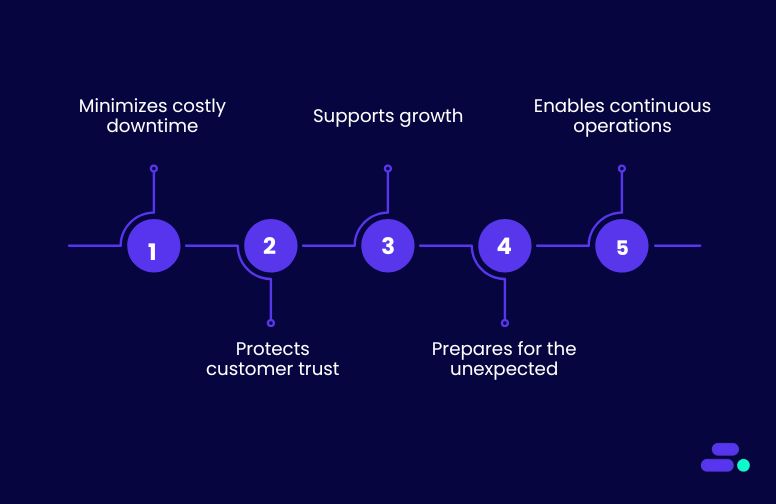
Downtime isn’t just an inconvenience, it’s a direct hit to revenue, reputation, and customer trust. Unlike large enterprises with more resources and redundant data centers, SMBs often run lean, making every minute of uptime critical.
High-availability (HA) architecture ensures the applications, websites, and services remain accessible even when part of the system fails. Instead of relying on a single point of failure, whether that’s a lone database server or an on-premise application, HA architecture uses redundancy, fault tolerance, and automatic failover to keep operations running.
Here’s why it matters:
- Minimizes costly downtime: Every hour offline can mean lost sales, missed opportunities, and unhappy customers.
- Protects customer trust: Reliable access builds confidence, especially in competitive markets.
- Supports growth: As demand scales, HA systems can handle more users without sacrificing speed or stability.
- Prepares for the unexpected: From power outages to hardware crashes, HA helps businesses recover in seconds, not hours.
- Enables continuous operations: Maintenance, updates, and scaling can happen without disrupting service.
For SMBs, adopting high-availability infrastructure on AWS is an investment in business continuity. It turns reliability from a “nice-to-have” into a competitive advantage, ensuring businesses can serve customers anytime, anywhere.
6 practical high-availability architecture designs that ensure uptime for SMBs
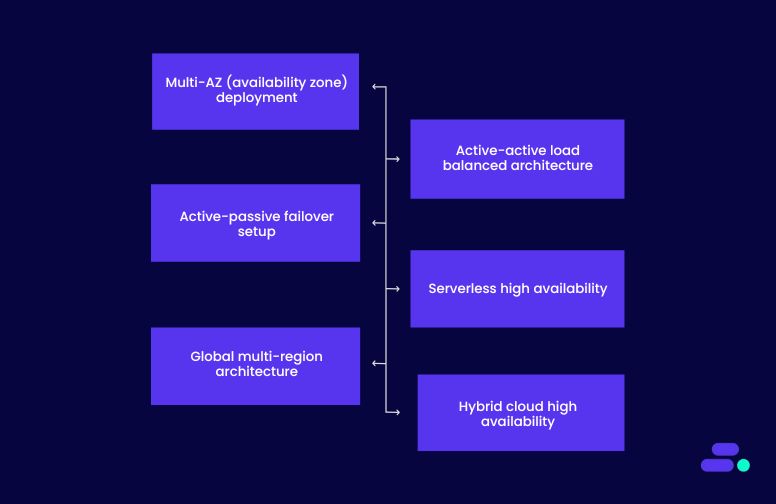
Picture two SMBs running the same online service. The first operates without a high-availability design. When its primary server fails on a busy Monday morning, customers face error screens, support tickets pile up, and the team scrambles to fix the issue while revenue bleeds away.
The second SMB has an AWS-based HA architecture. When one node fails, traffic automatically reroutes to healthy resources, databases stay in sync across regions, and customers barely notice anything happened. The support team focuses on planned improvements, not firefighting.
That’s the difference HA makes. Downtime becomes a non-event, operations keep moving, and the business builds a reputation for reliability. AWS offers the building blocks to make this resilience possible, without the excessive cost or complexity of traditional disaster-proofing:
1. Multi-AZ (availability zone) deployment
A Multi-AZ deployment distributes application and database resources across at least two physically separate data centers called Availability Zones within the same AWS region. Each AZ has its own power, cooling, and network, so a failure in one doesn’t affect the other.
In AWS, services like Amazon RDS Multi-AZ, Elastic Load Balancing (ELB), and Auto Scaling make this setup straightforward, ensuring applications keep running even during localized outages.
How it improves uptime:
- Automatic failover: If one AZ experiences issues, AWS automatically routes traffic to healthy resources in another AZ without manual intervention.
- Reduced single points of failure: Applications and databases stay operational even if an entire AZ goes down.
- Consistent performance during failover: Load balancing and replicated infrastructure maintain steady response times during outages.
Use case: A mid-sized logistics SMB runs its shipment tracking platform on a single Amazon EC2 instance and Amazon RDS database in one AZ. During a rare AZ outage, the platform goes offline for hours, delaying deliveries and flooding the support team with complaints.
After migrating to AWS Multi-AZ deployment, they spread Amazon EC2 instances across two AZs, enable RDS Multi-AZ for automatic failover, and place an ELB in front to distribute requests. The next time an AZ has issues, traffic seamlessly shifts to the healthy AZ. Customers continue tracking shipments without disruption, and the operations team focuses on deliveries instead of firefighting downtime.
2. Active-active load balanced architecture
In an active-active architecture, multiple application instances run in parallel across different AWS Availability Zones, all actively serving traffic at the same time. A load balancer, like AWS Application Load Balancer (ALB), distributes incoming requests evenly, ensuring no single instance is overloaded.
If an instance or AZ becomes unavailable, traffic is automatically redirected to the remaining healthy instances, maintaining performance and availability. This approach is ideal for applications that demand low latency and high resilience during unexpected traffic spikes.
How it improves uptime:
- Instant failover: Because all instances are active, if one fails, the others immediately absorb the load without downtime.
- Load distribution under spikes: Prevents bottlenecks by spreading traffic evenly, keeping performance steady.
- Geared for scaling: Works seamlessly with Amazon EC2 Auto Scaling to add or remove capacity in response to demand.
Use case: A regional e-commerce SMB hosts its storefront on a single EC2 instance. During festive sales, traffic surges crash the site, causing lost sales and frustrated customers. After adopting an active-active load balanced architecture, they run Amazon EC2 instances in two AZs, connect them to an application load balancer, and enable auto scaling to match demand.
On the next big sale, the load spreads evenly, new instances spin up automatically during peak hours, and customers enjoy a fast, uninterrupted shopping experience, boosting both sales and brand trust.
3. Active-passive failover setup
An active-passive architecture keeps a primary instance running in one availability zone while maintaining a standby instance in another AZ. The standby remains idle (or minimally active) until a failure occurs in the primary. Automated failover mechanisms like Amazon Route 53 health checks or Amazon RDS Multi-AZ replication detect the outage and quickly switch traffic or database connections to the standby.
This design delivers high availability at a lower cost than active-active setups, since the standby isn’t consuming full resources during normal operations.
How it improves uptime:
- Rapid recovery from outages: Failover occurs automatically within seconds to minutes, minimizing disruption.
- Cost-efficient resilience: Standby resources aren’t fully utilized until needed, reducing ongoing costs.
- Simplified maintenance: Updates or patches can be applied to the standby first, reducing production risk.
Use case: A mid-sized accounting software provider runs its client portal on a single database server. When the server fails during quarterly tax filing season, clients can’t log in, costing the firm both revenue and reputation.
They migrate to Amazon RDS Multi-AZ, where the primary database operates in one AZ and a standby replica waits in another. Route 53 monitors health and automatically reroutes connections to the standby when needed. The next time a hardware failure occurs, customers barely notice, the system switches over in seconds, keeping uptime intact and stress levels low.
4. Serverless high availability
In a serverless architecture, AWS fully manages the infrastructure, automatically distributing workloads across multiple availability zones. Services like AWS Lambda, Amazon API Gateway, and Amazon DynamoDB are built with redundancy by default, meaning there’s no need to manually configure failover or load balancing.
This makes it a powerful choice for SMBs running event-driven workloads, APIs, or real-time data processing where even brief downtime can impact customers or revenue.
How it improves uptime:
- Built-in multi-AZ resilience: Services operate across several AZs without extra configuration.
- No server maintenance: Eliminates risks of downtime from patching, scaling, or hardware failures.
- Instant scaling for spikes: Automatically handles traffic surges without throttling requests.
Use case: A ticket-booking SMB manages a popular event app where users flood the system during flash sales. On their old monolithic server, peak demand crashes the app, causing missed sales.
They migrate to AWS Lambda for processing, API Gateway for handling requests, and DynamoDB for ultra-fast, redundant storage. The next ticket sale hits 20x their normal traffic, yet the system scales instantly, runs smoothly across AZs, and processes every request without downtime, turning a past failure point into a competitive advantage.
5. Global multi-region architecture
Global Multi-Region Architecture takes high availability to the next level by running workloads in multiple AWS Regions, often on different continents. By combining Amazon Route 53 latency-based routing, cross-region data replication, and globally distributed services like DynamoDB Global Tables, businesses ensure their applications remain accessible even if an entire region experiences an outage.
This design also reduces latency for international users by directing them to the closest healthy region.
How it improves uptime:
- Disaster recovery readiness: Operations can shift to another region in minutes if one fails.
- Global performance boost: Latency-based routing ensures users connect to the nearest region.
- Regulatory compliance: Keeps data in specific regions to meet local data residency laws.
Use case: A SaaS SMB serving customers in the US, Europe, and Asia struggles with downtime during rare but major regional outages, leaving entire geographies cut off. They rearchitect using AWS Route 53 latency-based routing to direct users to the nearest active region, Amazon S3 Cross-Region Replication for content, and Amazon DynamoDB Global Tables for real-time data sync.
When their US region faces an unexpected outage, traffic is automatically routed to Europe and Asia with zero disruption, keeping all customers online and operations unaffected.
6. Hybrid cloud high availability
Hybrid Cloud High Availability bridges the gap between on-premises infrastructure and AWS, allowing SMBs to maintain redundancy while gradually moving workloads to the cloud.
Using services like AWS Direct Connect for low-latency connectivity, AWS Storage Gateway for seamless data integration, and Elastic Disaster Recovery for failover, this setup ensures business continuity even if one environment, cloud or on-prem, fails.
How it improves uptime:
- Smooth migration path: Systems can transition to AWS without risking downtime during the move.
- Dual-environment redundancy: If on-premises resources fail, AWS takes over; if the cloud fails, local systems step in.
- Optimized for compliance and control: Critical data can remain on-prem while apps leverage AWS availability.
Use case: A regional manufacturing SMB runs core ERP systems on legacy servers but wants to improve uptime without an all-at-once migration. They set up AWS Direct Connect for secure, fast connectivity, sync backups via AWS Storage Gateway, and configure Elastic Disaster Recovery for automated failover.
When a power outage knocks out their local data center, workloads instantly switch to AWS, ensuring factory operations continue without delays or missed orders.
How can SMBs choose the right high availability architecture?
No two SMBs have identical uptime needs. What works for a healthcare clinic with critical patient data might be overkill for a boutique marketing agency, and vice versa. The right high availability (HA) design depends on factors like the workflow’s tolerance for downtime, customer expectations, data sensitivity, traffic patterns, and budget.
SMBs should start by mapping out their critical workflows, the processes where downtime directly impacts revenue, safety, or reputation. Then, align those workflows with an HA architecture that provides the right balance between reliability, cost, and complexity.
Even if high availability feels like an advanced, enterprise-only capability, Cloudtech makes it attainable for SMBs. Its AWS-certified team designs resilient architectures that are production-ready from day one, keeping systems responsive, secure, and reliable no matter the demand.
How Cloudtech helps SMBs build the right high-availability architecture?
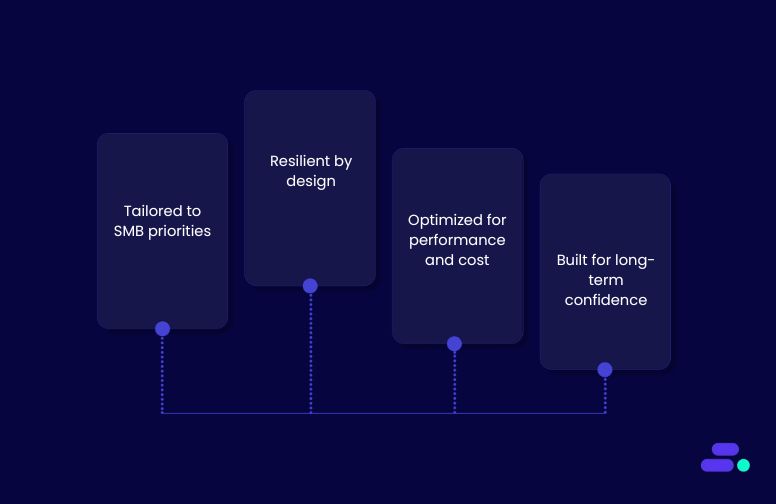
AWS high-availability architectures solve this by keeping systems online even when components fail, but designing them for SMB realities requires expertise and precision. That’s where Cloudtech comes in.
As an AWS Advanced Tier Services Partner focused solely on SMBs, Cloudtech helps businesses select and implement the HA architecture that matches their workflows, budget, and growth plans. Instead of over-engineering or under-protecting, the goal is a fit-for-purpose design that’s cost-effective, resilient, and future-ready.
Here’s how Cloudtech makes it happen:
- Tailored to SMB priorities: From multi-AZ deployments to hybrid cloud setups, architectures are designed to align with operational goals, compliance needs, and existing IT investments.
- Resilient by design: Using AWS best practices, failover mechanisms, and automated recovery strategies to minimize downtime and ensure business continuity.
- Optimized for performance and cost: Using the right AWS services like Amazon Route 53, Elastic Load Balancing, or DynamoDB Global Tables, so availability improves without unnecessary spend.
- Built for long-term confidence: Documentation, training, and ongoing support help SMB teams understand, manage, and evolve their HA setup as the business grows.
With Cloudtech, SMBs move from “hoping the system stays up” to knowing it will, because their high-availability architecture is not just robust, but purpose-built for them.
See how other SMBs have modernized, scaled, and thrived with Cloudtech’s support →
Wrapping up
High availability is a safeguard for revenue, reputation, and customer trust. The real advantage comes from architectures that do more than survive failures. They adapt in real time, keep critical systems responsive, and support growth without unnecessary complexity.
With Cloudtech’s AWS-certified expertise, SMB-focused approach, and commitment to resilience, businesses get HA architectures that are right-sized, cost-aware, and ready to perform under pressure. From launch day onward, systems stay online, customers stay connected, and teams stay productive, even when the unexpected happens.
Downtime shouldn’t be part of your business plan. Let Cloudtech design the high-availability architecture that keeps your operations running and your opportunities within reach. Get on a call now!
FAQs
1. How is high availability different from disaster recovery?
High availability (HA) is about preventing downtime by designing systems that can keep running through component failures, network issues, or localized outages. It’s proactive, using techniques like Multi-AZ deployments or load balancing to minimize service disruption. Disaster recovery (DR), on the other hand, is reactive. It kicks in after a major outage or disaster to restore systems from backups or replicas, which may take minutes to hours depending on the plan. In short, HA keeps businesses online, DR gets them back online.
2. Will implementing HA always mean higher costs for SMBs?
Not necessarily. While certain HA strategies (like active-active multi-region setups) require more infrastructure, AWS offers cost-effective approaches like active-passive failover or serverless HA where businesses only pay for standby capacity or usage. The right choice depends on the business’s tolerance for downtime. Critical customer-facing apps may justify higher spend, while internal tools might use more budget-friendly HA patterns.
3. How do I test if my HA architecture actually works?
Testing HA is an ongoing process. SMBs should run regular failover drills to simulate AZ or region outages, perform load testing to check scaling behavior, and use chaos engineering tools (like AWS Fault Injection Simulator) to verify automated recovery. The goal is to make sure the business architecture reacts correctly under both expected and unexpected stress.
4. Can HA architectures handle both planned maintenance and sudden outages?
Yes, if designed correctly. A well-architected HA setup can route traffic away from nodes during scheduled maintenance, ensuring updates don’t interrupt service. The same routing rules and failover mechanisms also apply to sudden outages, allowing the system to recover within seconds or minutes without manual intervention. This dual capability is why HA is valuable even for businesses that don’t face frequent emergencies.
5. What’s the biggest mistake SMBs make with HA?
Treating HA as a “set it and forget it” project. Workloads evolve, user demand changes, and AWS introduces new services and cost models. If an HA architecture isn’t regularly reviewed and updated, it can become inefficient, over-provisioned, or vulnerable to new types of failures. Continuous monitoring, scaling adjustments, and periodic architecture reviews keep the system effective over time.